34 • Program Mode Programming ER-180 Electronic Cash Register AU
Tax Rate
The tax rate on the ER-180 has been preset to 10% Tax1 (VAT or add-on) as GST (Bold Font). If
change is needed, please refer to the table below, then,
1. Turn mode key to PGM mode,
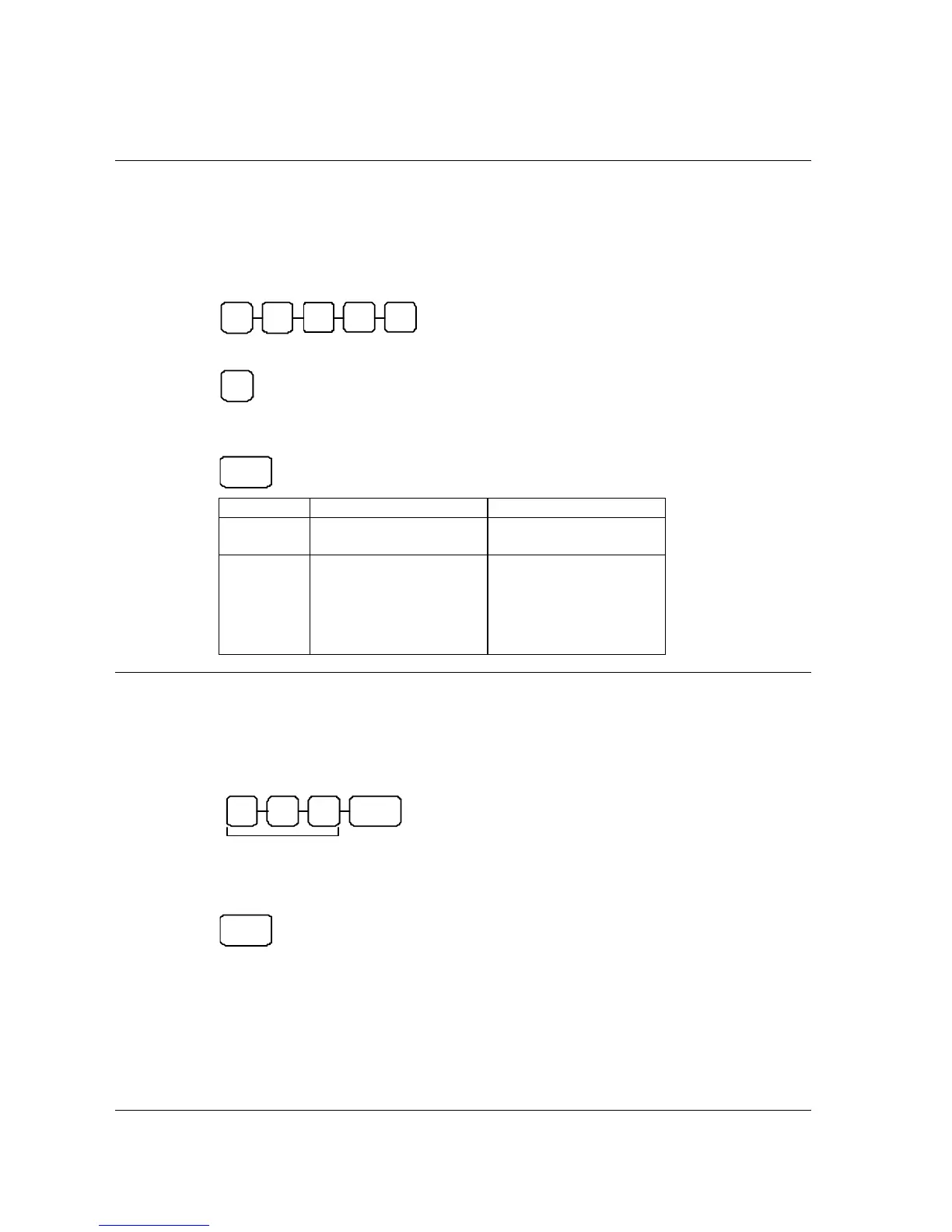
2. Enter the tax rate up to 5 digits number (Do Not Use Decimal Point!),
N2 N1 N4 N3 N5
3. Enter the option of Status,
N6
4. Press Department key for the department you are programming for to finalise the
programming.
TA X
VALUE COMMENTS
N1-N5
00000 - 99999
(10000 for 10%)
Tax rate
N6
0
1
2
3
4
External straight tax
Tax1 (VAT or add-on)
Tax2 (VAT or add-on)
Tax3 (VAT or add-on)
Tax4 (VAT or add-on)
Link Plu to Department
All 100 PLUs in ER-180 are preset link to Department 1. If change is needed,
1. Turn mode key to PGM mode,
2. Enter the PLU number of the PLU that is modified, then PLU function key,
PLU
Up to 100 for the
PLU number
3. Press 1 of the 16 Department key that PLU is about to link to finalise the programming.
DE PT



 To Next Page