ER-180 Electronic Cash Register AU Getting Started • 3
Installing the Paper
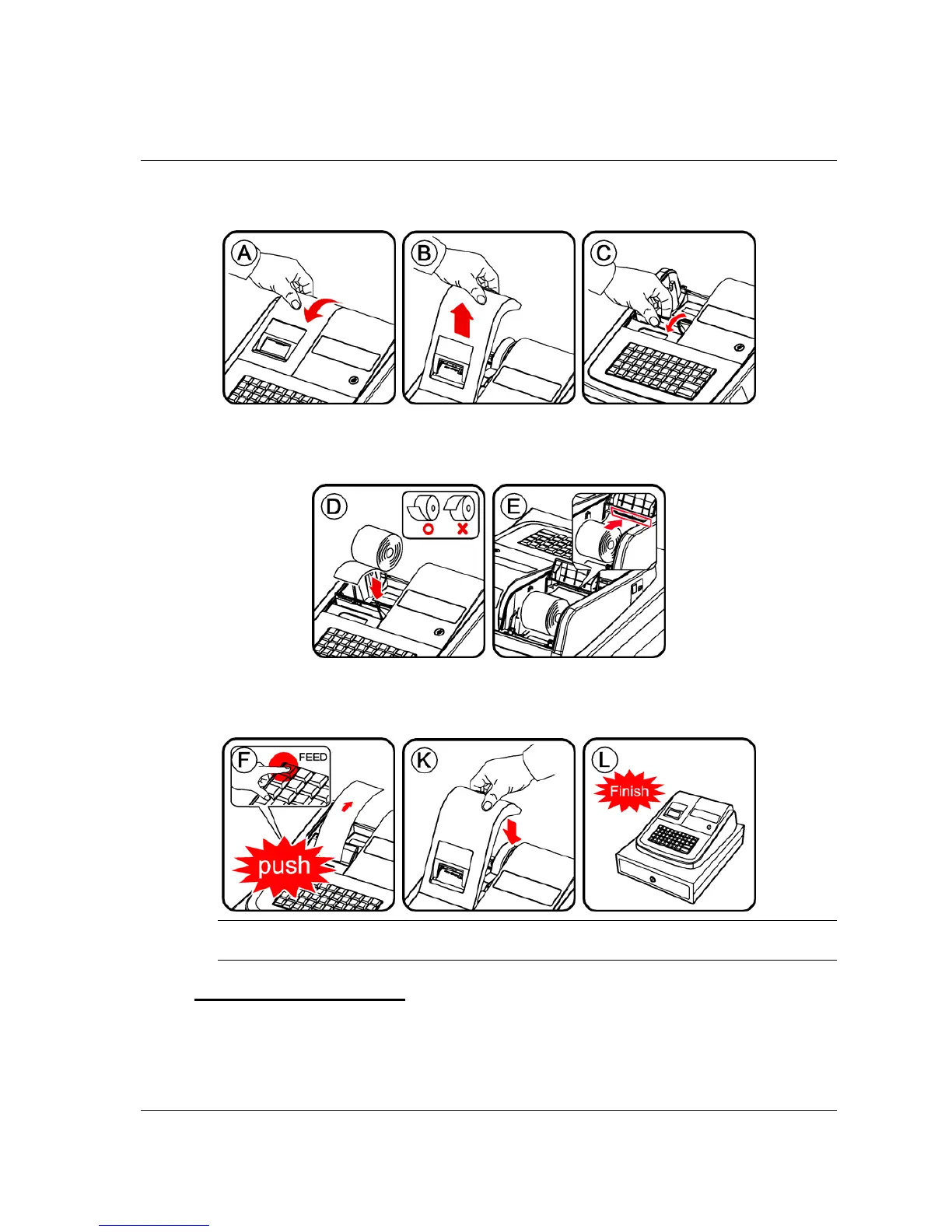
1. Remove the printer cover (A) and (B).
2. Lift the cover and insert the paper roll (C).
3. Cut or tear the end of a single paper tape evenly for proper feeding through the print head
(D).
4. Place paper roll in the paper holder and insert the paper end straight into the paper inlet of the
printer (E).
5. Depress the FEED key until the paper catches and advances through the printer (F).
NOTE: If the paper does not feed through the printer, make sure the paper was entered properly,
insert end of paper tape.
FOR RECEIPT ONLY...
6. Pass the paper through the receipt window of the printer cover. Replace over printer
compartment (K) and (L).



 To Next Page