19
2 P MODE PROGRAMMING
2.1 DATE & TIME PROGRAMMING
2.1.1 DATE PROGRAMMING
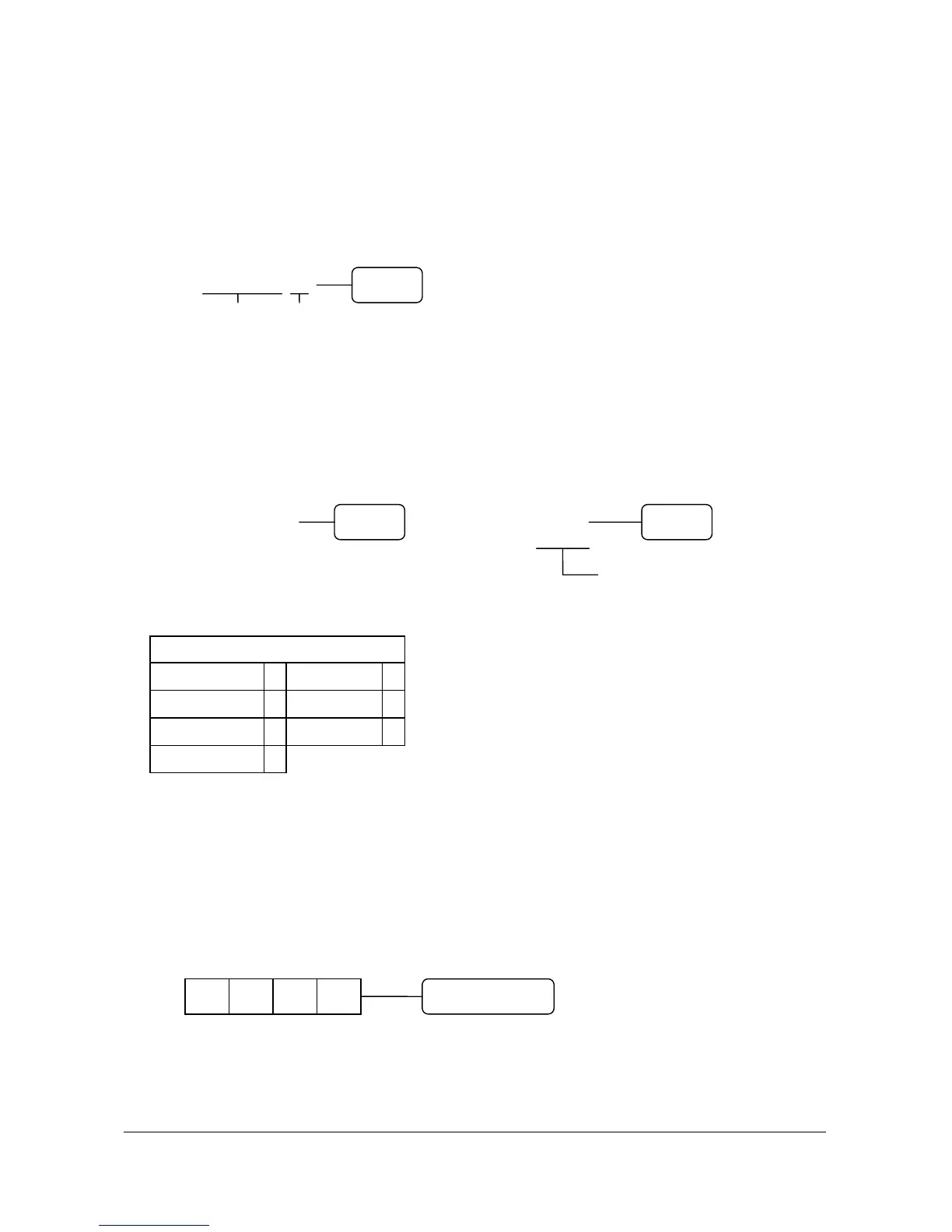
( 1 ) Enter the date in the form of MM DD YY or DD MM YY or YY MM DD and week.
( The order of date is set by SYSTEM OPTION ADDRESS 25 : Page 40 )
( 2 ) Press the “X/TIME” key.
( X X X X X X Y )
Date Week
2.1.2 TIME PROGRAMMING
( 1 ) Enter standard military time in the form of HH MM.
( 2 ) Press the “X/TIME” key.
EX ) 25 DECEMBER 1996, WEDNESDAY 12 : 00 noon
( 1 2 2 5 9 6 3 ) ( 1 2 0 0 )
In military time noon = 1200
midnight = 0000
# WEEK TABLE # 1 : 30 PM = 1330
WEEK VALUE : and so on.
SUNDAY 0 THURSDAY 4
MONDAY 1 FRIDAY 5
TUESDAY 2 SATURDAY 6
WEDNESDAY 3
2.2 REGISTER NUMBER PROGRAMMING
( 1 ) Enter the register number up to 4 digits.
( 2 ) Press the “MDSE RETURN” key.
X/TIME
X/TIME X/TIME
D1 D2 D3 D4 MDSE RETURN



 To Next Page