35
2.10 % KEY PROGRAMMING
This cash register has two % keys.
2.10.1 % KEY PROGRAMMING
A. PROGRAMMING STATUS
PROGRAMMING OPTION VALUE OPTION DIGIT
% key is POSITIVE ( SURCHARGE )
NEGATIVE ( DISCOUNT )
OPEN
PRESET
a
b
1
0
2
0
N 1 = a + b
% key is SALE
ITEM
AMOUNT
PERCENTAGE
INACTIVE
ACTIVE
a
b
c
1
0
2
0
4
0
N 2 = a + b + c
B. PROGRAMMING
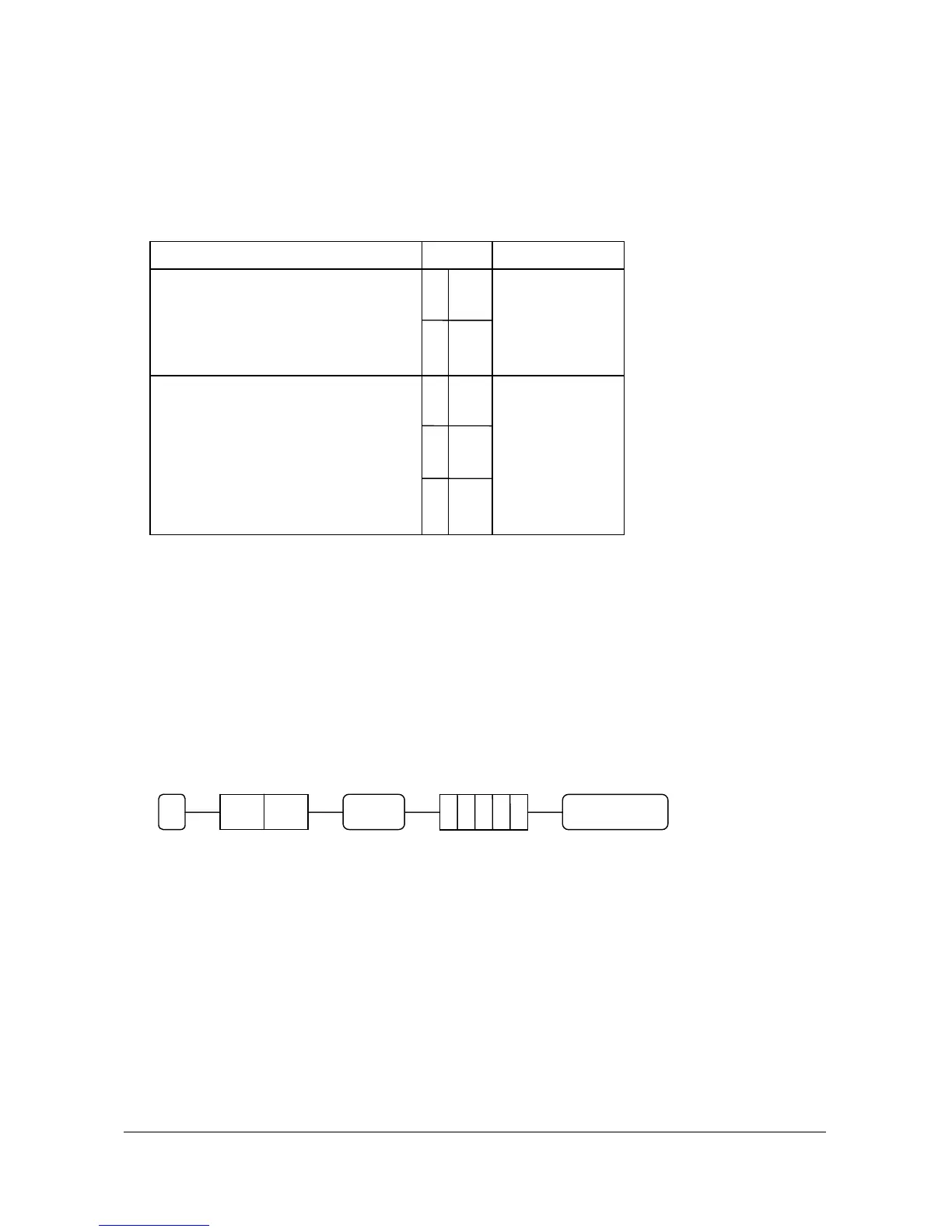
( 1 ) Press the “%” key to be programmed.
( 2 ) Enter the status from the above table and press the “SUBTL” key.
( 3 ) Enter the percentage or amount up to 5 digits and press the “CASH/TEND” key.
Decimal point is fixed at three places.
EX ) Percent Rate : 10 % would be 1 0 0 0 0
5.6 % would be 5 6 0 0
STATUS 5 DIGITS ( Percent or Amount )
2.10.2 % CALCULATION ROUNDING FACTOR
Refer to SYSTEM OPTION ADDRESS 38 ( Page 41 )
CASH/TEND
SUBTL
N 2
N 1 %



 To Next Page