69
NOTE : If you set the SYSTEM OPTION 47 to 0, the consolidated receipt is only printed on the
receipt of ECR.
If you set the SYSTEM OPTION 47 to 1, the consolidated receipt is printed on the
receipt of ECR and the slip printer.
If you set the SYSTEM OPTION 47 to 2, the consolidated receipt is only printed on the
slip printer.
NOTE : If you set the SYSTEM OPTION ADDRESS 48 to 0, when cashier overlap, the transaction
will be printed on the slip printer.
( Refer to SYSTEM OPTION ADDRESS 54 ( Page 42 ) to select the printer type. )
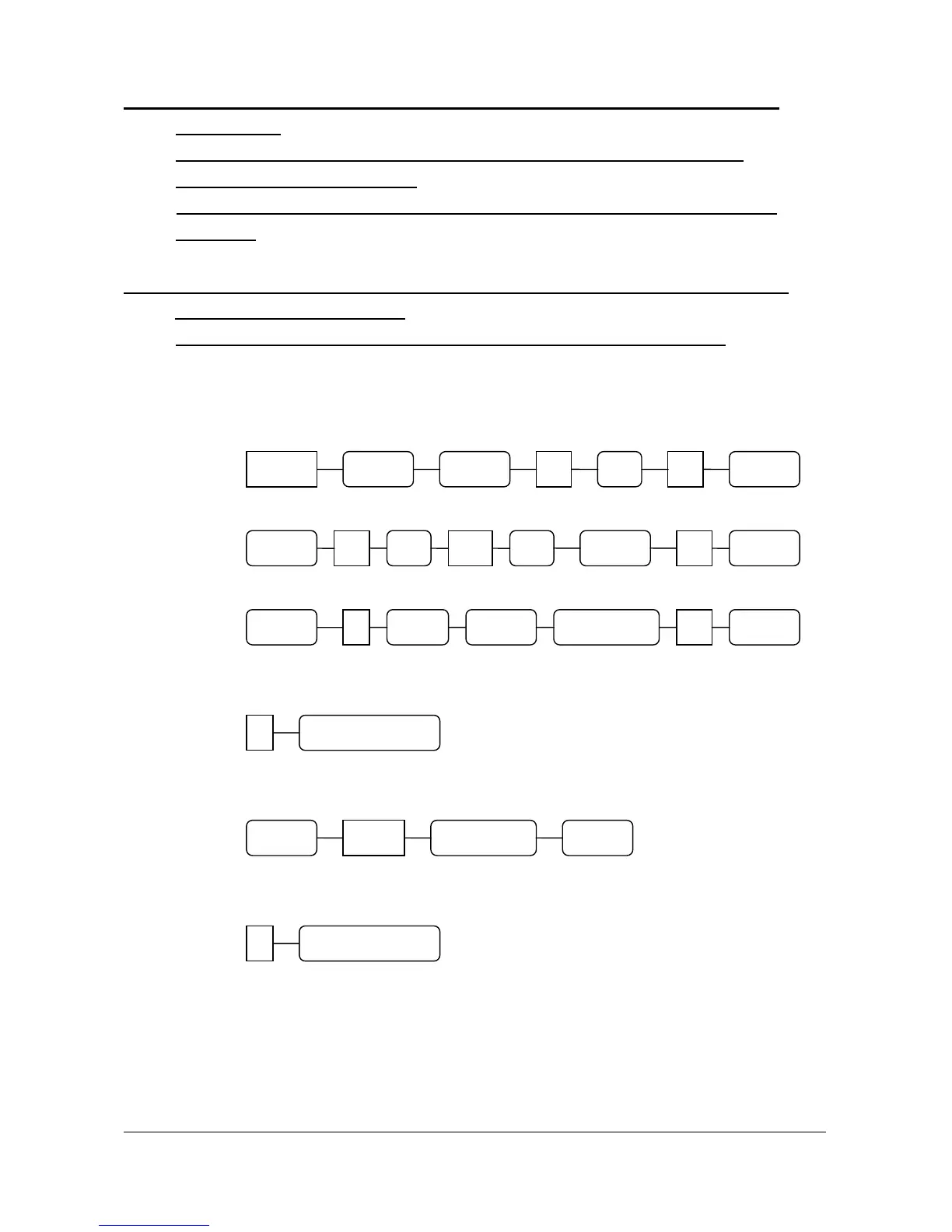
EX ) Assume that clerk sign on method is push button type.
STEP 1 CLERK 1 ! =>
STEP 2 CLERK CHANGE ! ( 1 -> 2 ) ====>
STEP 3 CLERK CHANGE ! ( 2 -> 1 ) ====>
CLERK 1 FINALIZES !
STEP 4
CLERK NO.
STEP 5 CLERK CHANGE ! ( 1 -> 2 ) ====>
CLERK 2 FINALIZES !
STEP 6
CLERK NO.
CLERK 1 0 PLU 2 0DEPT 1 DEPT 1 1 0 0 0
DEPT 3 PLU 5 0 0PLU CLERK 2 0 1 0 CLERK 2
CLERK 1 0 CASH/TEND
CHECK TENDER
CHECK TENDER
DEPT 3 X/TIME 4 CLERK 1
1
2
CHECK CASH/TEND1 0 0 0 CLERK 2



 To Next Page