- 28 - Application Installation Sam4POS Quick Start v1.1
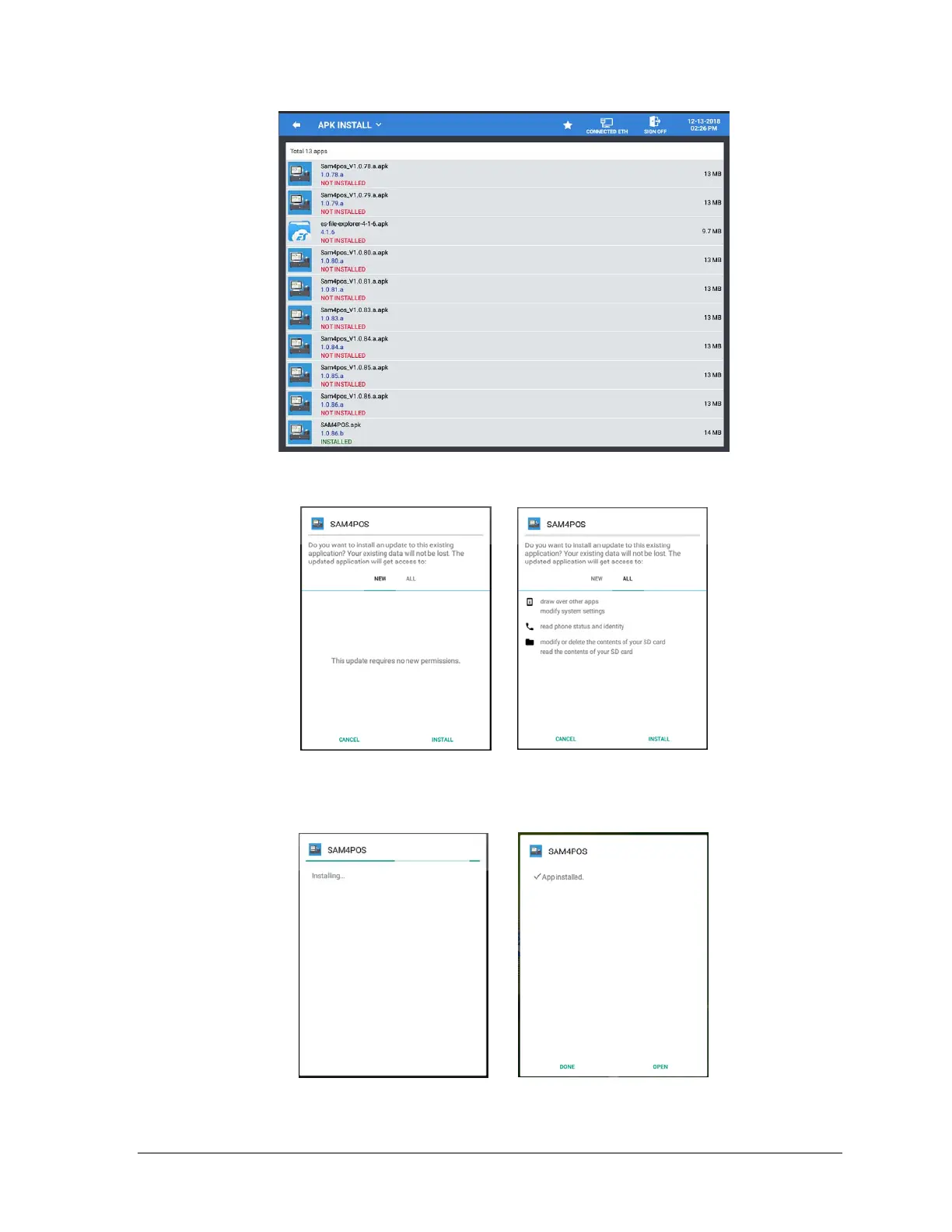
3. Tap the appropriate SAM4POS APK file you want to load. (It’s possible to have multiple
update files on the same drive.) The Install dialog displays:
4. Press Install to load the selected SAM4POS update.
5. The ‘Installing…’ dialog displays while the new application files are loaded. When it is
finished, the ‘APP Installed’ dialog screen is displayed:
6. After APK file installation is complete, Press “Open”.



 To Next Page