4.Troubleshooting
4.2.Initialization&UpgradeMethods
4.2.1.HowtocheckF/Wversion
•Method1
-Step1:Openthetray.
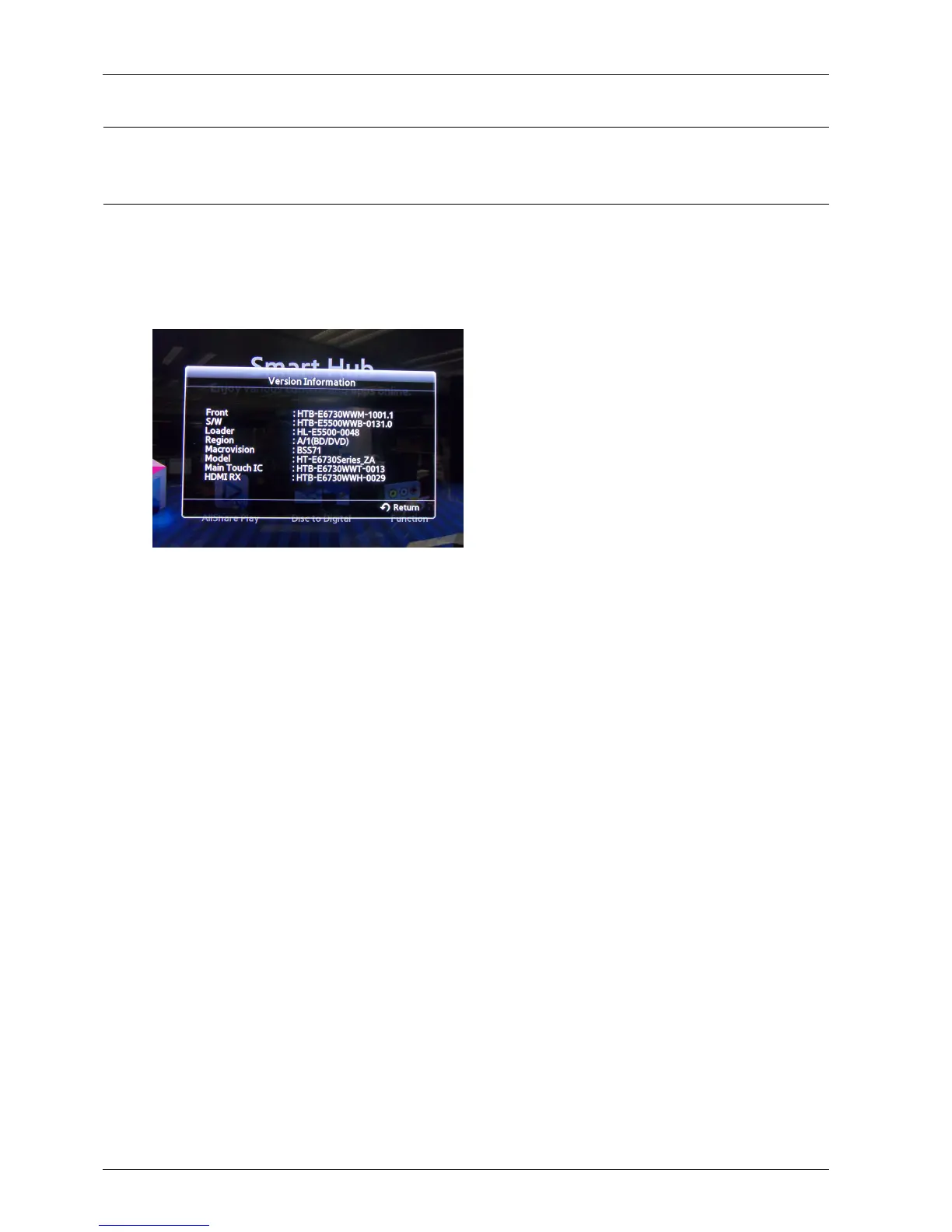
-Step2:Pressandhold“INFO”buttonontheremotefor5seconds.
-Then,youwillseebelowscreen.
•Method2(ForonlyBackEndversion)
-SelecttheSettingsonthemenu.
-Settings→Support→ContactSamsung
•Descriptionforthemeaning
-Front:Systemmicom
-S/W:BACKENDFirmware
-Loader:LoaderFirmware
-Region:BDregioncode/DVDregioncode
-Macrovision:Macrovisionversion
-Model:Modelname
-MainTouchIC:touchkeyrmware
-HDMIRX:HDMIFirmware
4-23Copyright©1995-2012SAMSUNG.Allrightsreserved.


 To Next Page