OfficeServ 7400 INSTALLATION
TECHNICAL MANUAL PART 7 MAY 2010
7.27
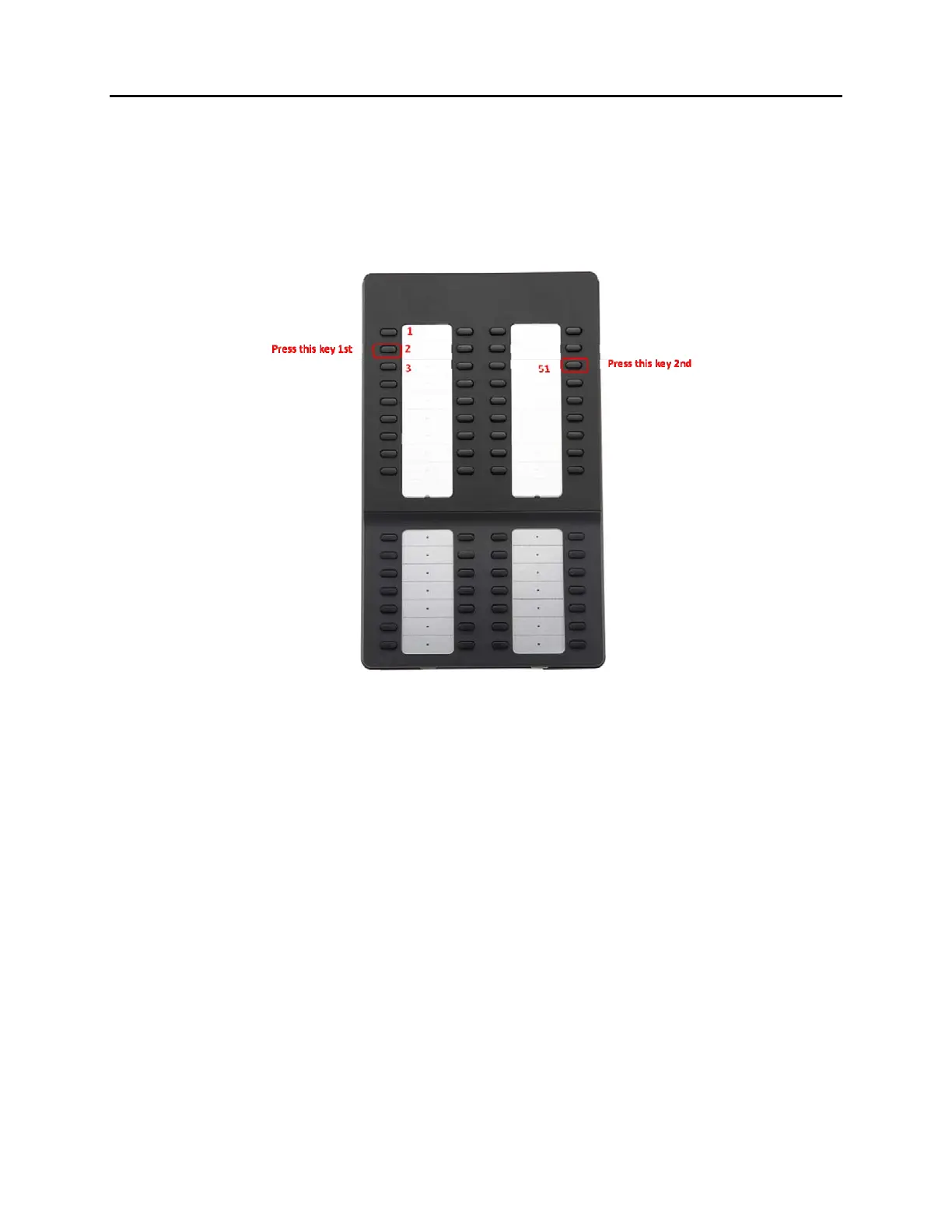
SETTING-UP SMT-i5264 AOM
SMT-i5264 AOM will register to the OfficeServ system as an IP phone device. It need the IP
phone ID and password during the registration. The SMT-i5264 will receive an IP phone
extension. It can be paired to any IP phone or digital phone as the add-on module. MMC 209
is used to pair the AOM extension to a master phone.
Figure 7.29 Setting-Up SMT-i5264 AOM
Prepare AOM to the set up mode
o Press and hold 2
nd
key from the 1
st
column (left most columns) to enter the set up
mode.
o Press the 3
rd
key from the 4
th
column (right most columns) after this key is flashing.
o (Press the 2
rd
key from the 4
th
column (right most columns) after this key is flashing
will default the AOM to the factory settings.)
Two methods to set up the AOM
o Use SMT-i5243 phone to set up the AOM.
Enter SMT-i5243 phone to the engineering mode
Menu -> phone -> phone information -> *153#
Select Network -> AOM to enter into the set up mode
Enter the following data
o If IP setting is DHCP skip this step
IP address: (assign an AOM IP address)
Gateway: (from MMC 830)
Subnet Mask: (from MMC 830)















 To Next Page