OfficeServ 7400 INSTALLATION
TECHNICAL MANUAL PART 7 MAY 2010
7.29
7.1.10 Connecting the SMT-A52GE Gigabit Adaptor
The Gigabit Adaptor processes the Gigabit data for a Gigabit LAN connection on the PC
connected to the SMT-i5200 series IP phone.
COMPONENTS
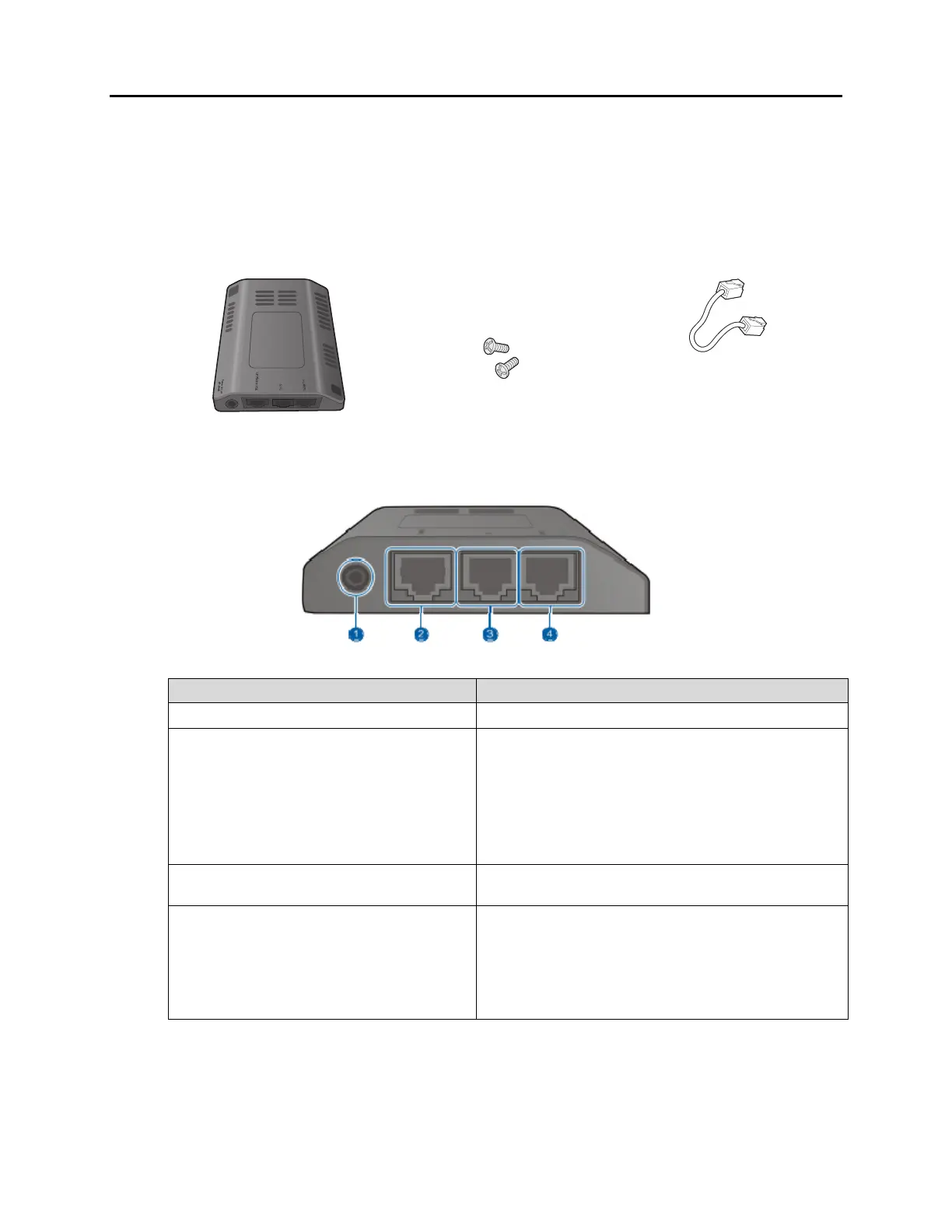
The SMT-A52GE comes with the following components:
Gigabit Adaptor 2 Fixing Screws LAN Cable
CONFIGURATION AND FUNCTIONS
Port Function
q Power (DC 5 V)
DC power adaptor connection port
w IP Phone PSE
A port connected to the IP phone’s LAN
port via the LAN cable. This is shipped
together with the Gigabit Adaptor
(10/100BASE-TX)
If PoE (Power over Ethernet) is provided via
the G-LAN PD port, it supplies PoE to the IP
phone.
e G-PC
LAN cable port connected to the PC
(10/100/1000BASE-T)
r G-LAN PD
LAN cable port connected to the network
(10/100/1000BASE-T)
If PoE is supplied via the LAN, a power
supply is not required for the IP phone or
adaptor.
NOTE: DC power adaptor is not included.















 To Next Page