OfficeServ 7400 INSTALLATION
TECHNICAL MANUAL PART 3 MAY 2010
3.55
GENERAL
POWER REQUIREMENTS: Because the SVMi-20E does NOT draw from the -48DC supply, it
has a zero (0) SEPU rating in all possible configurations
OfficeServ 7400 HARDWARE COMPATIBILITY: All versions of the OfficeServ 7400 are
compatible with the SVMi-20E. With the introduction of the 8VPMF-E module the SVMi-
20E can now be configured for up to 20 ports. When configured for 20 ports it must be
installed in slots 3, 4, or 5 of the main cabinet.
OfficeServ 7400 SOFTWARE COMPATIBILITY: SVMi software version 5.3.3.5 or higher
and OfficeServ 7400 MP software version 4.30 or higher are required to support more than
12 ports on the SVMi-20E card.
INSPECTION
Unpack and inspect the unit for any obvious damage. This card should be labeled SVMi-20E. If
it is not, you have the wrong card.
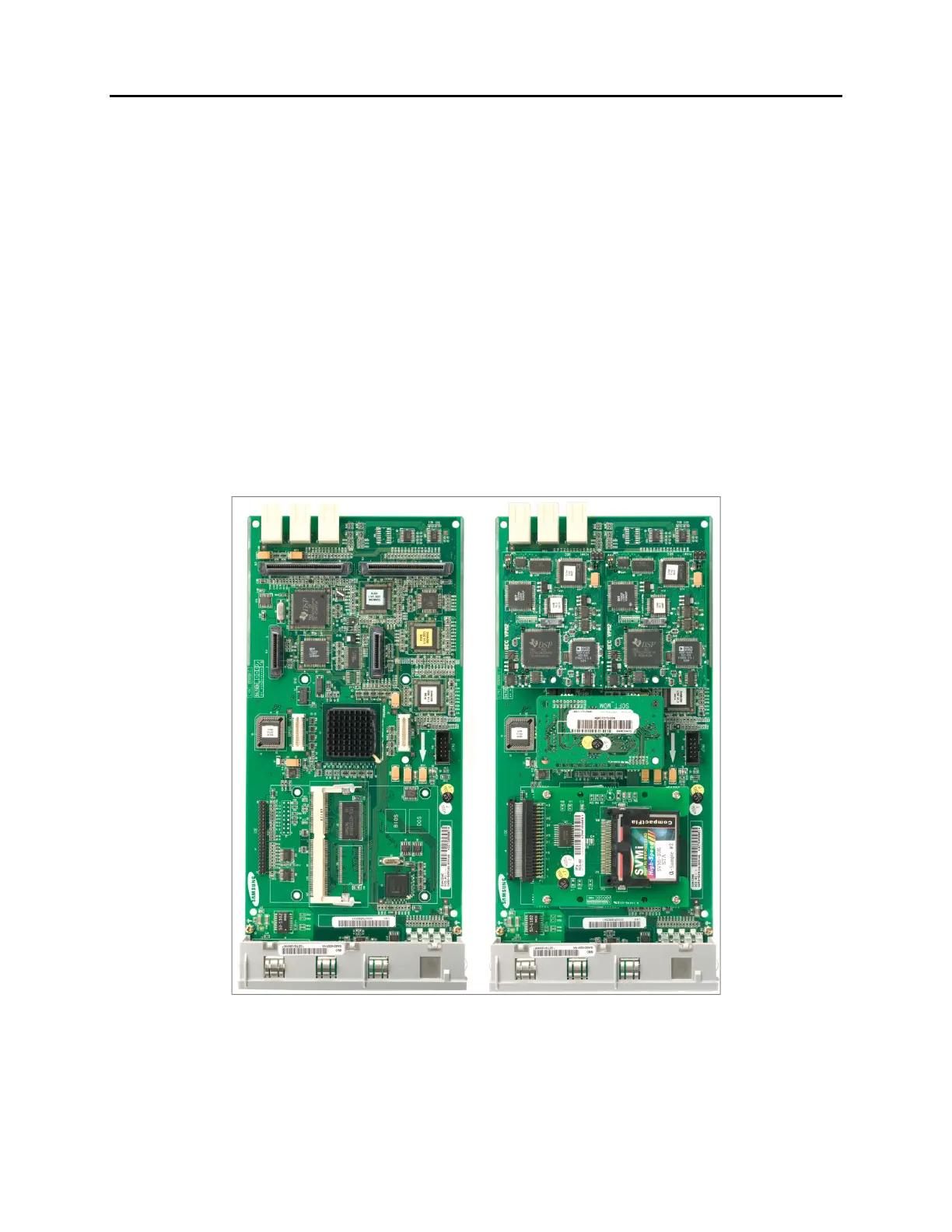
Figure 3.52 SVMi-20E/HD with no optional boards installed (LEFT)
and SVMi-20E/CF with all components installed (RIGHT)















 To Next Page