Installation and Operation Manual
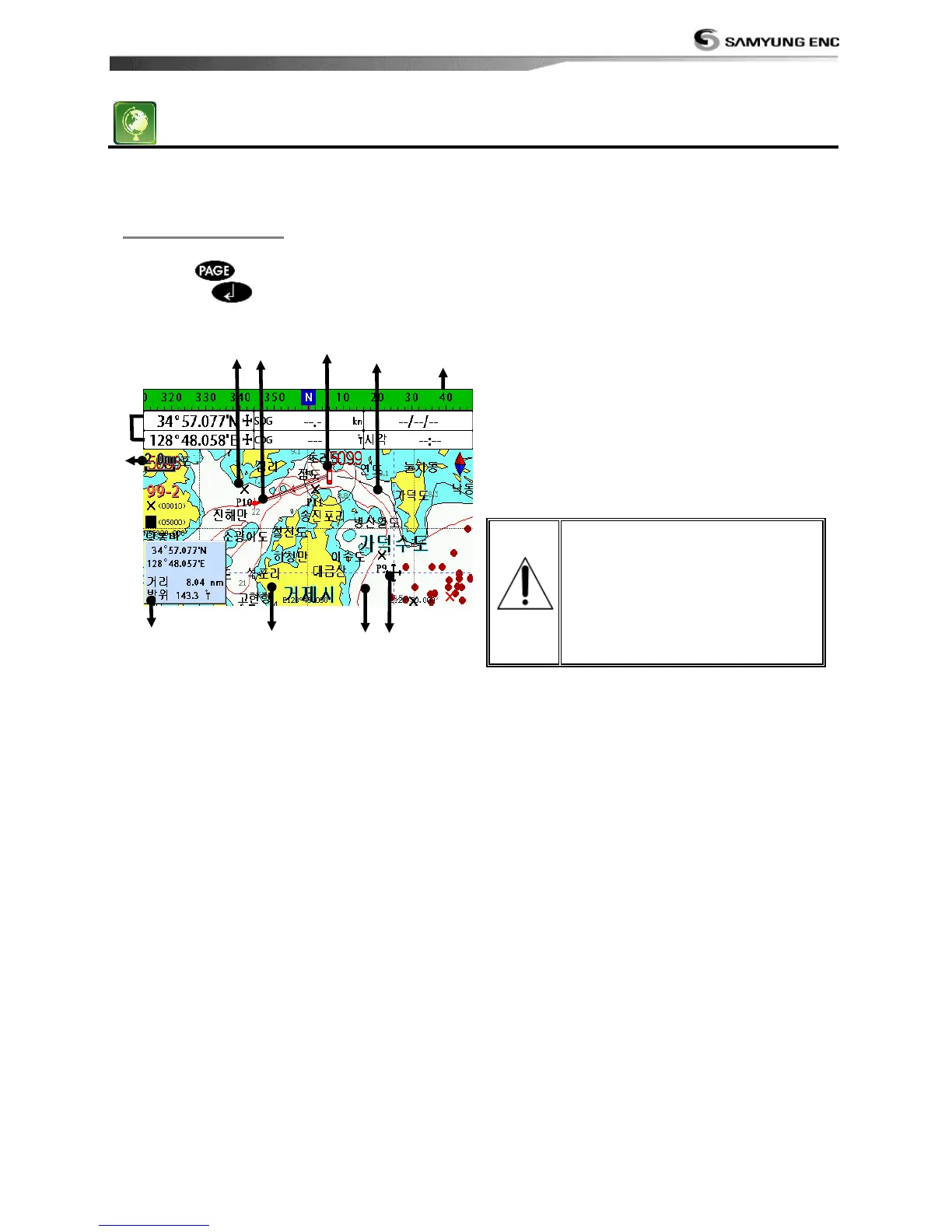
The Chart window mainly shows all relevant navigation data available on your preloaded maps,
including buoys, lights, cables, depth soundings, marinas, and tide station in an overhead view.
To go to the Chart window:
• Press and select Chart icon by
pressing .
A typical Chart window shows:
① Data bar. To turn the data off or on or to
change what data is displayed
② Compass
③ Chart scale
④ Boat position
⑤ Boat track
⑥ Boat course and CDI lines
⑦ Distance and bearing of cursor from boat
⑧ Land
⑨ Sea
⑩ The cursor
⑪ A typical waypoint
The built-in world chart
does not show enough
detail for navigation. When
you use the Chart Plotter to
navigate, always use a chart
card which covers the
region.(NAVIONICS)



 To Next Page