Installation and Operation Manual
3-4-2 Latitude and longitude
Latitude and longitude coordinates define a
position on earth and can be displayed in
data bar.
In the data bar, own ship position is shown
as below:
47° 43.000’ N or S Latitude
003° 21.656’ E or W Longitude
However, if you move the cursor, then the
latitude and longitude in the data bar is the
cursor’s position as below.
47° 43.325 N or S Latitude
003° 29.607 E or W Longitude
Info
Latitude: Angular distance North or South of
the equator measured by lines encircling the
earth parallel to the equator in degrees from
0° to 90°.
Longitude: angular distance North or South of
the equator measured by lines encircling the
earth parallel to the equator in degrees from
0° to 90°.
When reading the boat
position, make sure the
position is not the cursor
position.
The chart scale change by pressing
to
show more detail information of chart and by
to show wider view of the chart.
When you press or , the scale of
chart is display in the chart on top left corner.
3-4-5 Finding a chart symbol
This function is only available when
NAVIONICS SD card is inserted and
NAVIONICS is selected.
To find a port by name
1 Press .
2 Select Find then Port by name.
3 Press or to select a letter then press
for next letter.
4 Once you enter the name of port, press
.
5 After searching process, select a nearest
port in the list then the cursor will place
on the port you selected on the chart
window.
6 Repeat 2-3 steps of D section to display the
information.
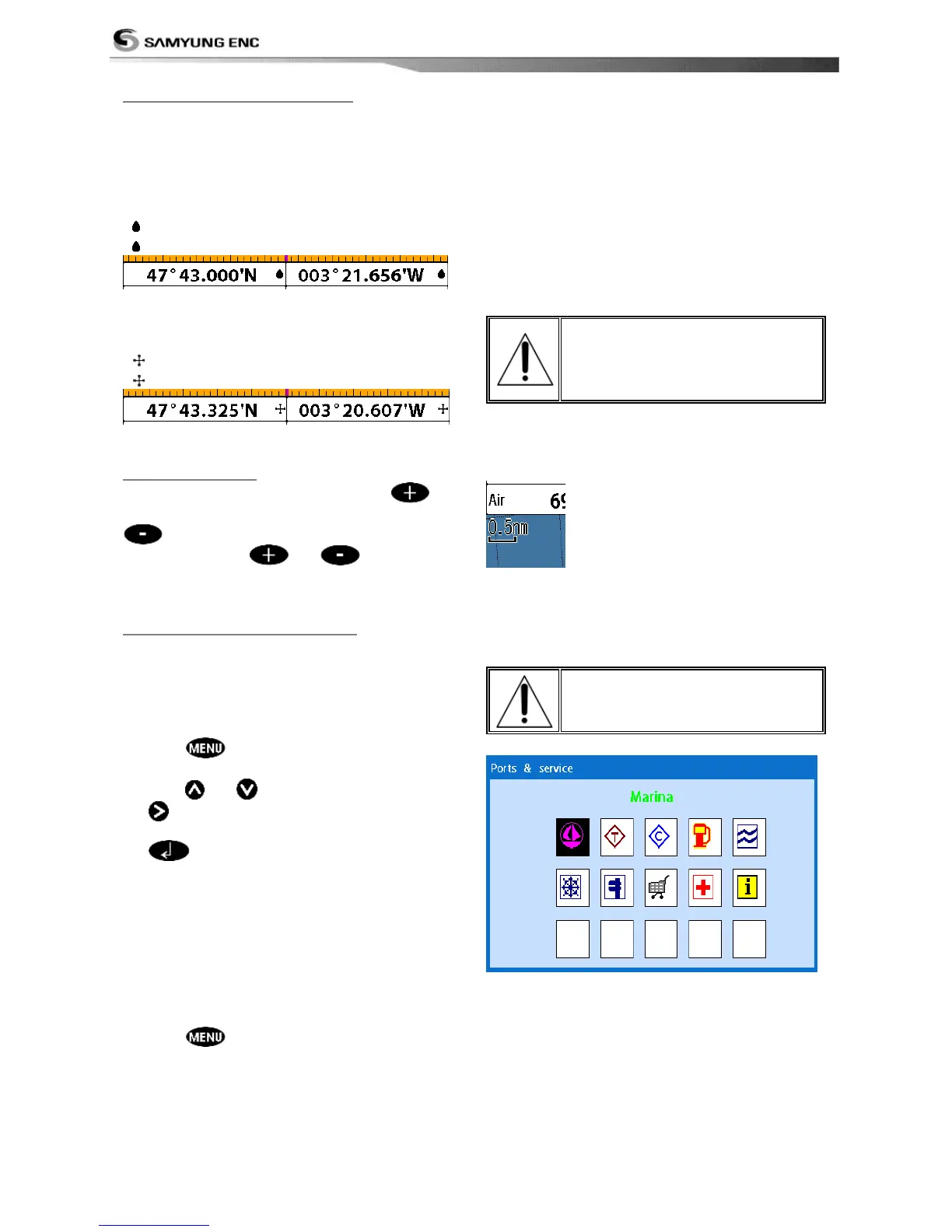
To find port & service
1 Press .
2 Select Find then Port & service.
3 Select a service you want to find.
4 After searching process, select a nearest
service area in the list then the cursor will
place on the service area you selected on
the chart window.
S-MAP does not support this
function.
(See 2-4 for chart selection)



 To Next Page