Installation and Operation Manual
3-5-6 Sonar window display
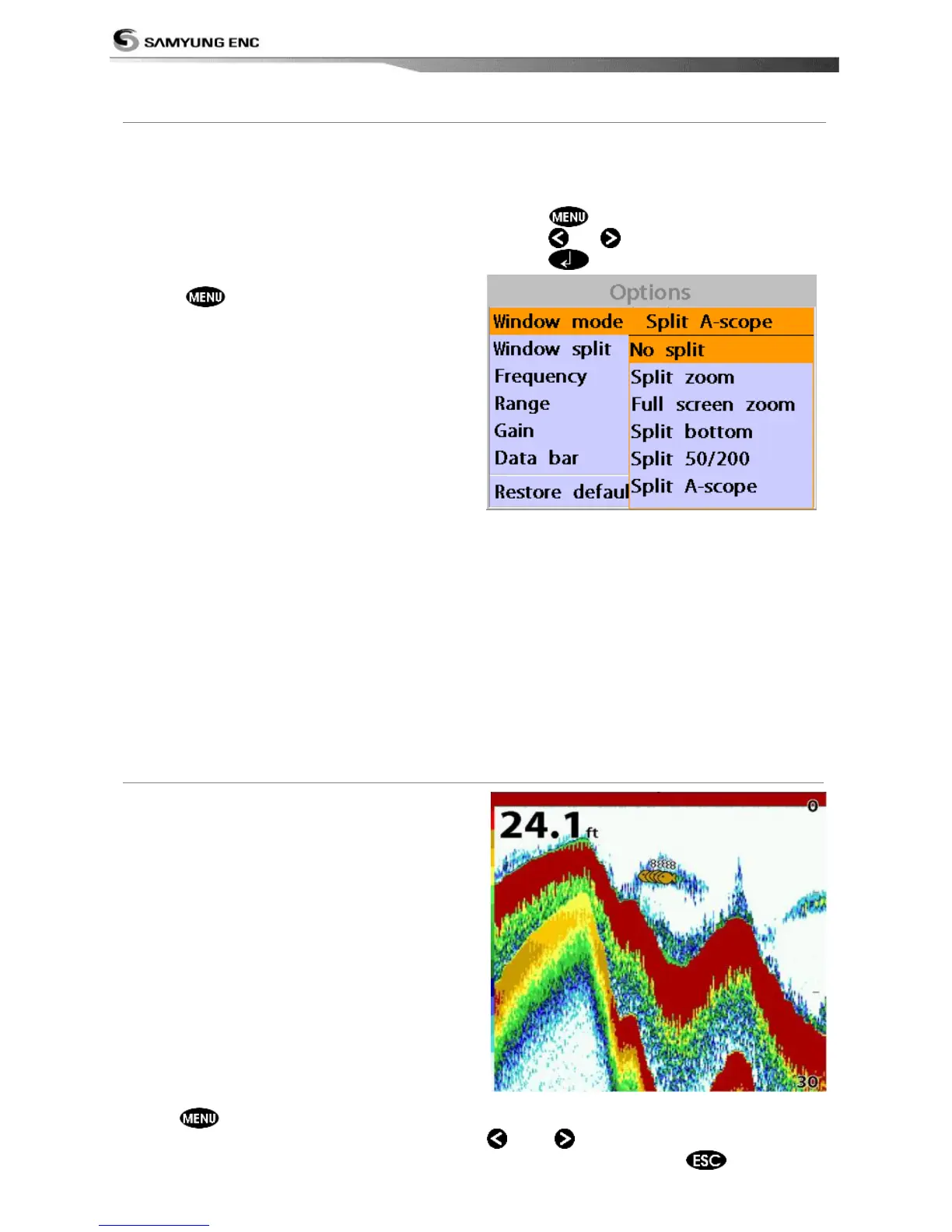
Five sonar display windows are available and
each display window has unique
characteristics. Select a display window
depending on your needs. The default display
is No split.
To change a Sonar display window in
the sonar window:
1 Press , select Window mode.
2 Select the sonar display you want.
No split: Display Sonar history at a given
frequency (50 or 200 kHz)
(see section 3-5-7)
Split zoom: This mode expands chosen area
of the normal picture in full vertical size on
the left-half part of the window.
Full screen zoom: Display a zoomed section
on full screen (see section 3-5-8)
Split bottom: Display Sonar history and a
bottom trace focus in a zoomed section (see
section 3-5-9)
Split 50/200: Display the 50 kHz sonar
history on the left and the 200 kHz sonar
history on the right. This display is useful for
comparing the same history with two
different frequencies. (see section 3-5-10)
*NF430 is a 200KHZ only.
Split A-Scope: Display Sonar history and
echo strength (see section 3-5-11)
You can change the split ratio if the window
is split.
1 Press
and select Window split.
2 Press or to adjust the ratio.
3 Press .
No split window displays a sonar history at a
given frequency (50 or 200 kHz)
Low Frequency (50 kHz)
The 50 kHz frequency is ideal for detecting
the wider area which means low frequency is
useful for general detection and judging
bottom condition.
High Frequency (200 kHz)
The 200 kHz frequency is ideal provide a
better resolution which means it is ideal for
the observation of fish or fish schools.
To set a frequency for this display:
1 Once you select No split window,
Press .
2 Select the sonar icon then Frequency
3 Select a desired frequency
You can also review old sonar records, press
and
to review the history. To return
to current scanning, press
.



 To Next Page