Installation and Operation Manual
A waypoint is a particular location on a
voyage whether it is a starting, intermediate
or destination point. A waypoint is the
simplest piece of information the unit
requires to get you to a destination in the
shortest distance possible. This unit can save
up to 10,000 waypoints.
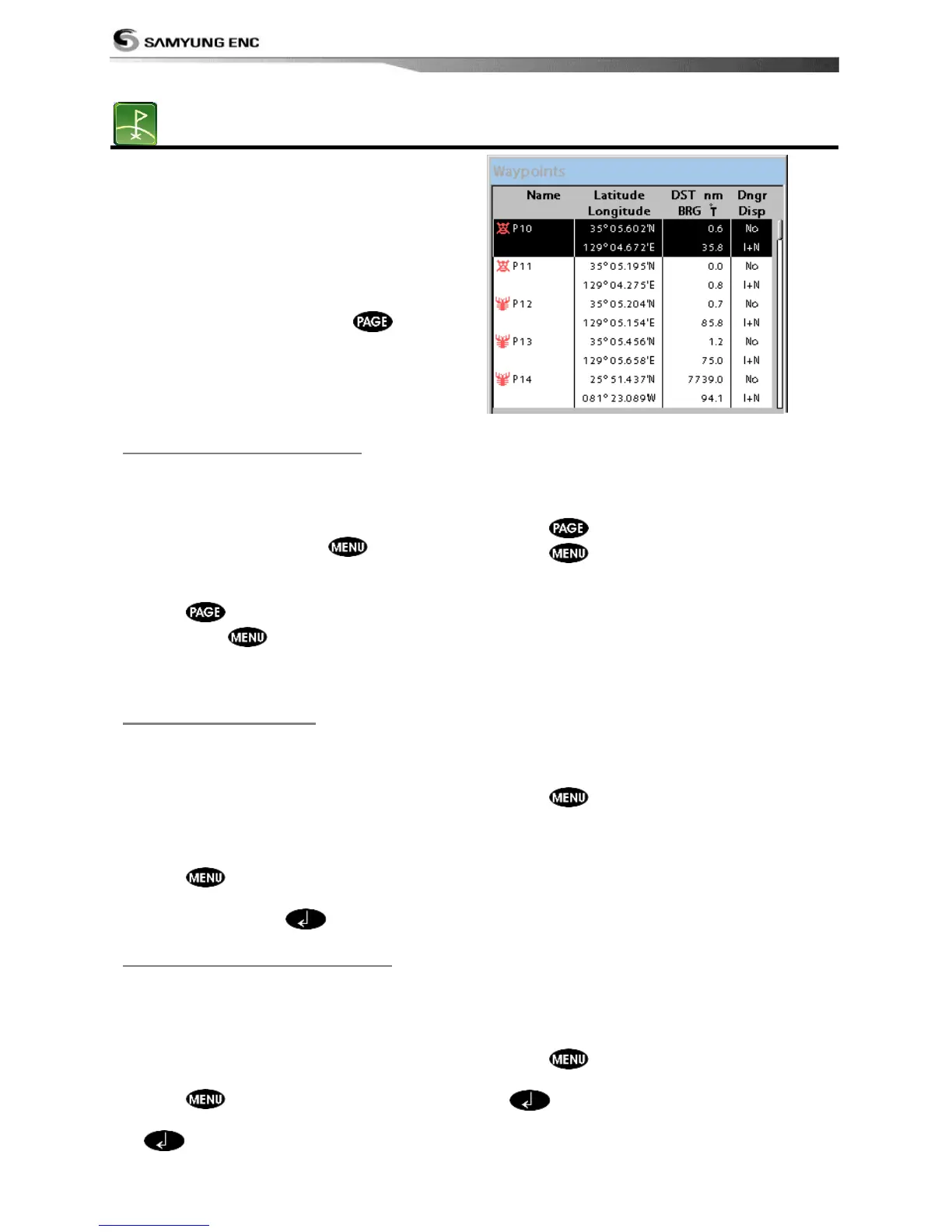
To display waypoint list, press and
select Waypoint icon.
3-8-1 Creating a new waypoint
To create a waypoint from the chart
window
There are two ways to create a new waypoint
from the chart window as described below:
1 In the chart screen, press
and select
a new waypoint.(for make a correction
then select same as correction)
2 Press
and select a new waypoint;
then press
and select Create.
. (for
make a correction then select same as
correction)
To create a waypoint from the
waypoints window
1 Press
to select destination point.
2 Press and select Create.
3 Enter waypoint data, change
alphanumerical name, choose between 48
icons, 16 colors and display option.
4 Select Save.
To move a waypoint from the chart
window
1 Move the cursor to place it on the waypoint
you want to move. (If you move the
cursor on the waypoint correctly,
waypoint information will be displayed at
the bottom left).
2 Press and select Move.
3 Move the cursor to a point where you want
to move and press
.
To Move a waypoint from the waypoints
window
1 Highlight a waypoint you want to move.
2 Press and select Edit.
3 change the existing latitude and longitude
to new position.
4 Select Save.
3-8-3 Editing an existing waypoint
To Edit a waypoint from the chart
window
1 Move the cursor to the waypoint you want
to edit. (If you move the cursor on the
waypoint correctly, waypoint information
will be displayed at the bottom left)
2 Press and select Edit.
3 Edit waypoint data as you need and press
..
To Edit a waypoint from the waypoints
window
1 Move cursor key to highlight a waypoint
you want to edit.
2 Press and select Edit.
3 Edit waypoint data as you need and press
.



 To Next Page