Installation and Operation Manual
3-5-8 Split zoom and Full Screen zoom
Split zoom
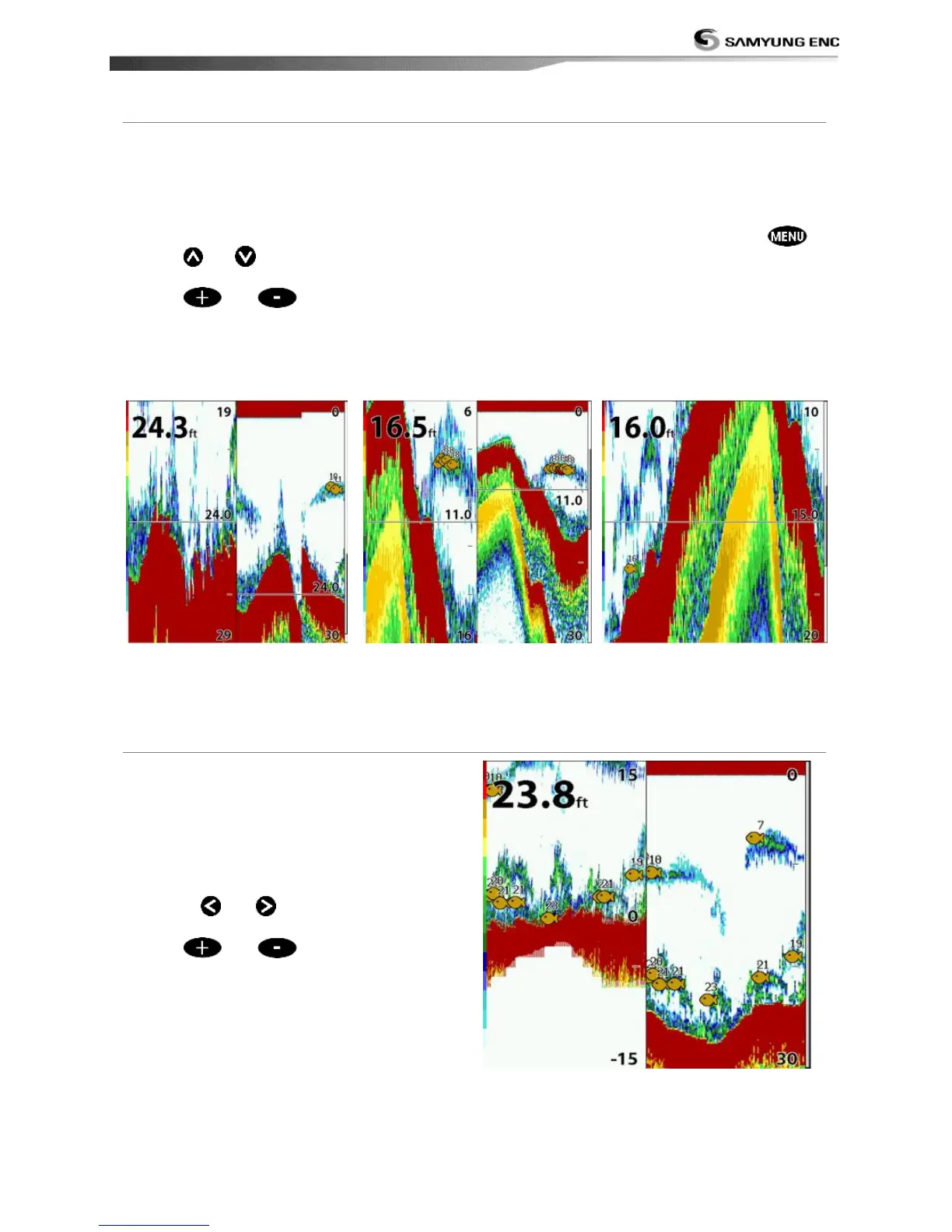
Split zoom mode expands selected area of
the single frequency by VRM(Variable Range
Mark). The left side displays zoomed section
of current sonar record. The VRM of right
side indicates the zoom section area.
• Press or to change the zoom
range.
• Press
or
to change the depth
range.
Bottom lock
If Bottom lock is on, the zoom depth (the
depth of the zoom section) is adjusted
automatically so that the bottom is always
displayed in the zoom section.
• To turn Bottom lock on or off press
Full Screen zoom
Full screen zoom displays only the zoom
section of split zoom.
[Split zoom] [Bottom Lock] [Full screen zoom]
*NF430 is a 200KHZ only.
Split bottom display provides a normal
picture on the right half and a selectable
range over and below the bottom line is
expanded onto the left half of the screen.
This mode is useful for detecting bottom
fishes.
• Use the
or keys to adjust the
zoom range.
• Press
or
to change the range
• The VRM moves up and down to calculate
the bottom depth automatically.



 To Next Page