Installation and Operation Manual
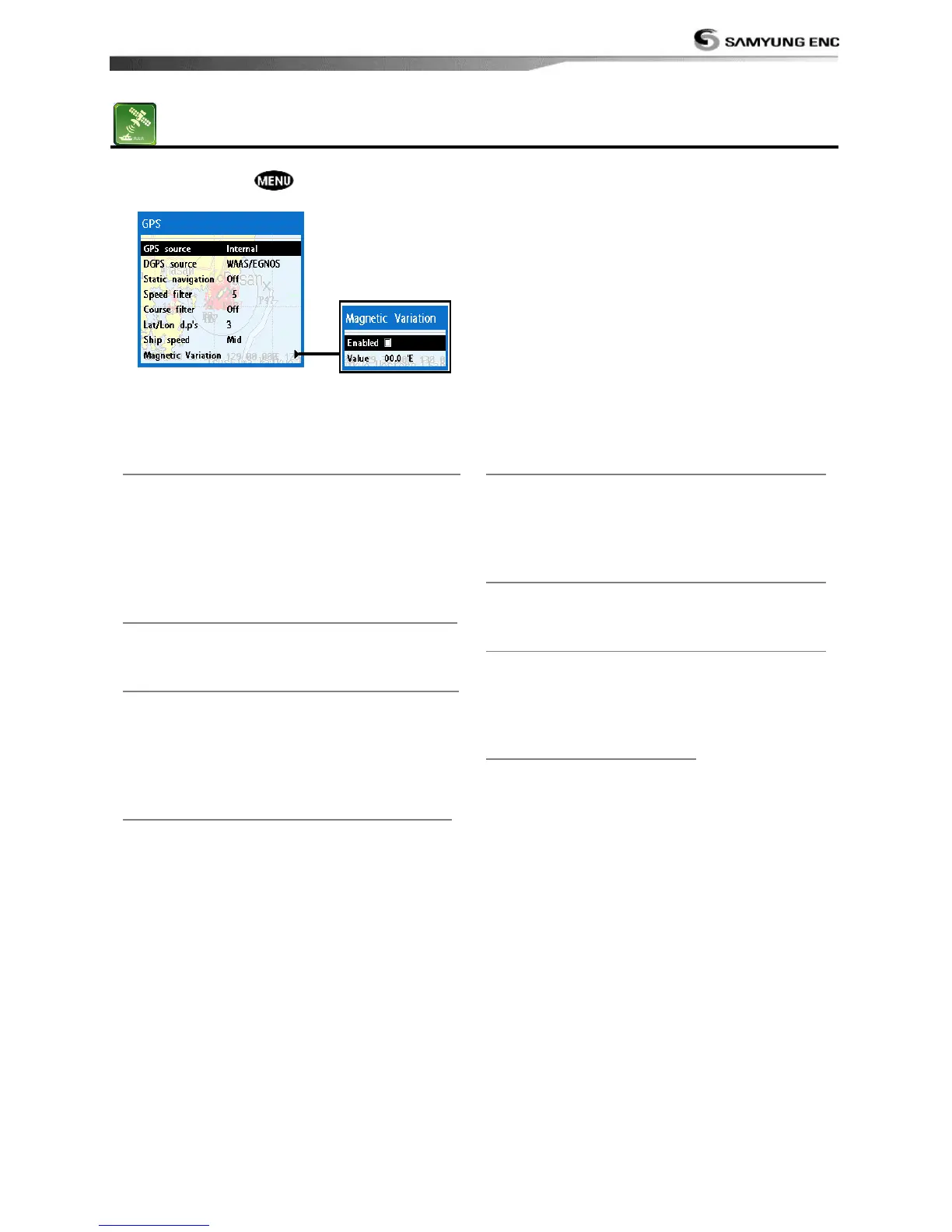
To go to the GPS settings:
1 Press and hold .
2 Select the GPS icon.
When the GPS device is connected properly, the GPS settings provide the access to GPS
functions and features connected with the satellites information used for further navigation
4-3-1 GPS Source
Select a source of GPS signals
Internal: Select this option when uses the
internal GPS antenna.
NMEA0183 & NMEA2000: Select this
option when using an external GPS or DGPS
antenna via NMEA.
4-3-2 DGPS Source
Select WAAS/EGNOS when you want to
utilize DGPS.
4-3-3 Static Navigation
This option is very useful when the boat
stops or moves very slowly. This option
allows you to set a minimum speed at which
movement is assumed. The value range is
from 0.00 to 9.99.
4-3-4 Speed Filter
Occasional waves and wind at sea affect the
boat speed. In order to have stable boat
speed, the unit calculates these factors to
give the value of stable speed information.
4-3-5 Course Filter
Occasional waves and wind at sea affect the
boat course. In order to have stable boat
course, the unit calculates these factors to
give the value of stable course information.
4-3-6 Lat/Lon d.p’s
Select number of last digit of Lat/Lon to be
sent to other marine electronics.
4-3-7 Ship speed
To have more precise boat speed and course,
you can select your boat speed. Mid is highly
recommended option for the most of
common boat.
4-3-8 Magnetic Variation
This option compensates the difference
between true north and magnetic north.



 To Next Page