15P0059B3 DCREG2
USER MANUAL DCREG4
74/200
4 KEYPAD AND ALPHANUMERIC DISPLAY
4.1 KEYS OPERATING MODES
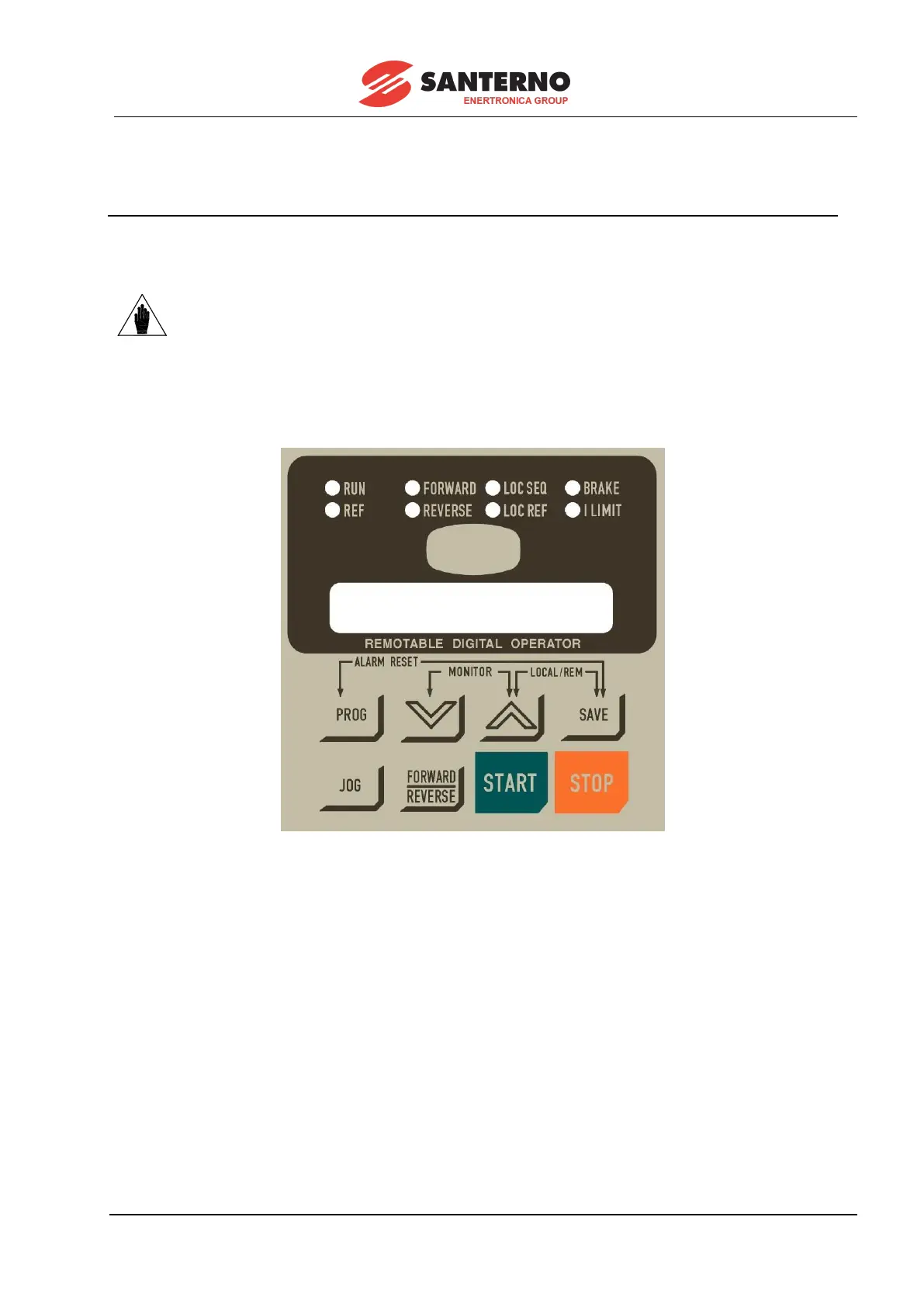
The drives of the DCREG2 and DCREG4 Series may be equipped with a remotable keypad provided with
an alphanumeric display, including 8 keys and 8 signalling LEDs.
The keypad is not series installed on the drive and is to be delivered
separately. The remotable keypad kit is to be ordered for the keypad
assembly on a separate panel: see the REMOTABLE KEYPAD chapter.
The 2-line 16-digit backlit LCD display installed in the keypad shows the parameter values, the diagnostic
messages and the values of the quantities processed by the drive. From now on, the term “page”
indicates the 32 characters that are simultaneously displayed.
The eight keys have the following functions:
- “PROG”: allows to switch from display mode (fixed cursor) to programming mode (blinking cursor) and
vice versa. So when the cursor is fixed, you may use the scrolling keys to display the different parameters
in sequence. When the cursor is blinking, you may change the value of the current parameter.
- “
” (“DEC”): allows to decrease either the page number or the value displayed inside the current page,
depending on which mode you selected with the “PROG” key, i.e. depending on the cursor state.
- “
” (“INC”): allows to increase either the page number or the value displayed inside the current page,
depending on which mode you selected with the “PROG” key, i.e. depending on the cursor state.
- “SAVE”: in programming mode only, it saves the current value on the page displayed on non-volatile
memory work area (EEPROM), so that the value is kept stored even after turning the drive off and is
displayed at next power on.



 To Next Page