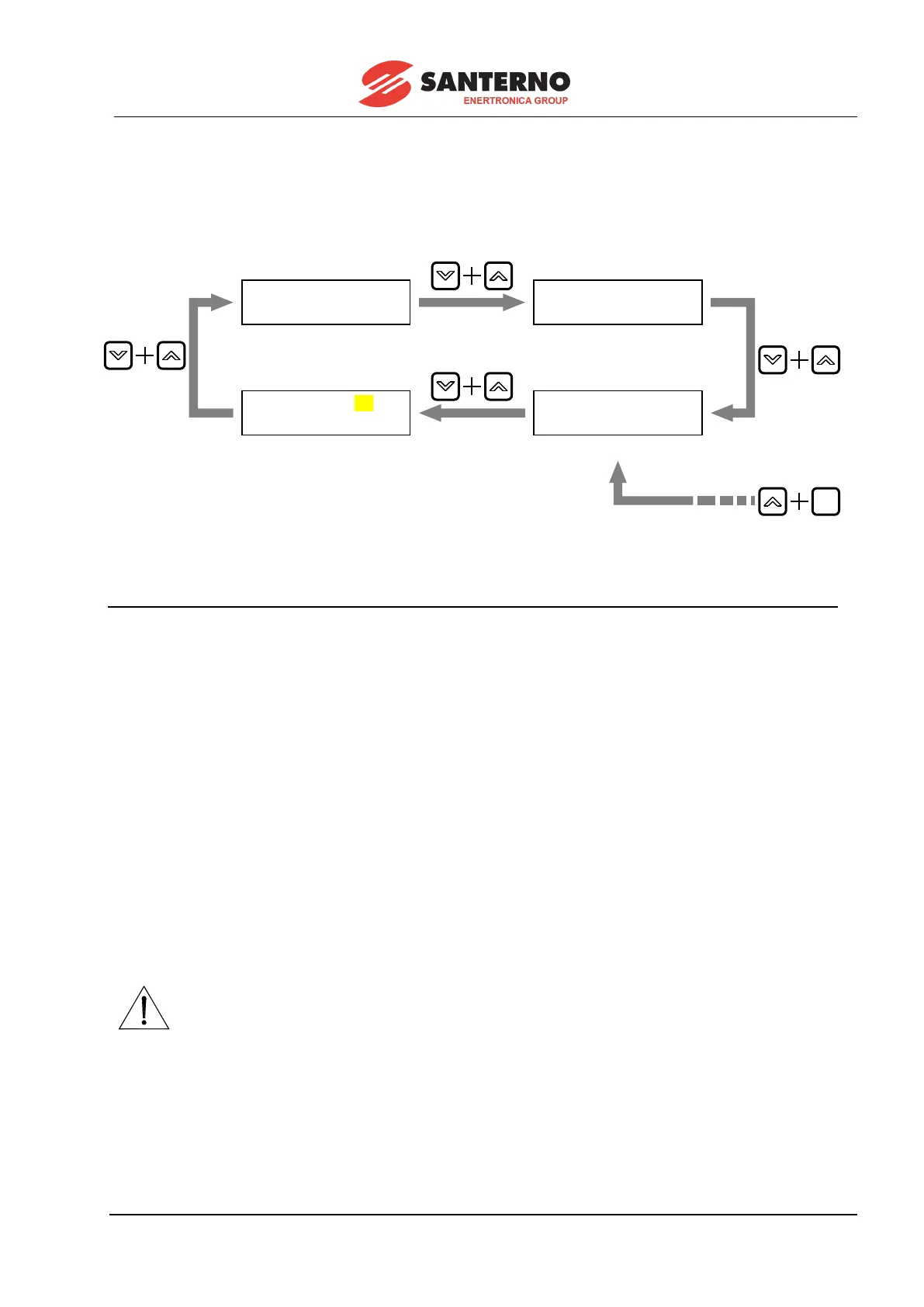
” keys are simultaneously pressed). For a better understanding, let us suppose to start from the
page relating to par. P010 (nFdkMax) – the current page in the diagram. The diagram also shows that the
Keypad page is also displayed by simultaneously pressing the “
” and “SAVE” keys (LOCAL mode only,
as explained in the LOCAL MODE OPERATION chapter).
4.2 FUNCTIONS DISPLAYED BY THE LEDS
The eight LEDs located on the alphanumeric display have the following functions:
- The RUN LED is on when the drive is running (i.e. when the firing board sends pulses). This LED
blinks during the fall ramp programmed in parameters P034 (RampStopPos) or P035 (RampStopNeg)
after disabling the START digital input. When this LED is on, the RUN LED in the control board is on as
well.
- The REF LED may have the following two functions:
a) If at least one reference among ref n reference applied to the ramps and one of the three auxiliary
references IN 1, IN 2, IN 3 is configured as a speed reference, then the LED will turn on when the speed
reference is other than zero, even when the motor is not started.
b) If no reference among ref n reference applied to the ramps and the three auxiliary references IN 1, IN
2, IN 3 is configured as a speed reference, but at least one of them is configured as a current reference,
then the LED will turn on when the current reference is other than zero even if the motor is not started.
- The FORWARD and REVERSE LEDs indicate the direction of rotation of the motor when it is on;
the forward direction is the one obtained by generating a motor torque with a positive reference. When the
motor is not yet running, the FORWARD LED will flash if the prepared run reference has a positive
polarity, whereas the REVERSE LED will flash if the prepared run reference has a negative polarity.
the reference polarity indication supplied by LEDs REF, FORWARD and
REVERSE when the drive is not yet running, do not consider any additional
speed or current references.
- The LOC SEQ LED is on if the sources selected for the commands are KeyPad-related, it flashes
if another source different than KeyPad is selected, while it is off if none of the sources selected for the
commands is KeyPad-related.



 To Next Page