15P0059B3 DCREG2
USER MANUAL DCREG4
78/200
4.4 REMOING THE KEYPAD
The keypad remote control kit includes the following:
1. N.1 panel-front frame.
2. N.1 stick-on rubber gasket.
3. N.1 RJ45 extension cord (L = 5m).
4. N.4 M3 self-locking nuts.
5. N.4 M3 flat washers.
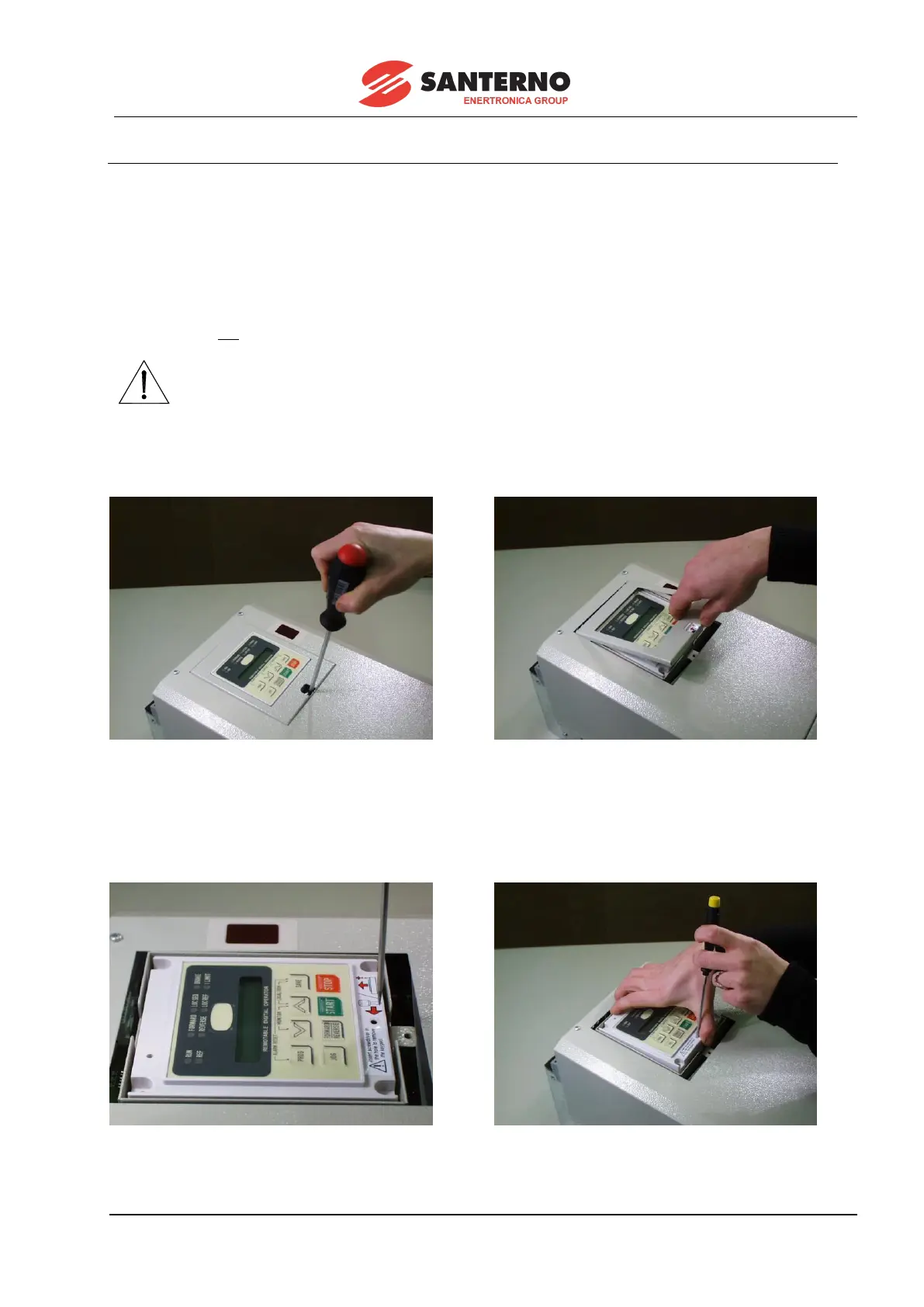
To remove the keypad from the drive and to install it on a control panel front, follow the instructions below.
If the keypad is not installed on the equipment (standard supply), ignore steps c, d, e.
A. Loosen the flat-head screw fastening the keypad covering frame.
B. Remove the panel (with the screw still in).
A B
C. Insert a screwdriver in the hole for the release of connector RJ45, which is connected to the
keypad (see instructions on the keypad label).
D. Keep the screwdriver pressed (so that the retaining tab of connector RJ45 is unfastened) and
extract the keypad.
C D



 To Next Page