15P0059B3 DCREG2
USER MANUAL DCREG4
92/200
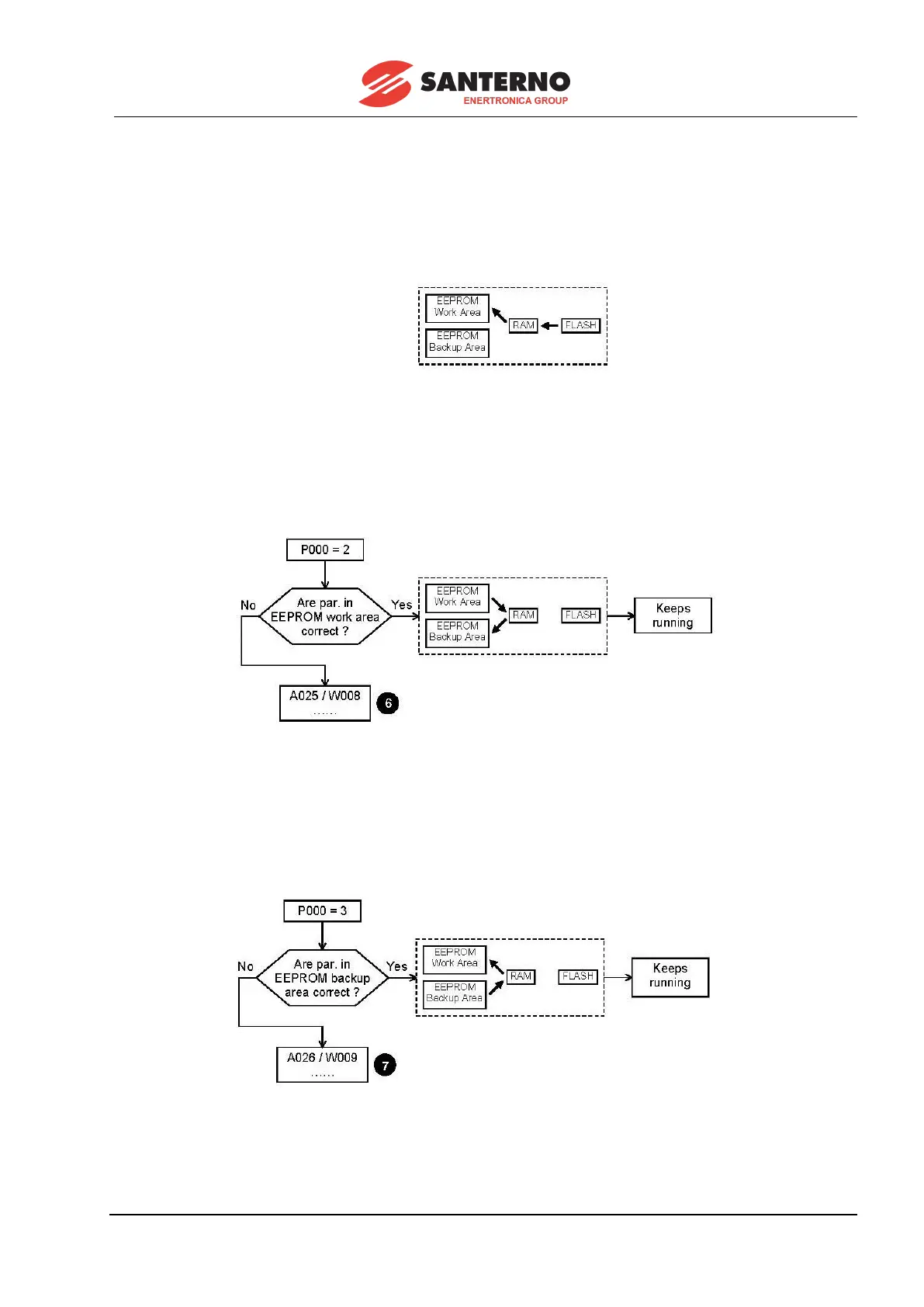
The parameters may be copied by the user as follows.
1. Default parameter restoration. To restore the default parameters, set par.P002 (ParmsCopy) at
1:DefaultRestore and press the “SAVE” key twice. The user’s customized parameters are erased, and the
factory settings for parameters Pxxx and Cxxx will be reset in EEPROM work area (except the internal
data, that cannot be accessed by the user).
2. Backup of the stored parameters. To back up the stored parameters, set par. P002 (ParmsCopy) at
2:WorkAreaBackup and press the “SAVE” key twice. The values stored in the EEPROM work area will be
transferred to the RAM and will be copied on the EEPROM backup area. Before doing this, the equipment
checks the data contained in the EEPROM work area. We strongly recommend to perform this backup
once the equipment is started, when all changes made to those parameters are stored in the EEPROM
work area and written in the special table to be found in the last pages of this manual.
In step 6, the parameter original values may be retrieved following the given instructions.
3. Backup parameter restoration. To restore the backup parameters, set par. P002 (ParmsCopy) at
3:Backup Restore and press the “SAVE” key twice. The parameters stored in the EEPROM backup area
will be restored in the RAM and in the EEPROM work area, even if new values had been stored. Before
doing this, the equipment checks the data contained in the EEPROM backup area.
In step 7, the parameter original values may be retrieved following the given instructions.



 To Next Page