Cab Interior SY75C Excavator OMM
3-8 Operation and Maintenance Manual — 0220 SANY
Automatic temperature control (5) - Press this key to use the selected fan speed, vent outlets and fresh air/
recirculation mode to automatically maintain the selected temperature.
NOTE: With automatic temperature control selected, the fan HIGH speed will remain on until the selected
temperature is reached.
Fresh air/recirculation selection (6) - Press these keys to choose either recirculated air inside the cab or fresh air
from outside.
Display screen (7) - Shows the preset temperature, fan speed and vent selection during operation.
A/C power (8) - Press this key to switch the air conditioner compressor either on or off.
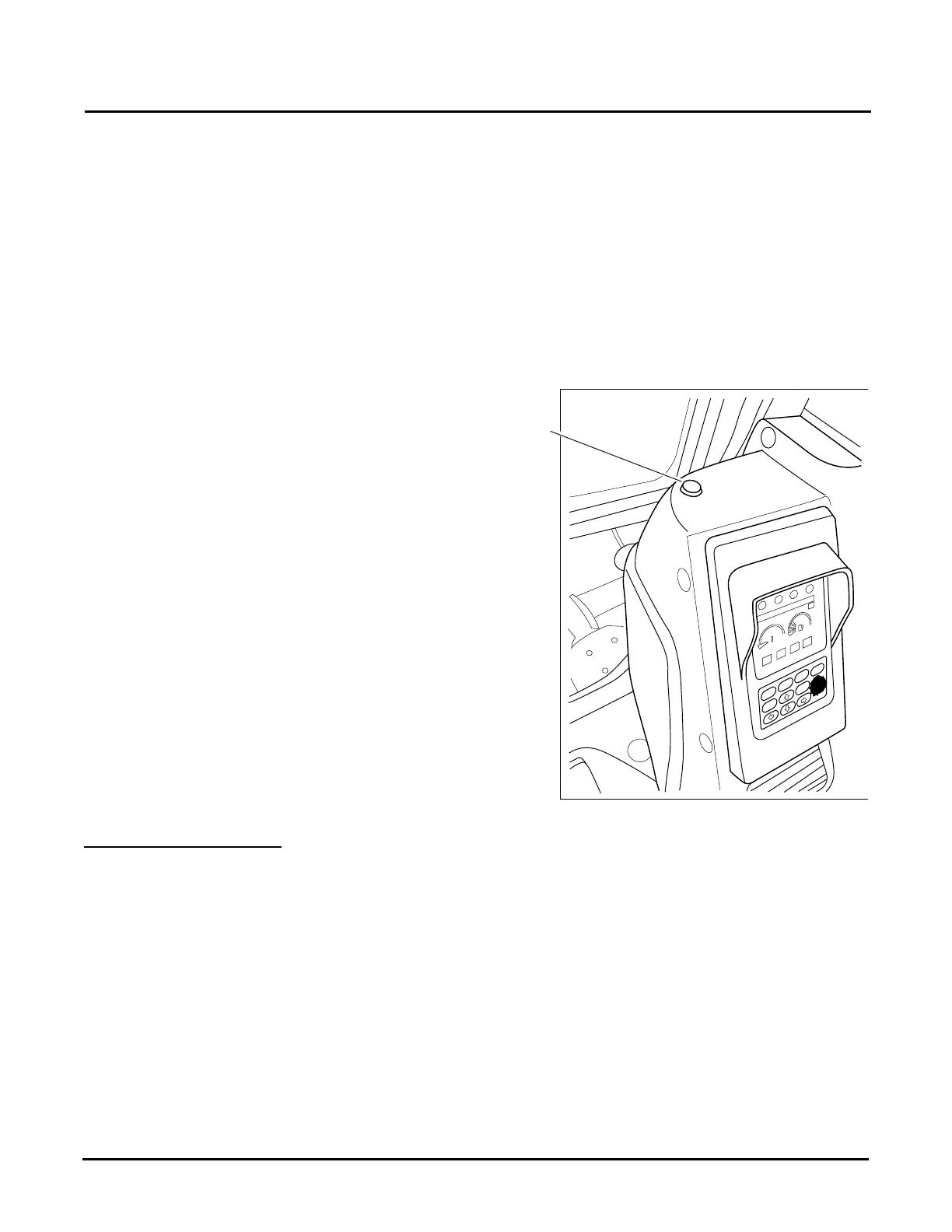
Sunlight sensor (a) - Located above the air conditioning
duct, adjusts the air flow to match the variation of
temperature caused by direct sunlight.
A/C Operation Precautions
“A/C controller failure” will be displayed on the air conditioner display screen if there is a problem with the a/c
unit. If this occurs, contact your SANY dealer to investigate and repair it.
When running the air conditioning system, always start with the engine running at a low
speed. Starting the air conditioner when the engine is running at a high speed can result in
damage to the machine or cause the machine to operate improperly.
If water gets on the control panel or sunlight sensor, a failure may result. Always keep these
components clear and dry. Failure to do so can result in damage to the machine or cause the
machine to operate improperly.
F1
F2
F3
F4
Esc
Enter


 To Next Page