SY75C Excavator OMM Cab Interior
SANY Operation and Maintenance Manual — 0220 3-9
TABLE OF
CONTENTS
INTRODUCTIONSAFETY
MACHINE
CONTROLS
MACHINE
OPERATION
MAINTENANCESPECIFICATIONS
OPTIONAL
EQUIPMENT
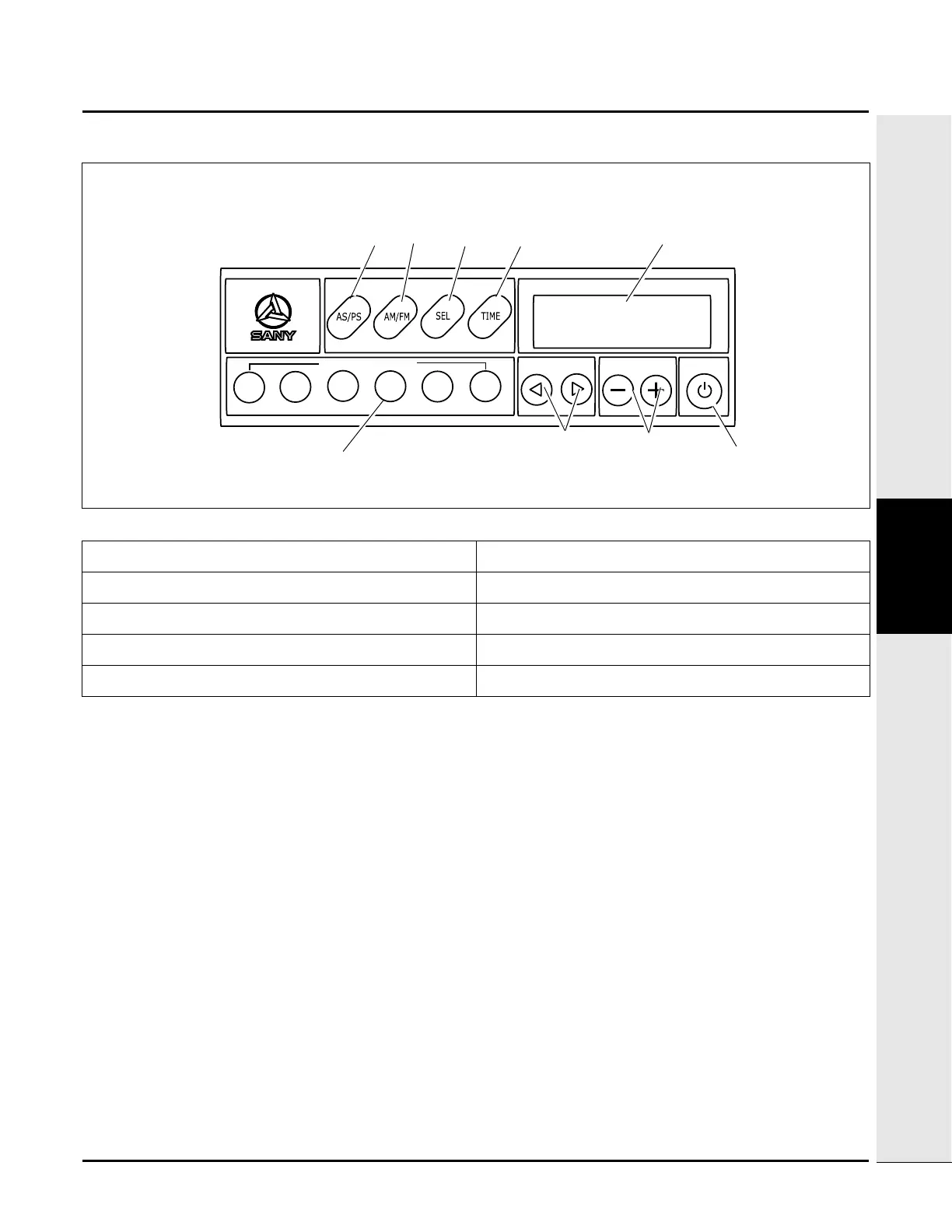
Radio Control Panel
Power (1) - Press this key to turn on the radio on or off. The currently selected radio station frequency will appear
on the display screen when the radio is turned on.
Display screen (2) - The band (either AM or FM), currently tuned radio station frequency, preset station number
and current time will be shown on the display screen.
Audio selection (3) - Press this key to adjust the sound quality. Pressing the key at first allows for setting the bass
level. Pressing it once more allows for setting the treble, pressing it once more allows for setting the balance
(between the in-cab speakers) and pressing it again allows for setting the volume. The current radio station
frequency displays if the button is not pressed within 5 seconds.
NOTE: Use the VOL keys to increase and decrease the setting of the selected audio category.
Time display (4) - Press this key to display the local time for 5 seconds. The current radio station frequency
displays when the button is not pressed within 5 seconds.
AM/FM selector (5) - Press this key to toggle between AM and FM bands.
AS/PS key (6) - Use this key to automatically scan (AS) through the preset stations (PS) and also to remain at the
desired radio station.
Fig. 3-8
1. Power 6. AS/PS
2. Display screen 7. Preset stations
3. Audio selection 8. Tuning keys
4. Time display 9. Time adjusting keys
5. AM/FM selector 10. Volume control


 To Next Page