SY75C Excavator OMM Cab Interior
SANY Operation and Maintenance Manual — 0220 3-7
TABLE OF
CONTENTS
INTRODUCTIONSAFETY
MACHINE
CONTROLS
MACHINE
OPERATION
MAINTENANCESPECIFICATIONS
OPTIONAL
EQUIPMENT
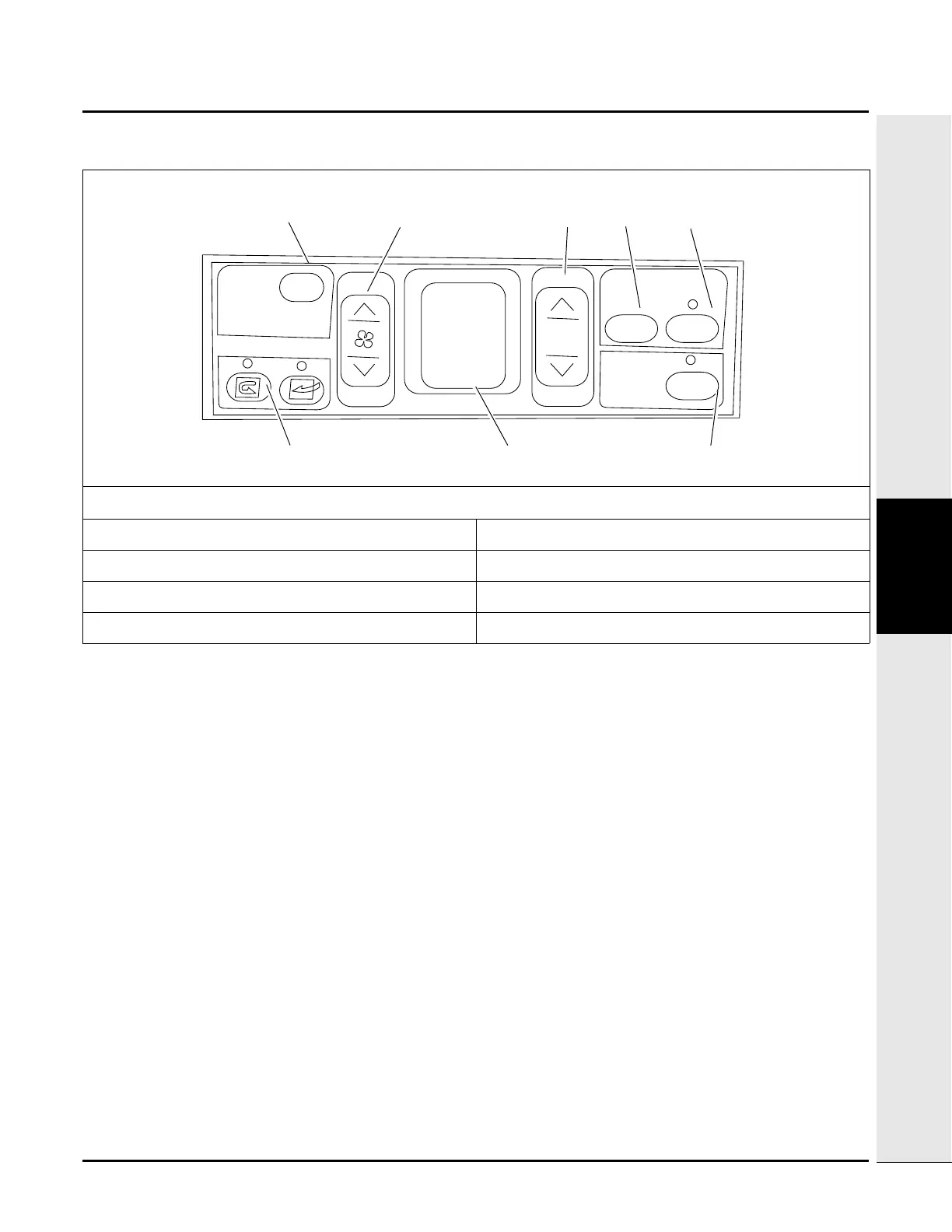
Climate Control Panel
OFF (1) - Press this key to stop the fan and shut off the display screen (7).
Fan speed control (2) - Press this key to set the fan speed to any of six levels.
Temperature selection (3) - Press this key to set the inside cab temperature between 65° F (18° C) and 90° F (32°
C).
NOTE: With the A/C on, press and hold both the up and down arrows for 3 seconds to toggle between
Fahrenheit (F) and Celsius (C) temperature display.
Vent mode selection (4) - Press this key to select which vent or vents should be used for air flow inside the cab:
• Windshield vent only
• Upper body vent only
• Upper body and rear window vents
• Foot vent (located under the operator seat), upper body and rear window vents
• Foot vent only
• Windshield and foot vents
Fig. 3-6
1. OFF 5. Automatic temperature control selection
2. Fan speed control 6. Fresh air/recirculation selection
3. Temperature setup 7. Display screen
4. Vent mode setup 8. A/C On/Off
OFF
MODE
AUTO
A/C
TEMP
FULL AUTO AIRCONDITIONER


 To Next Page