SX215/EX, U (VPC-MZ2 GB) Mon. March 25/2002
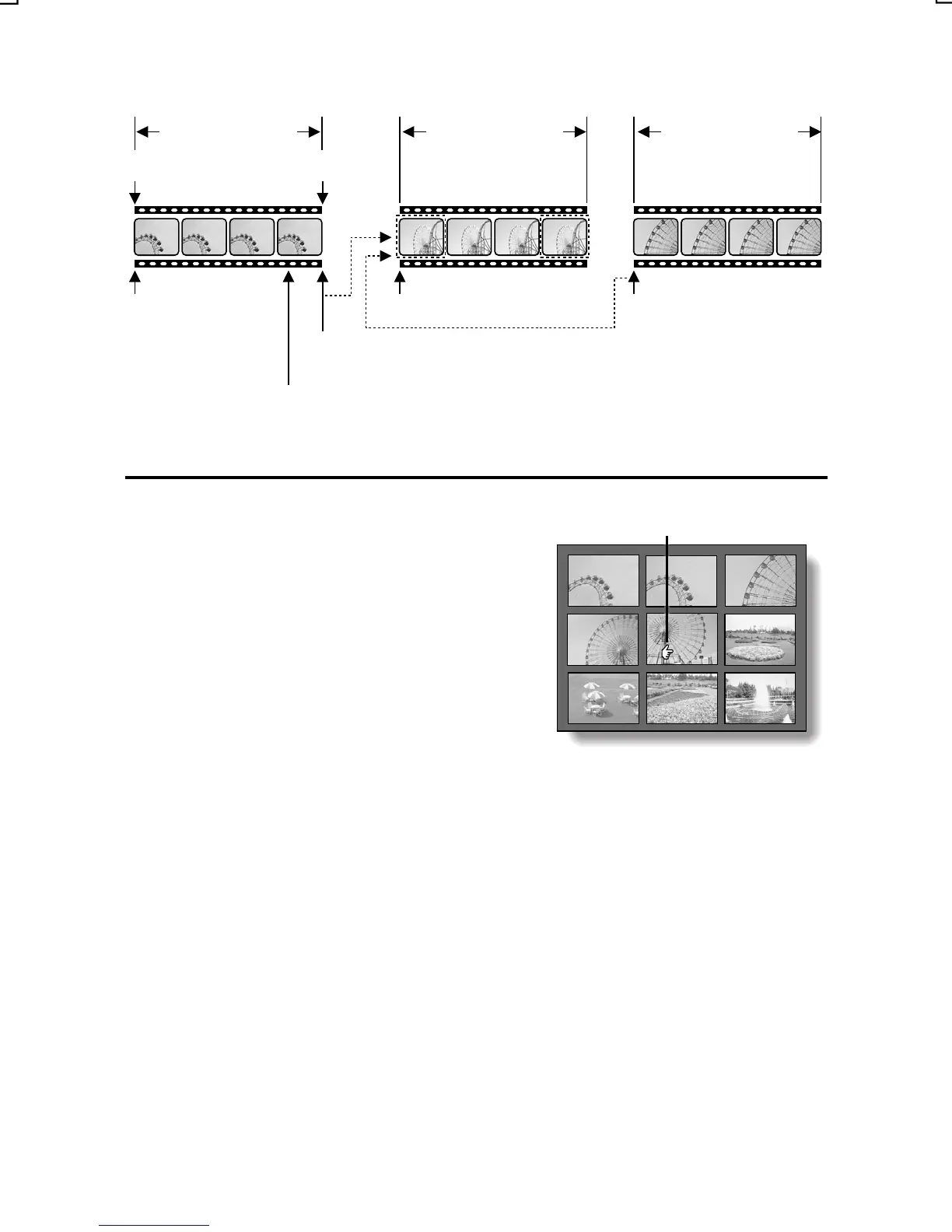
<Example of button operations>
Video clip 0001
Video clip start Video clip end
SET or [c] button:
Play
Video clip 0002 Video clip 0003
SET or [c] button: Play
[j
video clip 0002
[l
SET or [c] button: Play from start of video clip 0001
]: Display start of
]: Display start of video clip 0002
[j]: Display start of video clip
[l]: Display end of video clip
3
Press the zoom switch towards
[z].
Selecting mark
œ The 9-image display appears.
œ The procedure from this point is the
same as step 3 on page 83.
0001 0002 0003
0004 0005 0006
0007 0008 0009
To jump forward or backward 100 video clips (if there are more
than 100 video clips)
œ With the 9-image display showing, follow these steps.
1 Press the flash button.
2 Press either [d] or [c].
œ To jump another 100 video clips, repeat steps 1 and 2.
English
86



 To Next Page