SHOOTING/RECORDING MODE SETTINGS
Before using the digital camera, you must first set the desired recording mode
(still image, sequential shots, video clip, or audio recording).
œ Still image shooting mode: For capturing still images.
œ Sequential shots shooting mode: For capturing several images in
succession.
œ Video clip shooting mode: For capturing video clips.
œ Audio recording mode: For recording sound only.
1
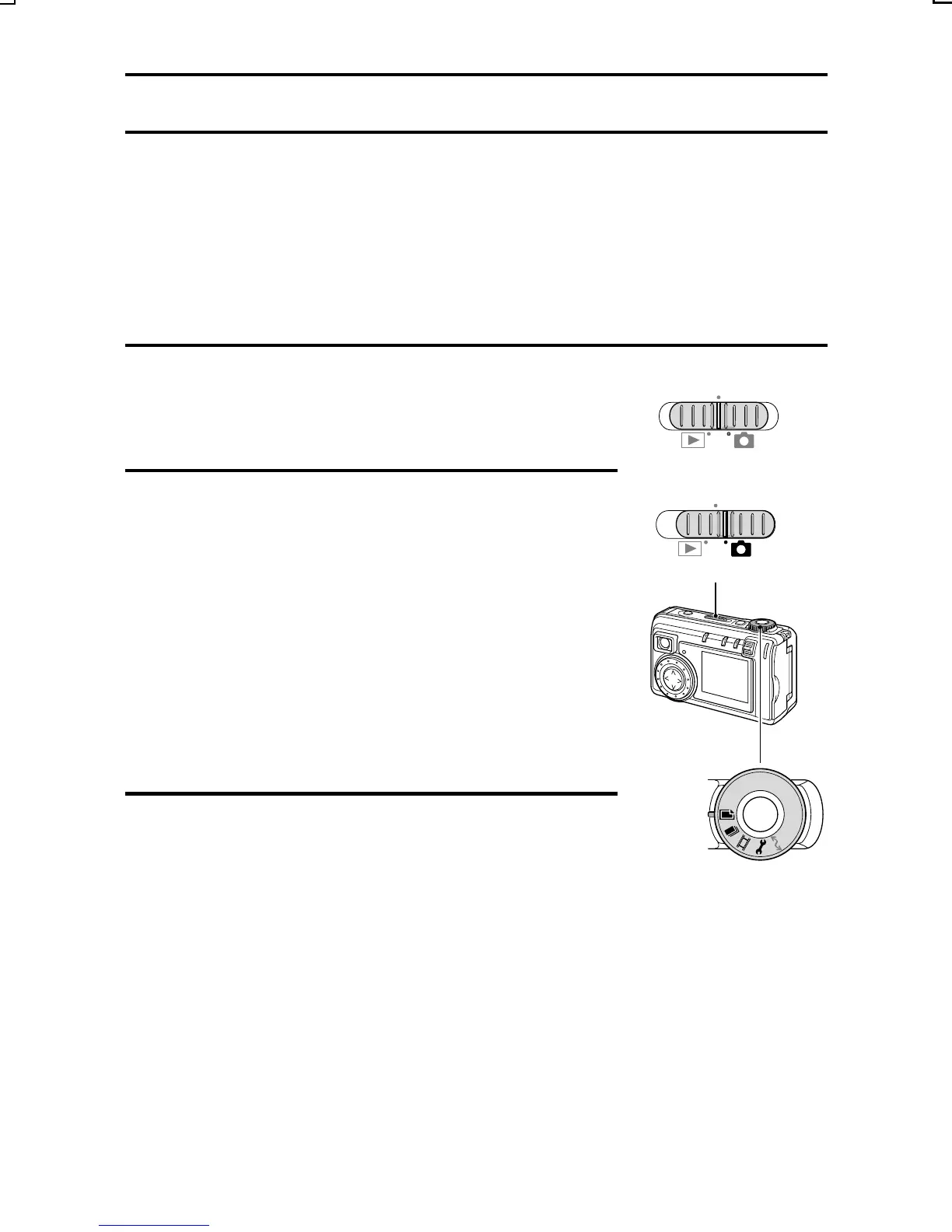
Set the main switch to MONITOR OFF or [Õ].
2
Set the selector dial to the desired shooting
mode.
For the still image mode (see page 58), set to
[W].
For the sequential shots mode (see page 59), set
to [y].
For the video clip shooting mode (see page 67),
set to [X].
For the audio recording mode (see page 69), set
to [P] (the Shooting Option Setting Screen will
appear).
3
Press the power button.
œ The camera turns on and the selected
shooting mode is active.
MONITOR OFF
MONITOR OFF
Main switch
Selector dial
SX215/EX, U (VPC-MZ2 GB) Mon. March 25/2002
English
57


 To Next Page
 Loading...