SX215/EX, U (VPC-MZ2 GB) Mon. March 25/2002
PLAYING BACK STILL IMAGES
Play back still images one by one
1
Select the still image playback mode (see page 80).
2
Press [d] or [c] on the arrow button, or turn the jog dial.
Play back a voice memo
œ Display an image, and press the SET
button. The voice memo is played back.
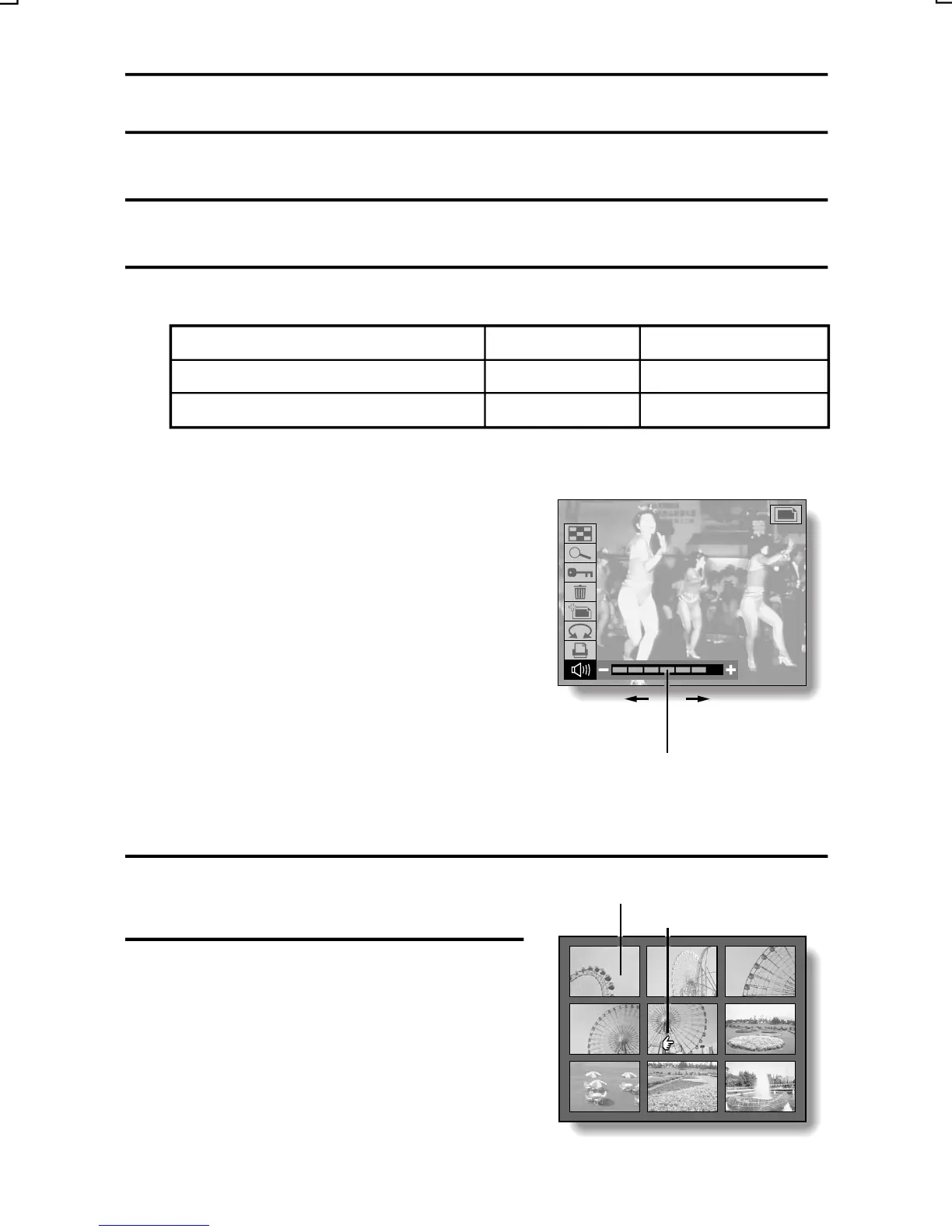
œ Display the Still Image Playback Setting
Screen (see page 39), select the volume
icon N, and press [d] or [c] on the
arrow button to adjust the playback
volume.
Decreases
Increases
the volume
the volume
Volume bar
d]
i
c]
9-IMAGE DISPLAY
ZOOM
PROTECT
ERASE
EDIT PHOTO
ROTATE
PRINT SETTING
Arrow button Jog dial
To play back the previous image
Press [
Counterclockw se
To play back the next image
Press [
Clockwise
9-image display playback
1
Select the still image playback
Image number
mode (see page 80).
Selecting mark
0001 0002 0003
0004 0005 0006
0007 0008 0009
2
Press the zoom switch towards
[z].
œ The 9-image display appears.
œ The number displayed on each
image is its file name (image
number).
English
82



 To Next Page