Play back a captured image and store the
shooting settings
The shooting settings of a captured image can be stored as your custom
shooting settings.
1
Display the desired image.
2
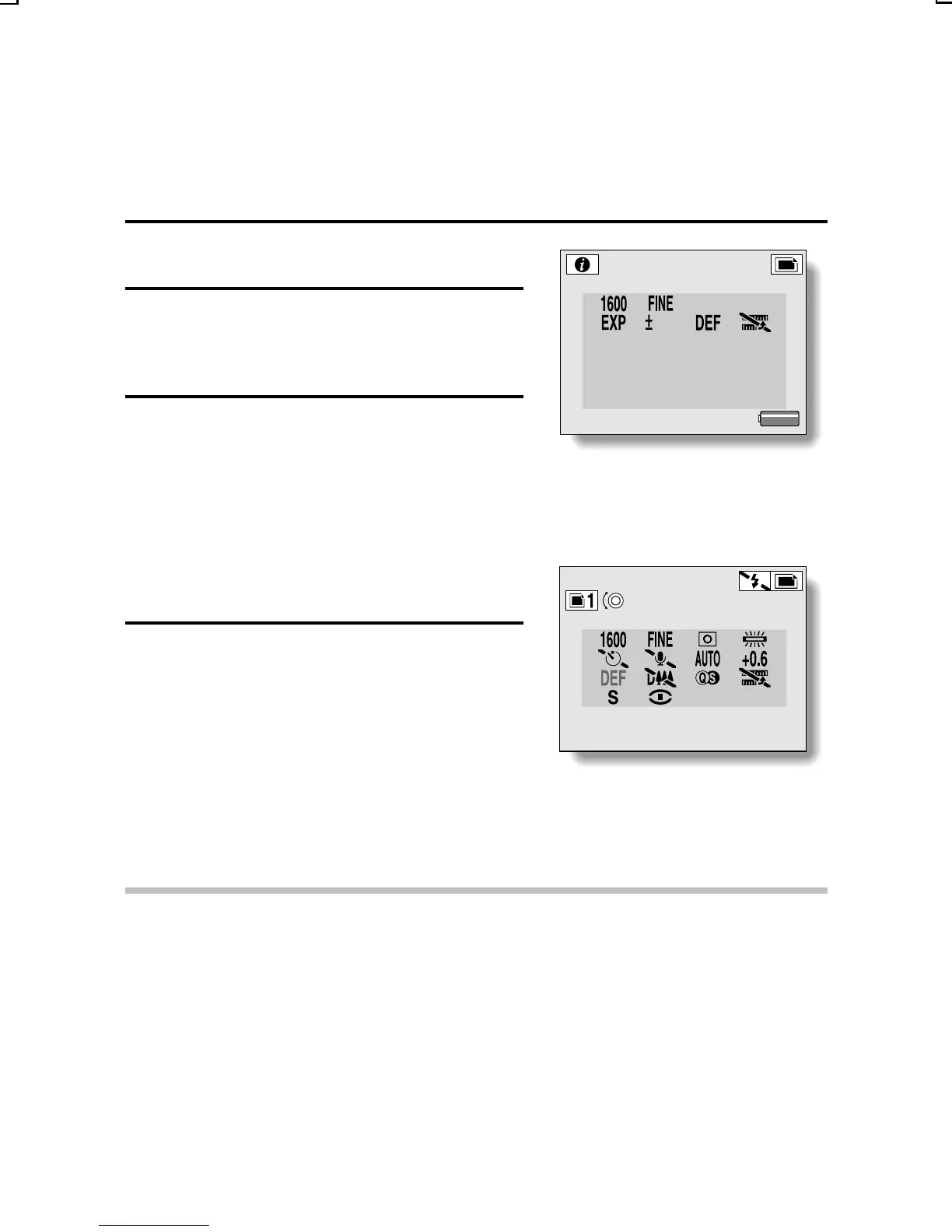
Press the MODE button for at least
1 second to display the Playback
Information Screen.
3
Press the SET button.
œ The Store Settings Screen appears.
œ When the jog dial is turned, a
number to store the settings can be
selected.
œ Two numbers are available to store
the settings.
4
Press the SET button.
œ After the settings are stored, the
Store Settings Screen is canceled.
<Number in which to store the
settings>
<Example: Still image shooting
mode>
CAUTION
œ The following image settings cannot be stored as custom settings.
Settings for images captured using the preset settings (F x G)
Images saved after enlarging with the playback zoom
Images to which text has been added, or resized or combined images
Images copied from a sequential shot series or video clip
Images captured using a different digital camera
INFO 100-0001
PRESS SET TO SELECT 646KB
p
0.6
SHUTTER
p
1/100
IRIS
p
F4.8
FOCAL LENGTH
p
20.30
2002.08.29 14:54
MEMORY
SETTING
PRESS SET SAVE
:
p
1/100
SX215/EX, U (VPC-MZ2 GB) Mon. March 25/2002
English
124


 To Next Page
 Loading...