SX215/EX, U (VPC-MZ2 GB) Mon. March 25/2002
PLAYBACK MODE SETTINGS
This camera has playback modes for still images, sequential shots, video
clips and audio recordings.
Still image playback mode: For playing back still images and voice
memos. Saved enlarged images (with the playback zoom) (see page
90) and copied images (see page 126) can also be viewed in the still
image playback mode.
Sequential shots playback mode: For viewing sequential shots images.
Video clip playback mode: For viewing video clips.
Audio recording playback mode: For listening to audio recordings.
1
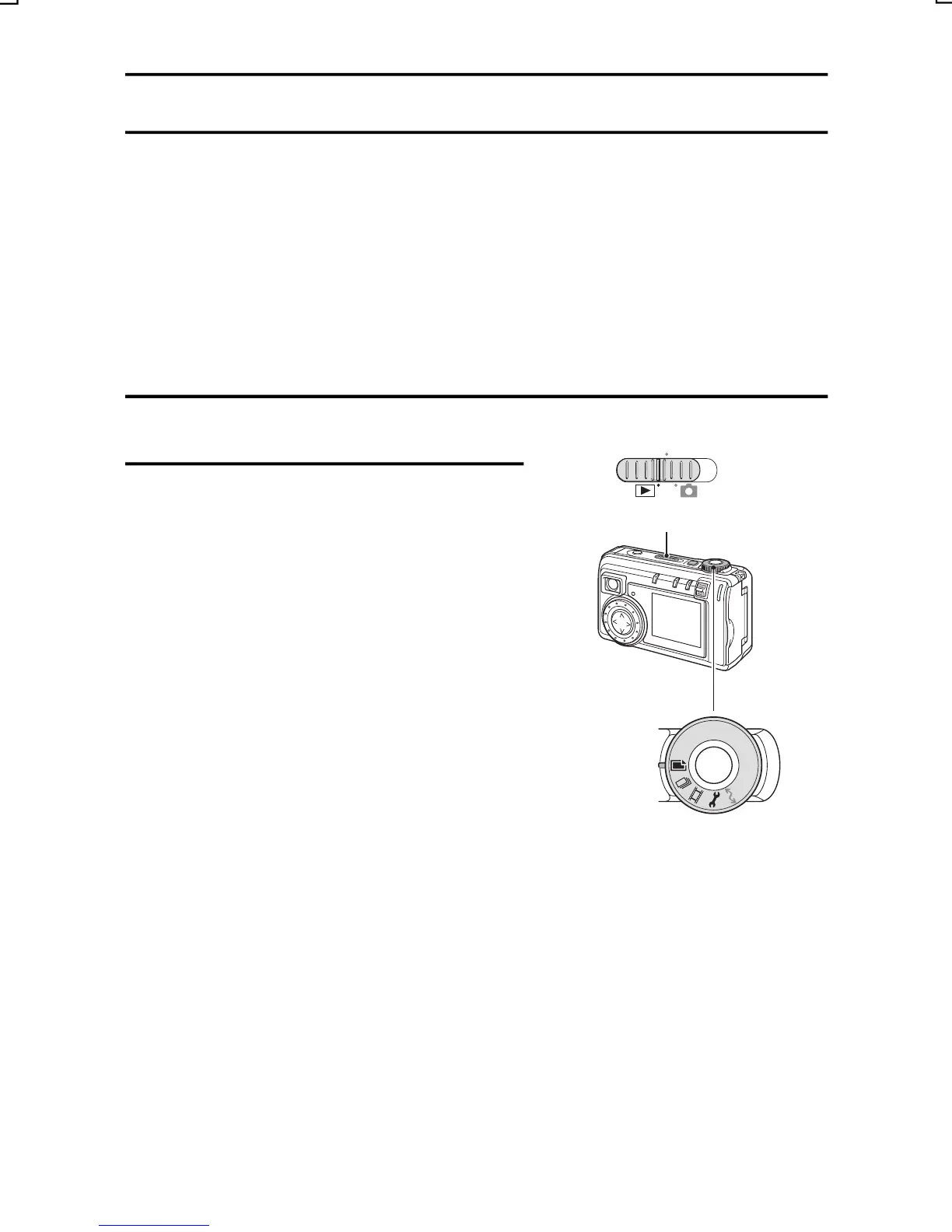
Set the main switch to [Ô].
MONITOR OFF
2
Turn the selector dial to the desired
playback mode.
Main switch
[W]: Still image playback mode
[page 82]
[Y]: Sequential shots playback
mode [page 84]
[X]: Video clip playback mode [page
85]
[P]: Audio playback mode [page 81]
(The Playback Option Setting
Screen appears.)
Selector dial
English
80



 To Next Page