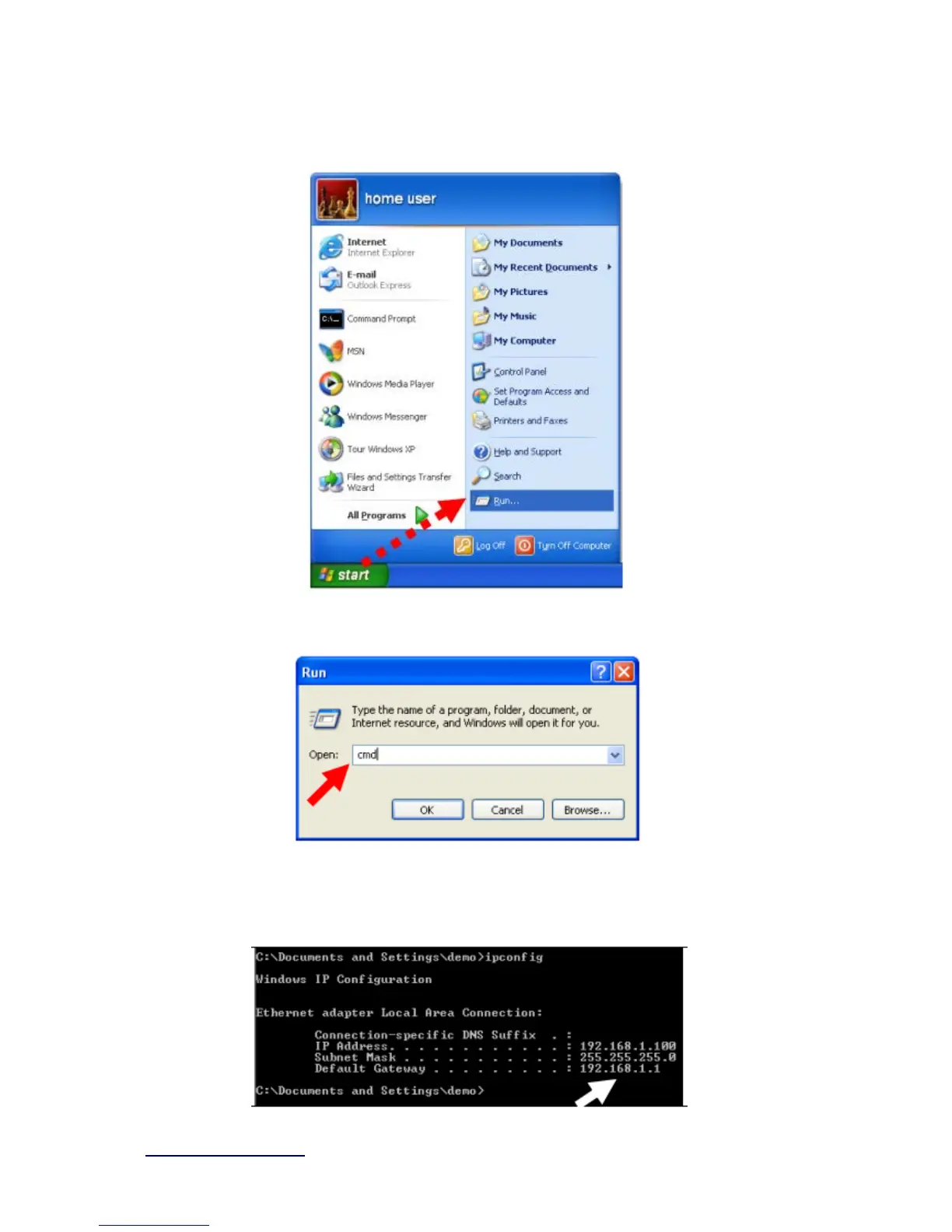
After the IP address setup was completed, please clicks “start” → “run” at the bottom-lower
corner of your desktop:
Input “cmd”, and then click “OK”.
Input “ipconfig”, then press “Enter” key. Please check the IP address followed by “Default
Gateway” (In this example, the gateway IP address of router is 192.168.1.1)



 To Next Page