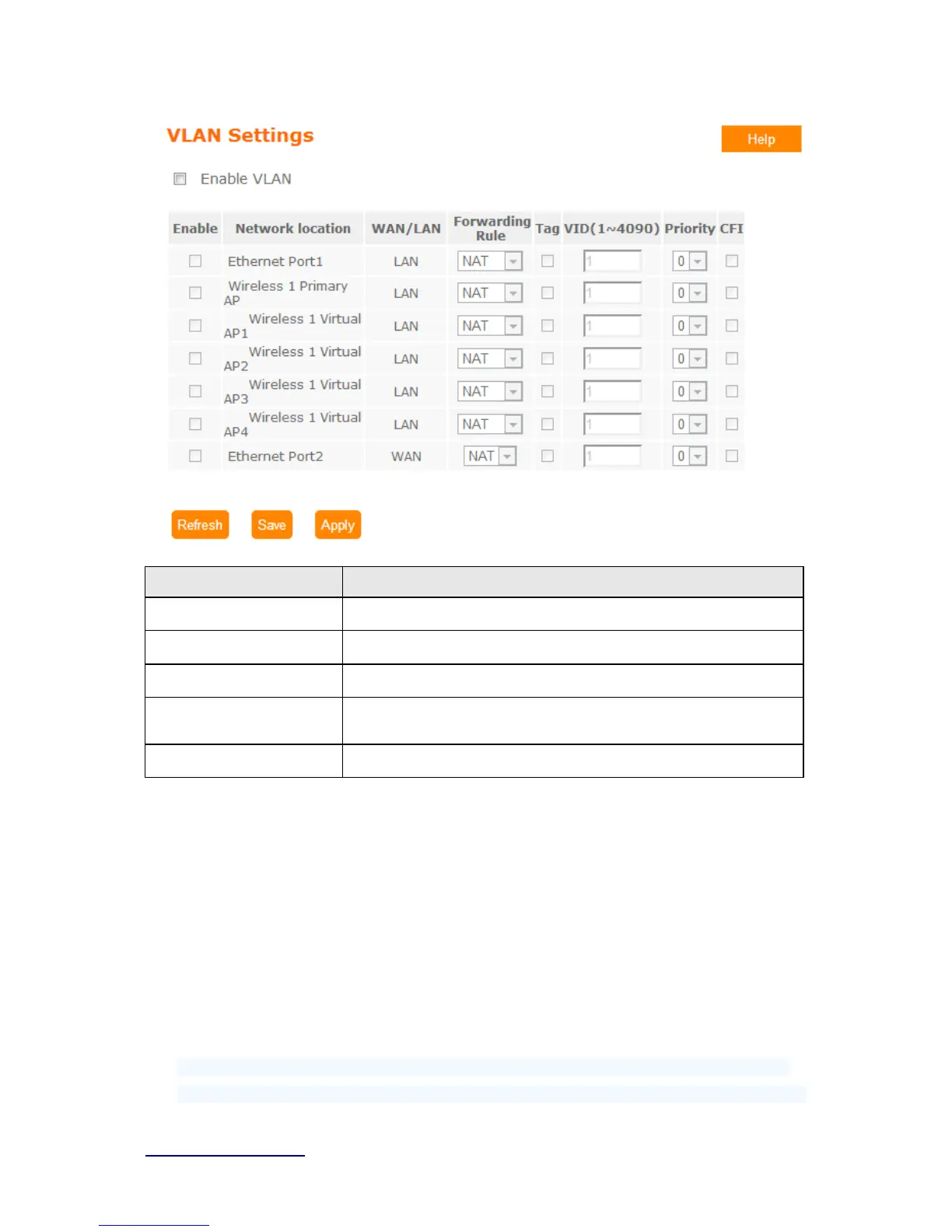
Item Description
Forwarding Rule
Bridge or NAT mode
Tag
Add VLAN tag to packet
VID
Set VLAN ID(1~4096)
Priority
It indicates the frame priority level. Values are from 0 (best effort) to
7 (highest); 1 represents the lowest priority
CIF
Enable or Disable CIF
5.10 System
This section including Wake on L AN, Change Username/Password, Upgrade Firmware,
Profiles Save, Remote Management, Time Zone, UPnP, Route Setup, VPN Passthrough,
and Wan Type Auto Detection. It is easy and helpful for users making more detailed
settings.
5.10.1 Wake on Lan
Switch your computer ON through your LAN or the Internet . To support WOL you must have a
computer with Motherboard that supports WOL, as well as a Network Controller (NIC) supporting



 To Next Page