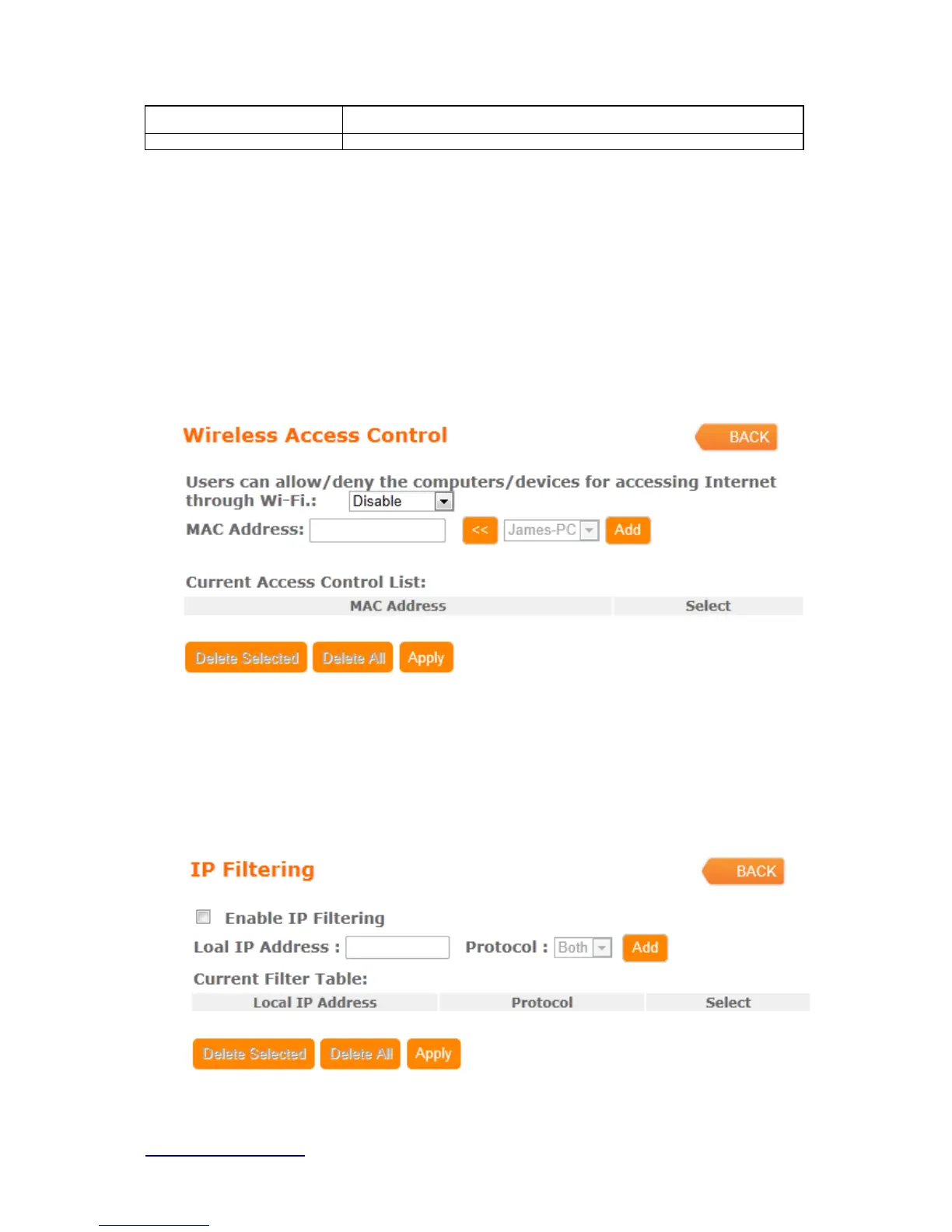
4.3.2 Wireless Access Control
Access Control allows user to block or allow wireless clients to access this router. Users
can select the access control mode, then add a new MAC address with a simple
comment and click on “Apply Change” to save the new addition. To delete a MAC
address, select its corresponding checkbox under the Select column and click on “Delete
Selected” button.
4.3.3 IP Filtering
When enabled, LAN clients are blocked / filtered from accessing the Internet based on
their IP addresses



 To Next Page