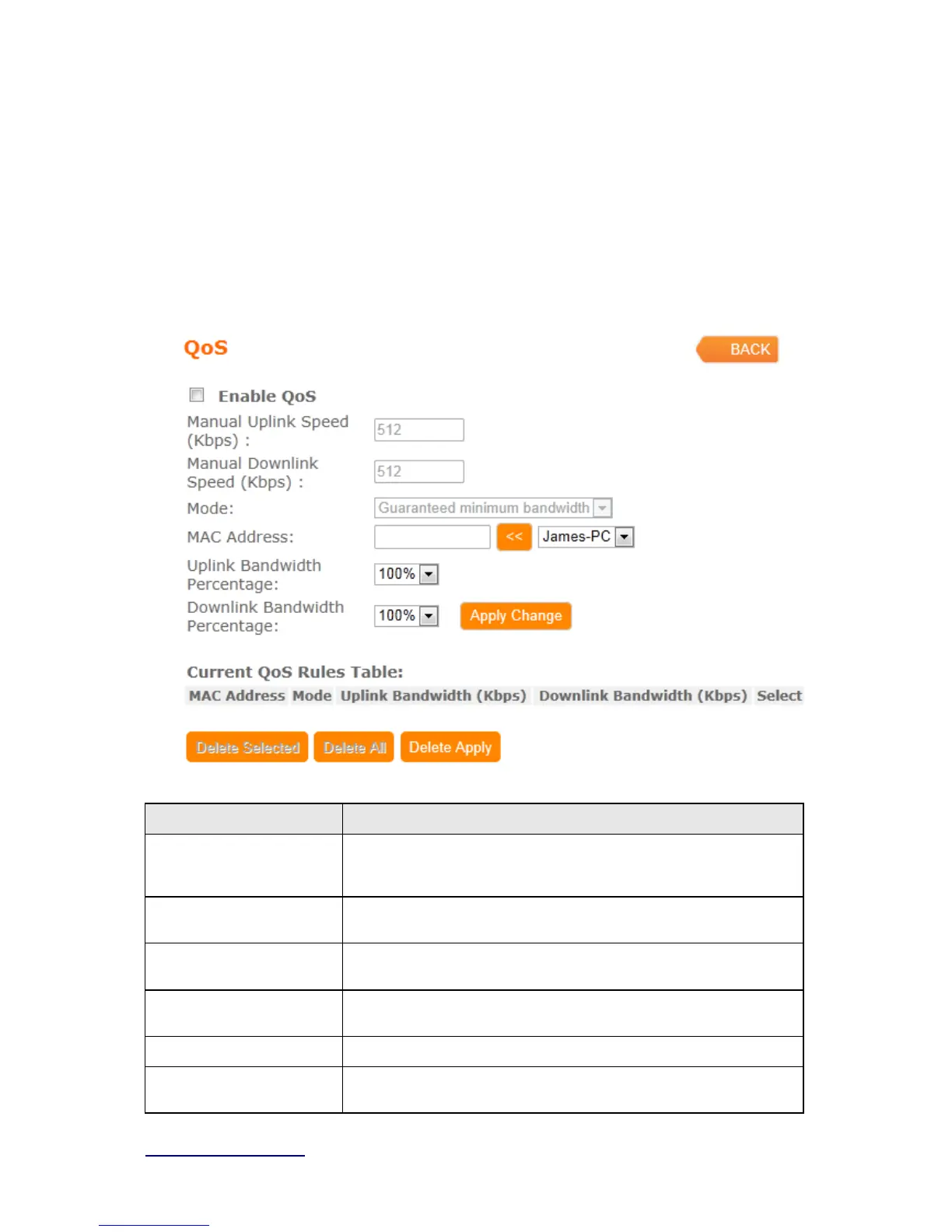
4.3.5 QoS
The QoS can let you classify Internet application traffic by source/destination IP address and
port number.
To assign priority for each type of application and reserve bandwidth can let you have a better
experience in using critical real time services like Internet phone, video conference …etc.
Item Description
Enable QoS Check “Enable QoS” to enable QoS function for the WAN port. You
also can uncheck “Enable QoS” to disable QoS function for the WAN
port.
Manual Uplink Speed Set the uplink speed by manual to assign the download or upload
bandwidth by the unit of Kbps.
Manual Downlink Speed Set the downlink speed by manual to assign the download or upload
bandwidth by the unit of Kbps.
Mode Select Guaranteed minimum bandwidth or Restricted maximum
bandwidth
MAC Addre ss Set MAC Address if the address type is by MAC Address
Uplink Bandwidth
Percentage
LAN device bandwidth of uplink bandwidth



 To Next Page