5.10.5 Remote Management
Please refer Remote Management
5.10.6 Time Zone
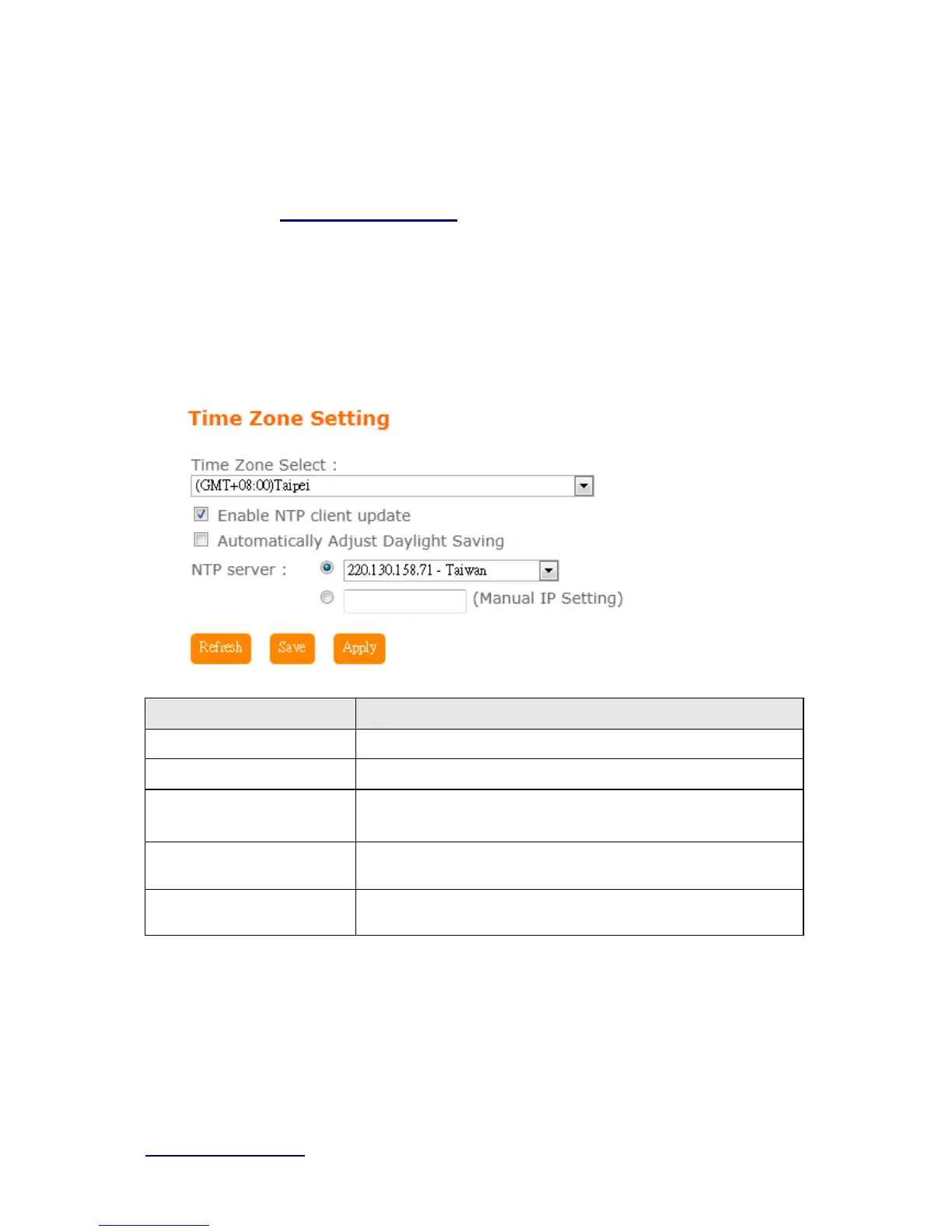
Users can synchronize the local clock on the router to an available NTP server (optional).
To complete this setting, enable NTP client update and select the correct Time Zone.
Item Description
Time Zone Select Please select the time zone.
Enable NTP client update Please select to enable NTP client update or not.
Automatically Adjust
Daylight Saving
Please select to enable Automatically Adjust Daylight Saving or
not.
NTP Server Please select the NTP server from the pull-down list, or you can
enter the NTP server IP address manually.
Save & Apply Click on Sa ve to save the setting date, the Apply button for execute
current configuration.
5.10.7 UpnP



 To Next Page