Encryption Select wireless encryption type form the drop-down list.
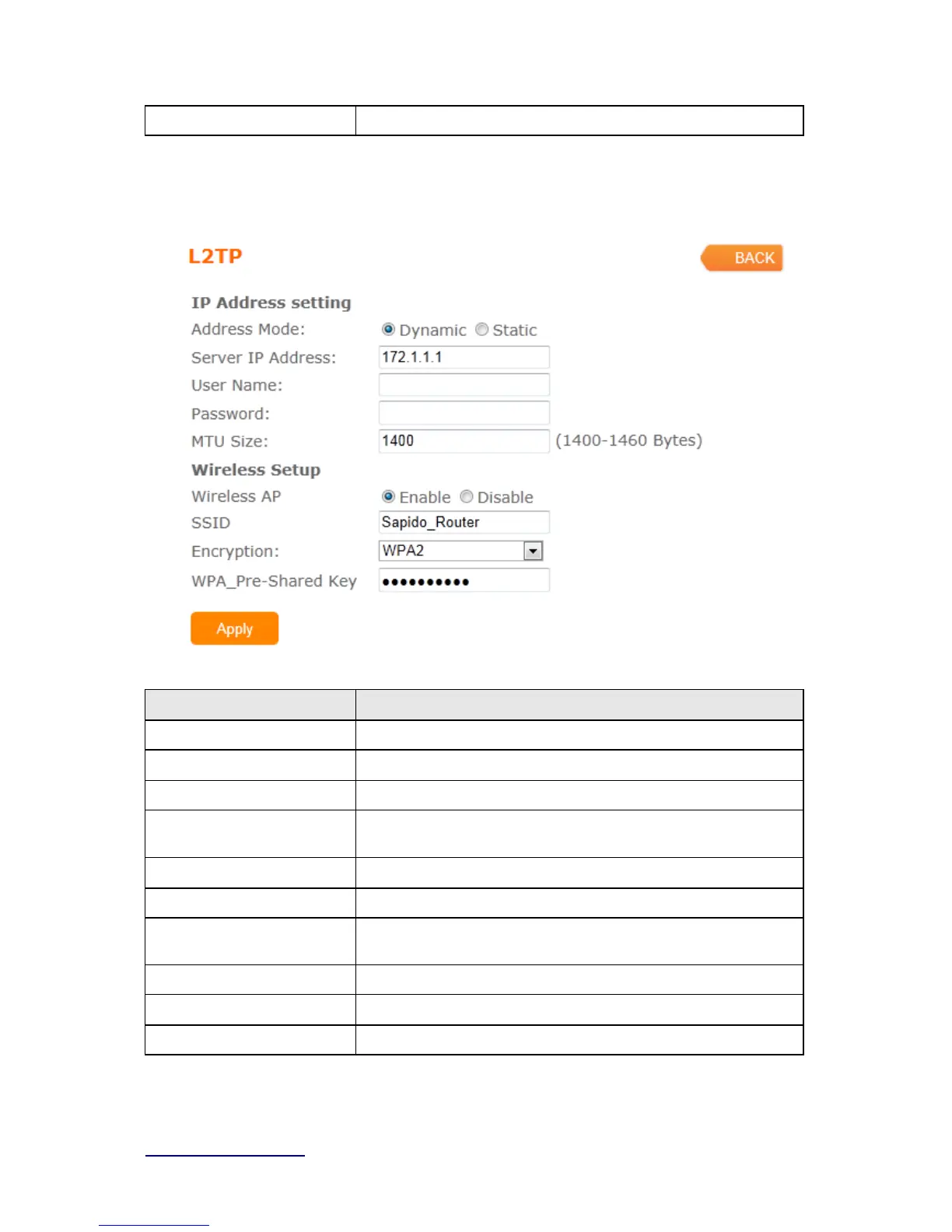
3.3.5 L2TP
Item Description
Address Mode Select "Dynamic" or "Static"
IP Address Input your IP address or domain name
Gateway Input ISP Default Gateway Address.
Server IP Address Input your server IP address provided by your ISP. If you don’t
know, please check with your ISP.
User Name Input PPTP account provided by your ISP.
Password Input the password provided by your ISP.
MTU Size Maximum Transmission Unit. Usually provide by computer
operation systems (OS). Advanced users can set it manually.
Wireless AP Turn on/off wireless
SSID Service Set identifier, users can define to any or keep as default.
Encryption Select wireless encryption type form the drop-down list.



 To Next Page