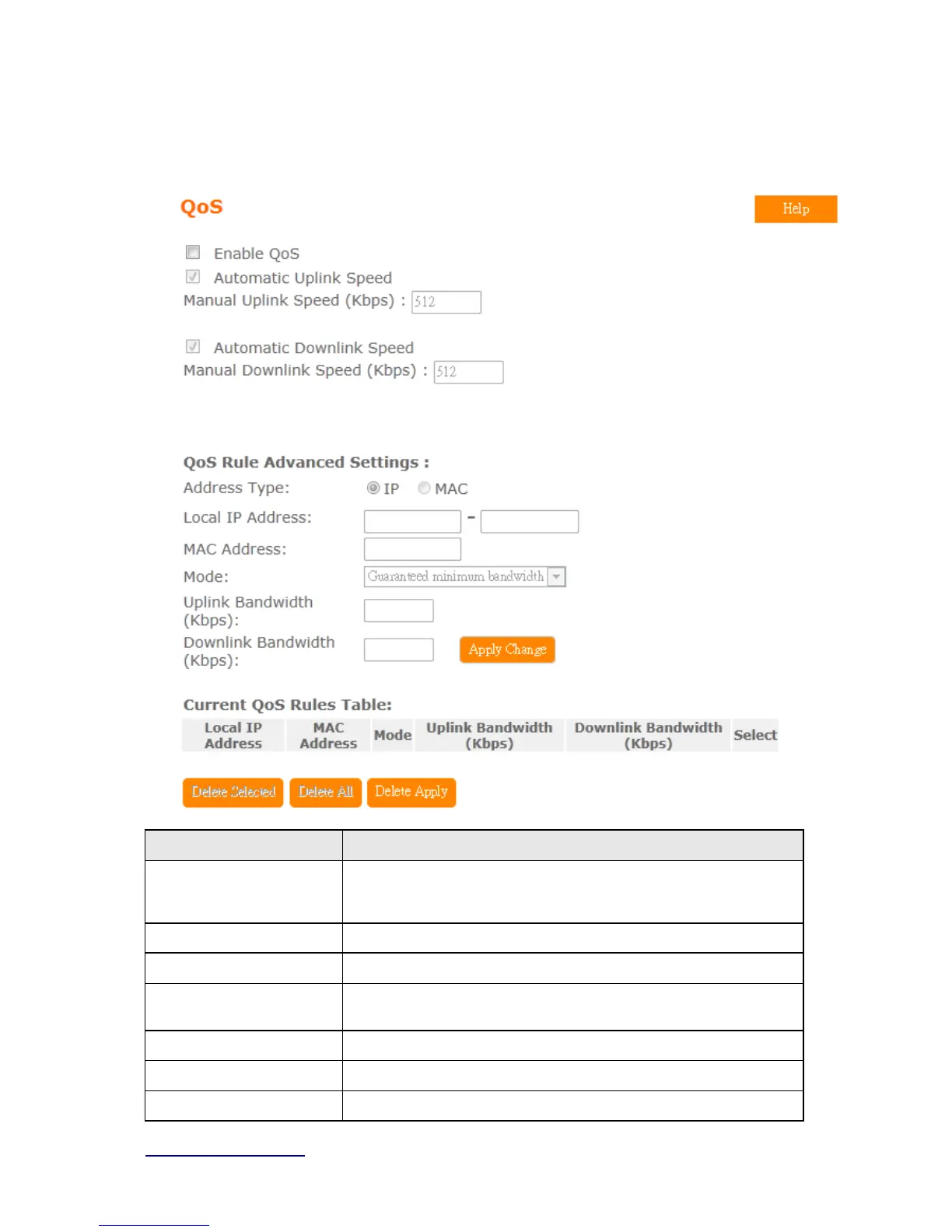
5.5.2 QoS
Item Description
Enable QoS Check “Enable QoS” to enable QoS function for the WAN port. You
also can uncheck “Enable QoS” to disable QoS function for the WAN
port.
Automatic uplink speed Check the Automatic uplink speed.
Manual Uplink speed Input uplink bandwidth manually
Automatic downlink
speed
Check the Automatic downlink speed.
Manual Downlink speed Input downlink bandwidth manually
Address Type Set QoS by IP Address or MAC address
Local IP Address Set local IP Address if the address type is by IP Address



 To Next Page