Item Description
Enable IP Filtering Please select Enable IP Filtering to filter IP addresses.
Local IP Address Please enter the IP address that needs to be filtered.
Protocol Please select the protocol type of the IP address
Apply Click on Apply to add the setting data
Current Filter Table It will display all ports that are filtering now.
All
Click Delete Selected will delete the selected item. Click Delete All
will delete all items in this table.
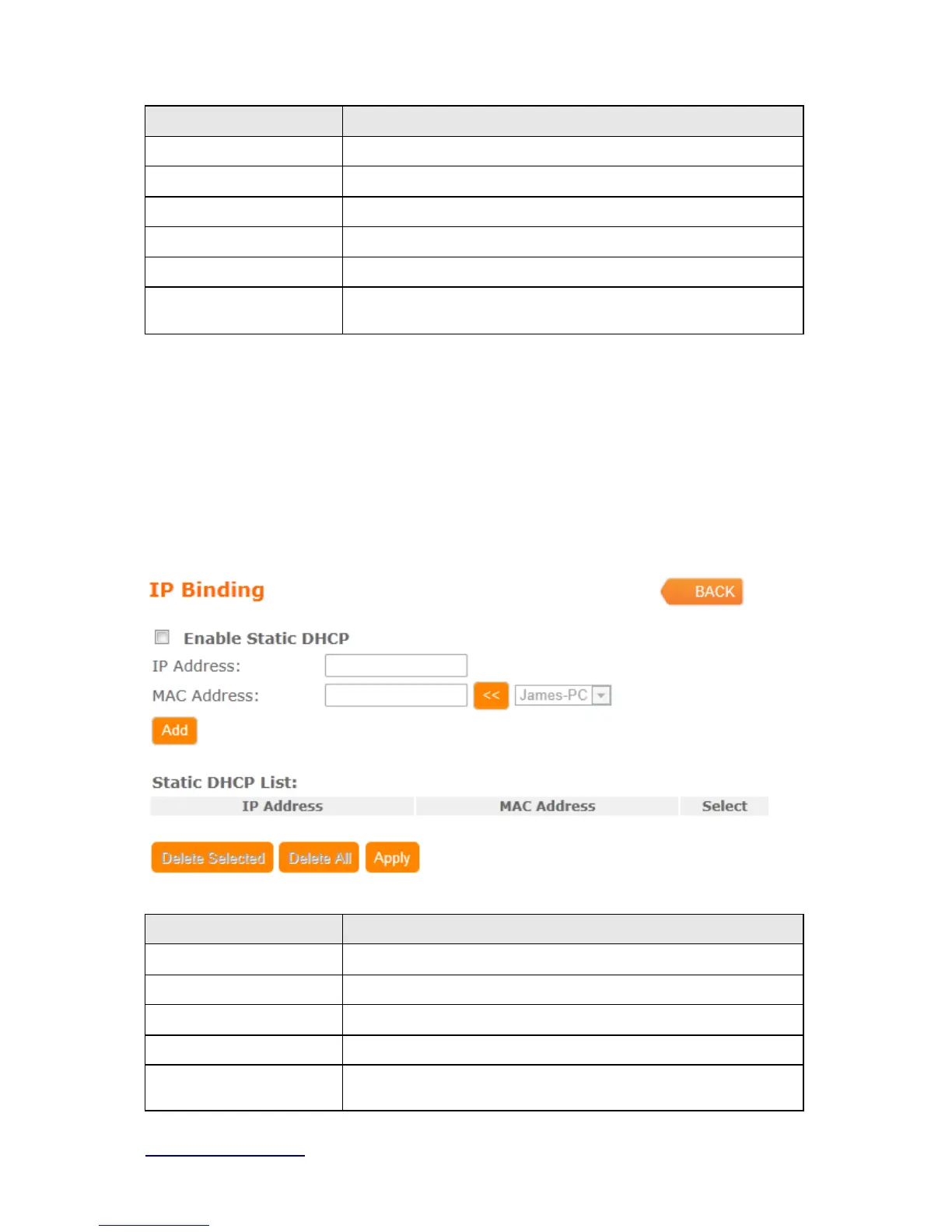
4.3.4 IP Binding
This function allows you reserve IP addresses, and assign the same IP address to the
network device with the specified MAC address any time it requests an IP address. This is
almost the same as when a device has a static IP address except that the device must still
request an IP address from the DHCP server.
Item Description
Enable Static DHCP Select enable to use Static DHCP function
IP Address Please enter IP address to limit
MAC address Please enter MAC address to limit
Static DHCP List It will display all IP and MAC address you made.
All
Click Delete Selected will delete the selected item. Click Delete All
will delete all items in this table.



 To Next Page