Password
Input the login password of the client user
Current Filter Table It will display all ports that are filtering now.
Delete Selected & Delete
All
Click Delete Selected will delete the selected item. Click Delete All
will delete all items in this table.
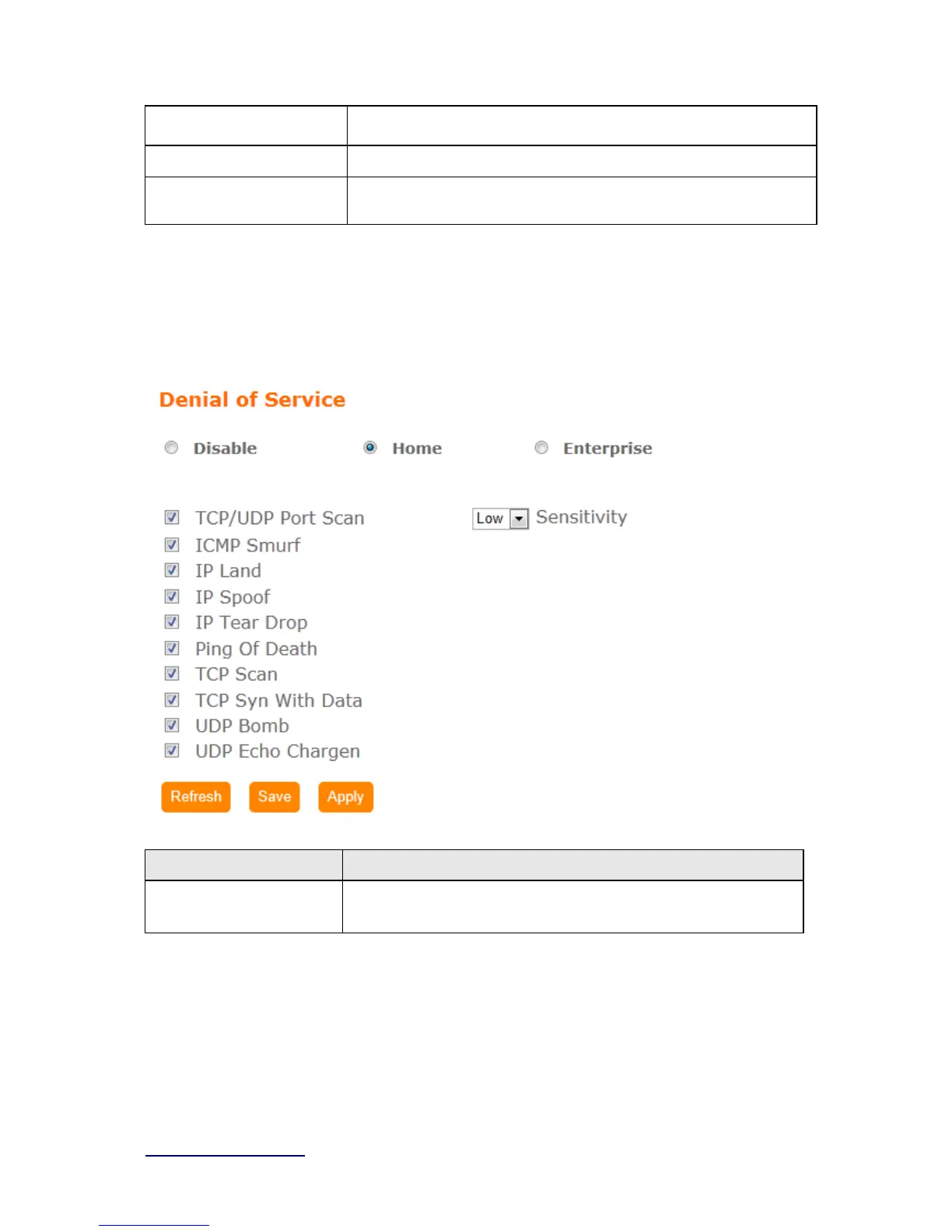
4.7 DoS
Home:
Item Description
Home
Check “
Home” to enable DoS function for prevention. You also can
check “
No Prevention” to disable DoS function.
Enterprise:



 To Next Page