Metric Metric number on router’s routing table
Interface Static route rule for LAN or WAN interface
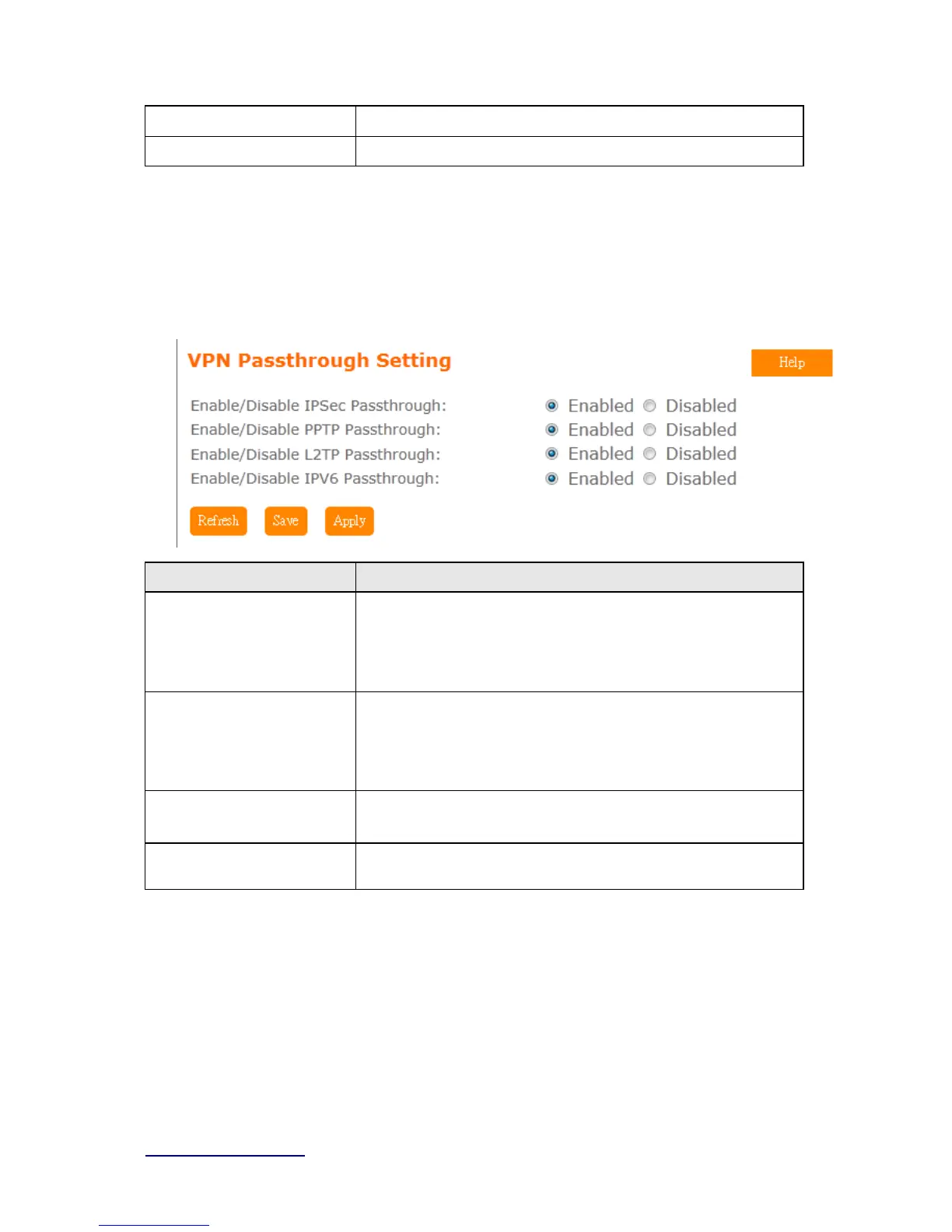
5.10.9 VPN Passthough
Virtual Private Networking (VPN) is typically used for work-related networking. For VPN tunnels,
the router supports IPSec, Pass-through, PPTP Pass-through, and L2TP Pass-through.
Item Description
IPSec Pass-through Internet Protocol Security (IPSec) is a suite of protocols used to
implement secure exchange of packets at the IP layer. To allow
IPSec tunnels to pass through the router, IPSec Pass-through is
enabled by default. To disable IPSec Pass-through , select Disable
PPTP Pass-through Point-to-Point Tunneling Protocol is the method used to enable
VPN sessions to a Windows NT 4.0 or 2000 server.
tunnels to pass through the router, PPTP Pass-through is enabled
by default. To disable PPTP Pass-through, select Disable.
L2TP Pass-through To allow the L2TP network traffic to be forwarded to its destination
without the network address translation tasks.
IPV6 Pass-through Allow IPV6 packet to be forwarded to its destination without the
network address translation tasks.
5.10.10 Wan Type Auto Detection



 To Next Page