http://www.sapido.com.tw/ User Manual v1.0.0
Chapter 1 Introduction
1.1 Product Appearance
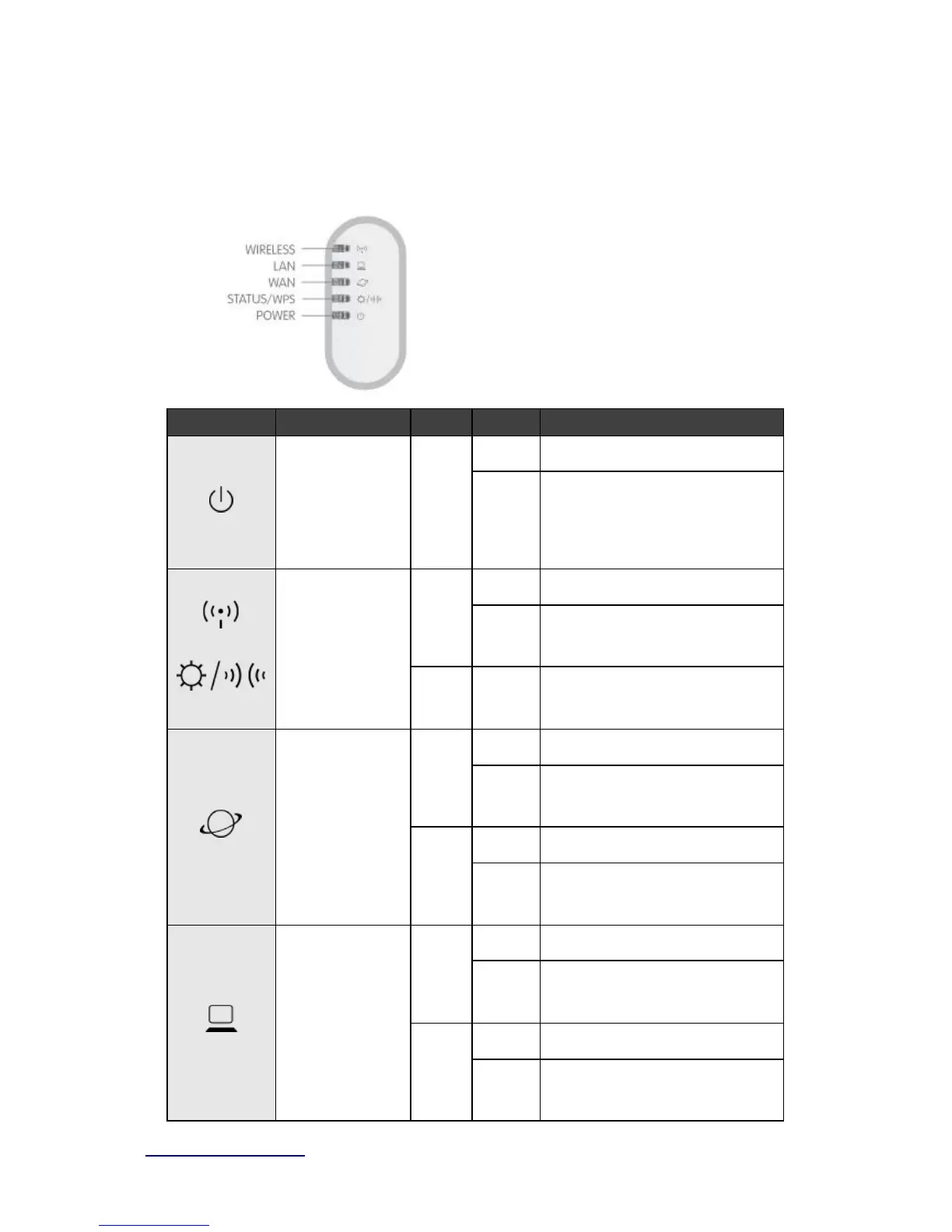
LED Indicator Status Description:
On System is ready to work
Blinking
120ms
1.
Power is being applied and system
boot in progress
2. Reset or firmware upgrade
Wireless activity
&
WPS status
On Wireless is connected
Blinking
30ms
On 100Mbps Ethernet is connected
Blinking
30ms
100Mbps Ethernet Tx/Rx activity
On 10Mbps Ethernet is connected
Blinking
120ms
10Mbps Ethernet Tx/Rx activity
On 100Mbps Ethernet is connected
Blinking
30ms
100Mbps Ethernet Tx/Rx activity
10Mbps Ethernet is connected
10Mbps Ethernet Tx/Rx activity



 To Next Page