Item Description
Service
BRF71n support 4 kinds of smart phone,N okia、Black B erry、
Samsung 、iPhone and Andriod phone
iPhone do not need to do any setting
to BRF71n USB port
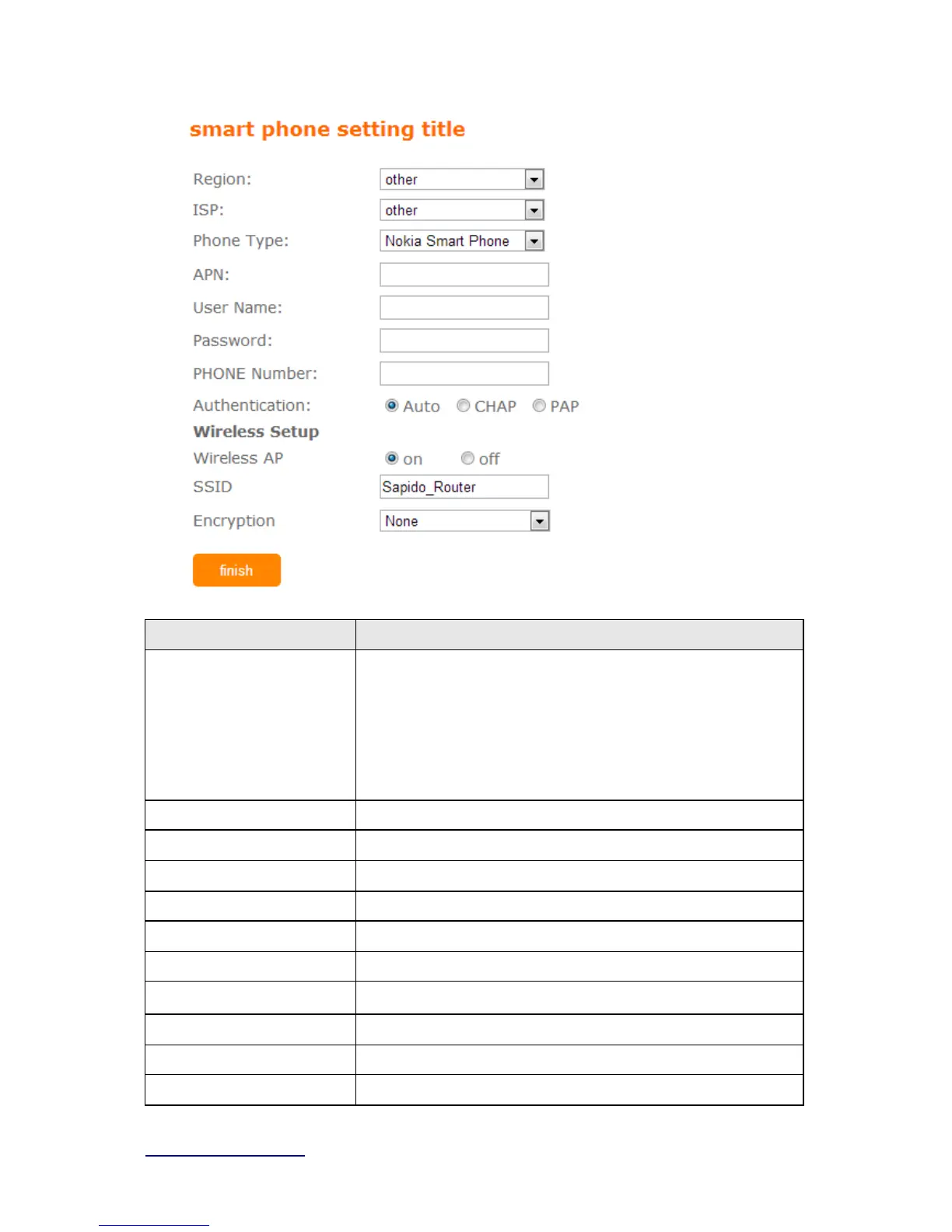
Region Select correct phone service region
ISP Select correct phone service ISP
APN Please check 3.5G ISP to get APN data
User Name Please check 3.5G ISP to get user name
Password Please check 3.5G ISP to get password
Phone number Please check 3.5G ISP to number data
Authentication
Provide 3 kinds of authentication methods,auto is recommended
Wireless AP Turn on/ off wireless function
SSID Service Set identifier, users can define to any or keep as default.
Encryption Select wireless encryption type form the drop-down list.



 To Next Page