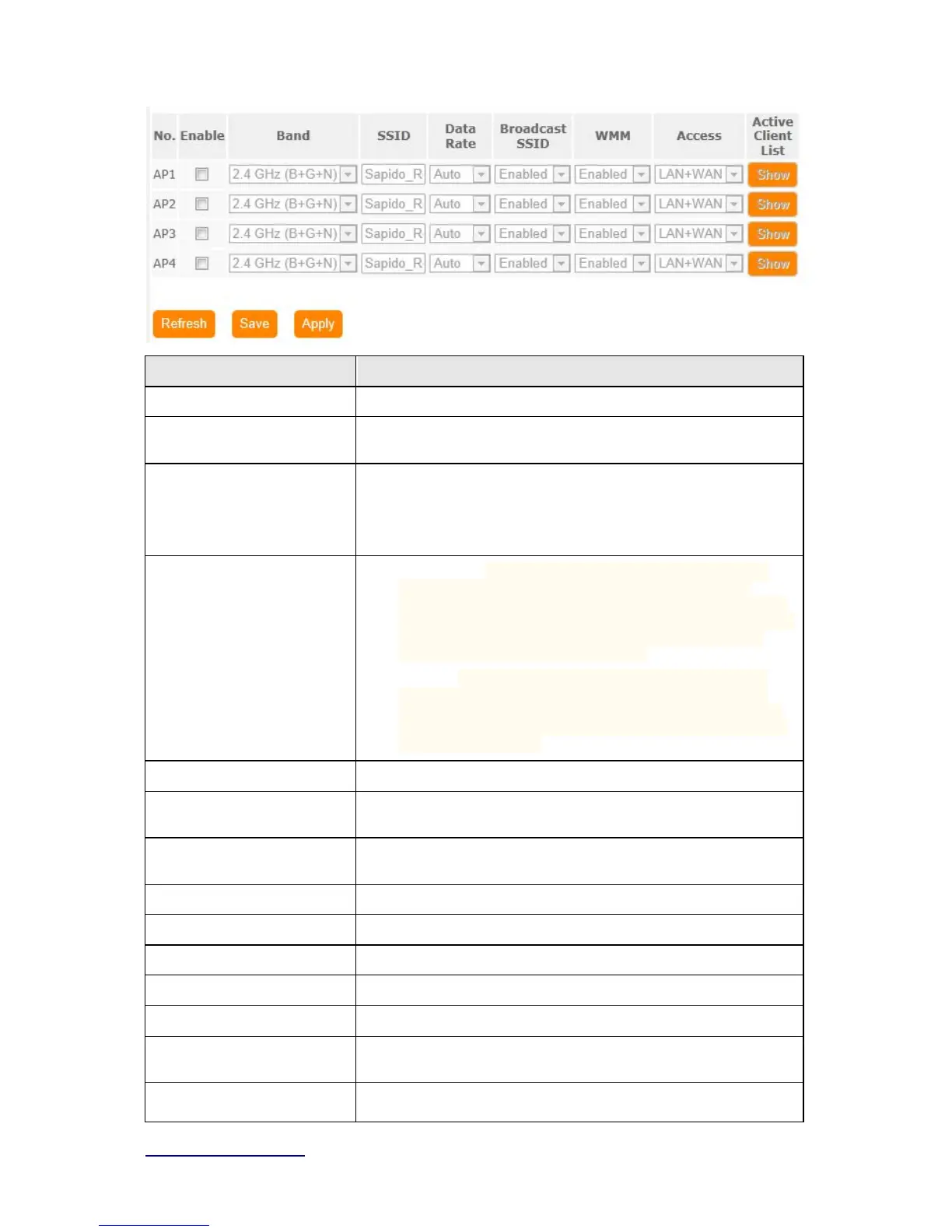
Item Description
Disable Wireless Turn off the wireless service.
Band Select the frequency. It has 6 options: 2.4 GHz
(B/G/N/B+G/G+N/B+G+N).
Mode Select the mode. It has 3 modes to select: (AP, Client, WDS,
AP+WDS).
Multiple AP: Please check Section 4.1.2.1.
* In Wi-Fi AP mode only support Client mode.
Network Type
Infrastructure:one of the two methods for connecting to
wireless networks with Wi-Fi enabled devices such as
laptops, Pda’s I-phone etc. These devices are connected to
wireless network with the help of Access point (AP). Wireless
Access Points are usually routers or switches which are
connected to internet by Ethernet port.
Ad hoc:By using ad hoc mode, devices are capable for
communicating directly with each other. No Access point
(routers / switches) is required for communication between
devices and all devices in the range connect in peer to peer
communication mode.
SSID Service Set identifier, users can define to any or keep as default.
Channel Width Please select the channel width, it has 3 options: 20MHz / 40MHz /
Auto
Control Sideband Enable this function will control your router use lower or upper
channel.
Channel Number Please select the channel; it has Auto, 1, 2~11 or 13 options.
Broadband SSID User may choose to enable Broadcast SSID or not.
WMM Enable / Disable Wi-Fi Multimedia
Data Rate Please select the data transmission rate.
Associate Clients Check the AP connectors and the Wireless connecting status.
Enable MAC Clone
(Single Ethernet Client)
Clone the MAC address for ISP to identify.



 To Next Page