Sapido Technology Inc. www.sapido.com.tw
147
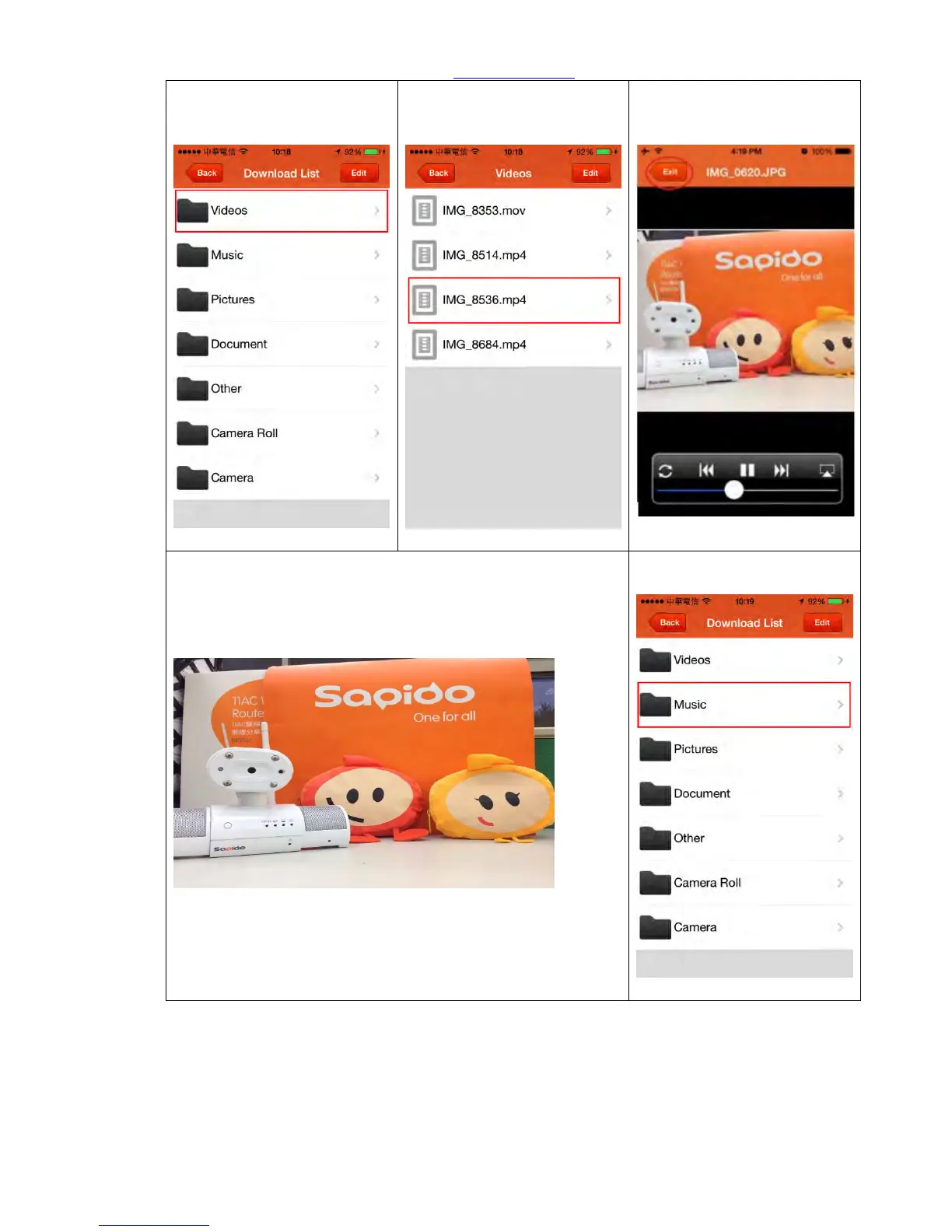
Step 5. Return to “Download
List” and click “Videos”
Step 6. Directly select the
video you want to watch.
Step 7. During video play,
click “Exit” to stop and return
to the previous page.
Step 8. Rotate the smartphone or tablet to enlarge the
screen, click “Back” to stop and return to the previous page.
(If functional key is hidden after rotating, it will be again
appeared after rotate it back.)
Step 9. Return to Download
List page and click “Music”.



 To Next Page