EasyManua.ls Logo

Sapido SH106+ - Page 148

Default Icon
174 pages
Print Icon
To Next Page IconTo Next Page
To Previous Page IconTo Previous Page
Loading...
Sapido Technology Inc. www.sapido.com.tw
148
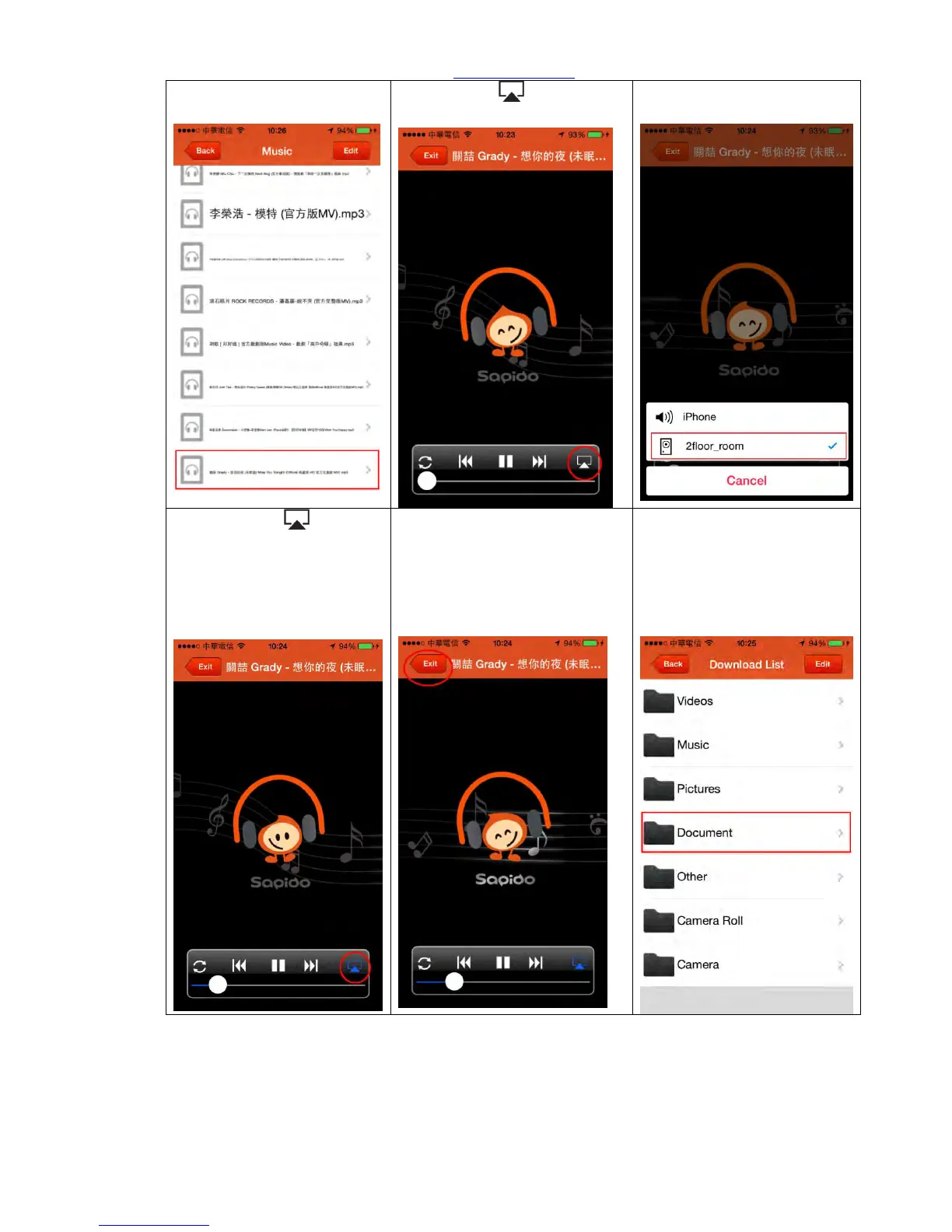
Step 10. Directly select the
music you want to play.
Step 11. Click mark to
choose the play device.
Step 12. Select IP Camera
device name (nickname)
Step 13. When is
showed as blue, the music
will be played through IP
Camera (IPJC2n)
Step 14. You can find the
functions, such as pause, play,
back/forward, repeat one and
all, etc. in below functional
bar. Click “Exit” to stop and
return to the previous page.

Step 15. Return to Download
List page and click
“Document”.

Table of Contents