Sapido Technology Inc. www.sapido.com.tw
43
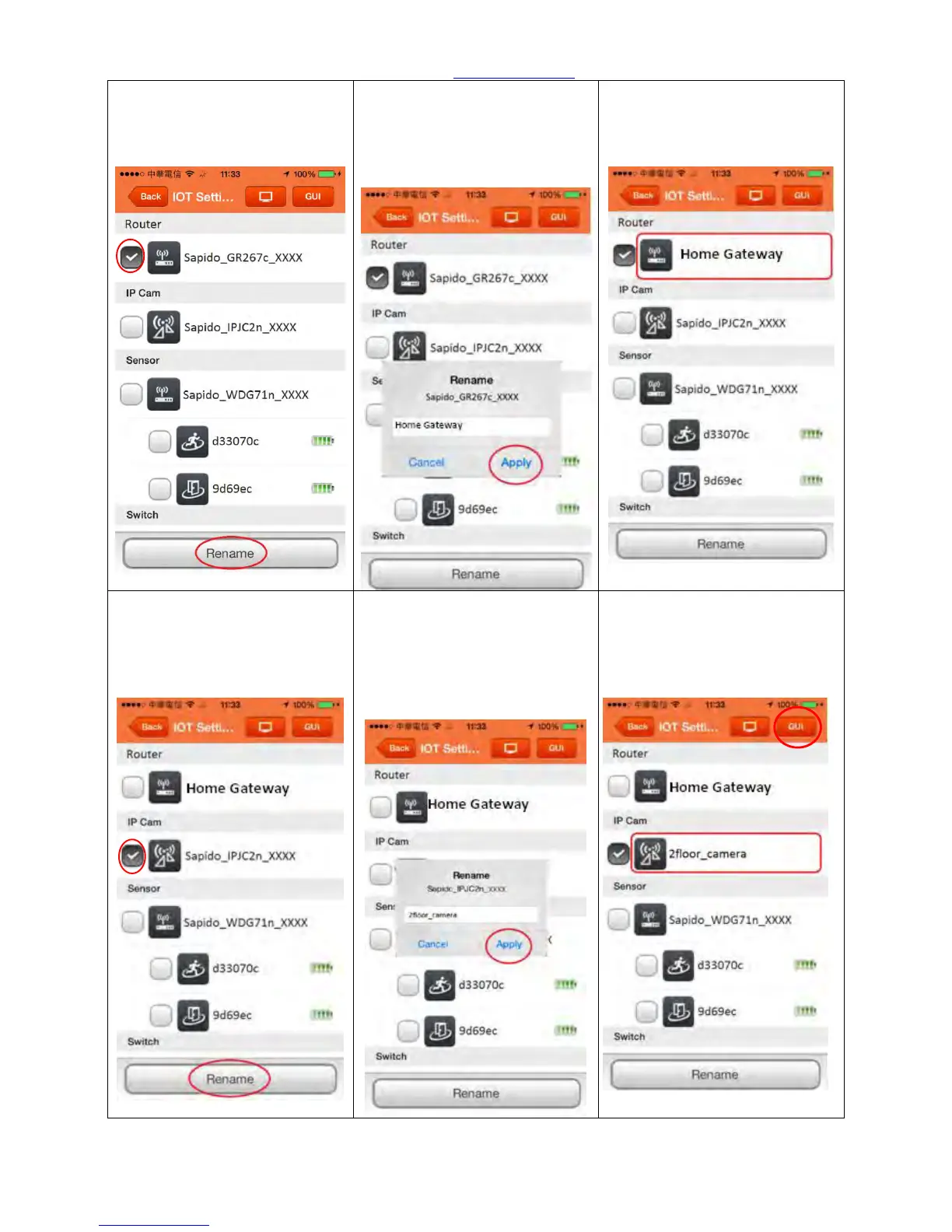
Step 13. In IOT Setting page,
you can rename the device.
Select Home Gateway (GR267c)
and click “Rename”
Step 14. After typing in the
new name, click “Apply” to
confirm.
Step 15. Home Gateway
(GR267c) has been shown with
new device name.
Step 16. In IOT Setting page,
you can rename the device.
Select IP Camera (IPJC2n) and
click “Rename”
Step 17. After typing in the
new name, click “Apply” to
confirm.
Step 18. IP Camera has been
shown with new device name.
And please click the “GUI” in
the right top.



 To Next Page