Sapido Technology Inc. www.sapido.com.tw
44
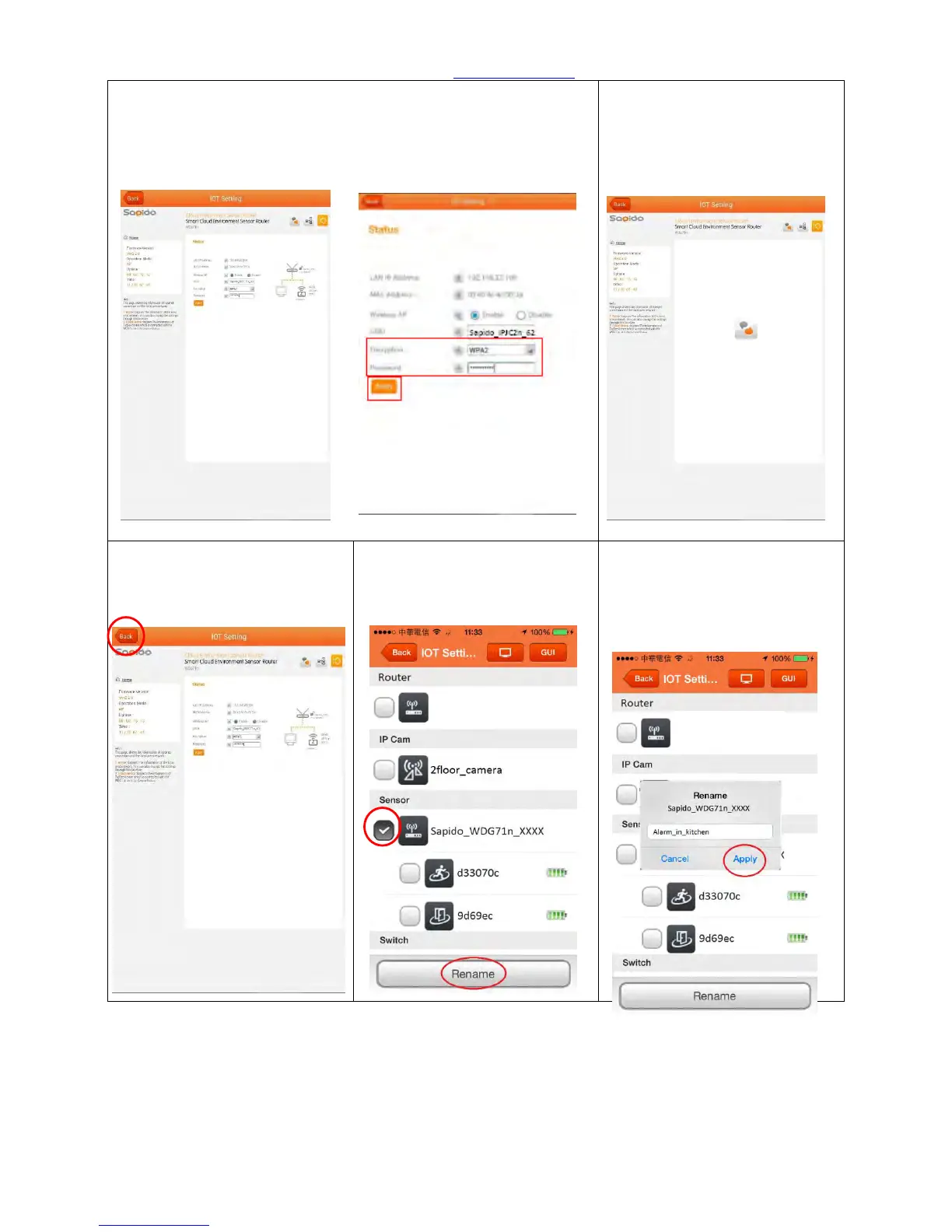
Step 19. You will see IOT Network of the IP Cam. Please select the
type of encryption to “WPA2”, and enter the new password (at
least 8 characters/numbers), click <Apply>. (You can arrange the
screen for easier watching manually)
Step20. Please wait for the
setup operation.
Step 21. After setting, click
“Back” to the front page.
Step 22. Please select the
Security Alarm router
(WDG71n) first, then click
<Rename>
Step 23. After entering the new
name, please click <Apply>,
then it will show the new
name.



 To Next Page