Sapido Technology Inc. www.sapido.com.tw
73
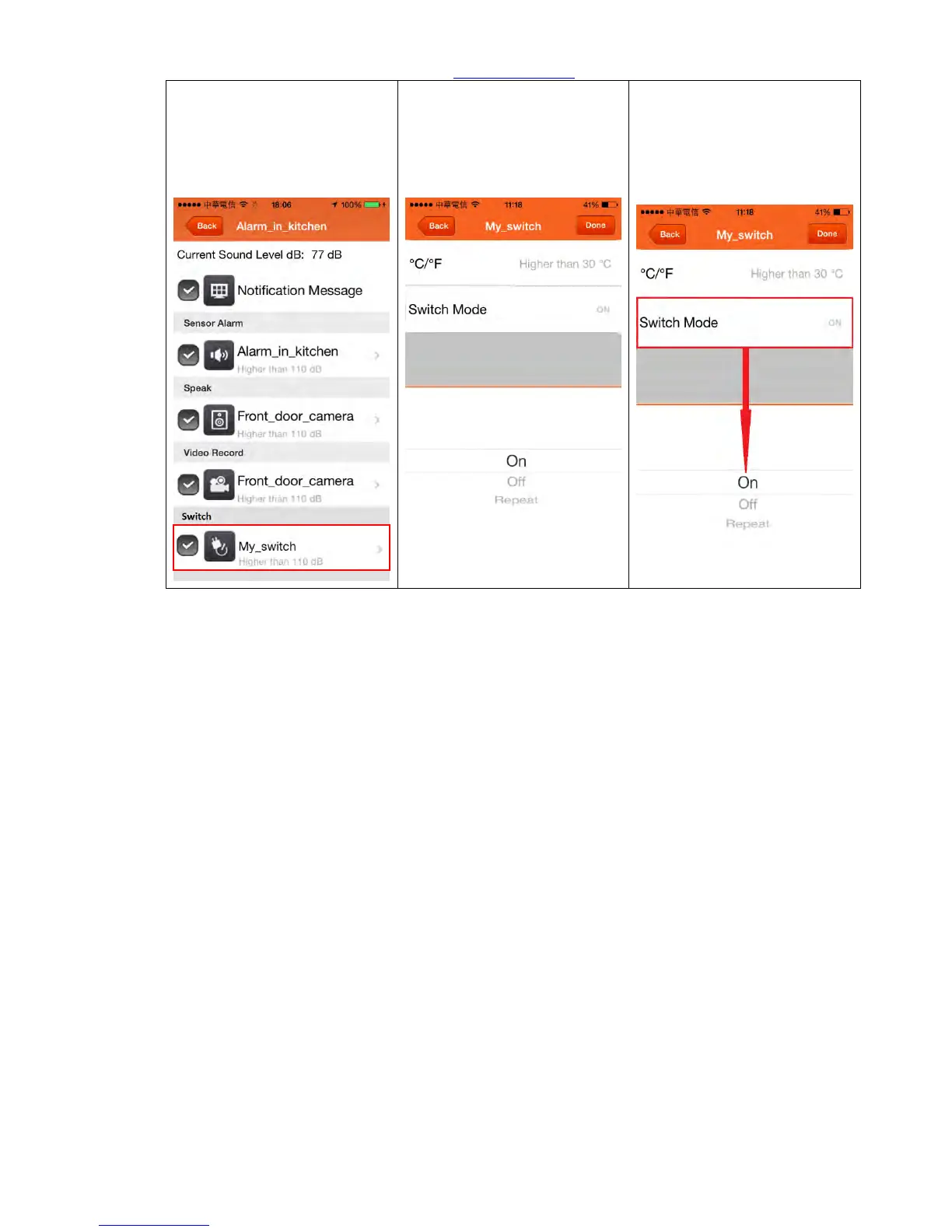
Step 10. If you want your
lights on while window is
opened, just select the
Switch. (shown in red frame)
Step 11. Face your needed to
setup Celsius, for example,
higher than 60C to make the
Switch triggered.
Step 12. To face your needed,
you can choose ON, OFF, or
Repeat mode of your Switch.



 To Next Page