3-2
Saia-Burgess Controls AG
27-621 ENG07 – Manual – Web Panel MB - PCD7.D450WTPx and PCD7.W470WTPx
Customising the start screen | Changing the password
Operating the setup menu
3
3.2 Customising the start screen
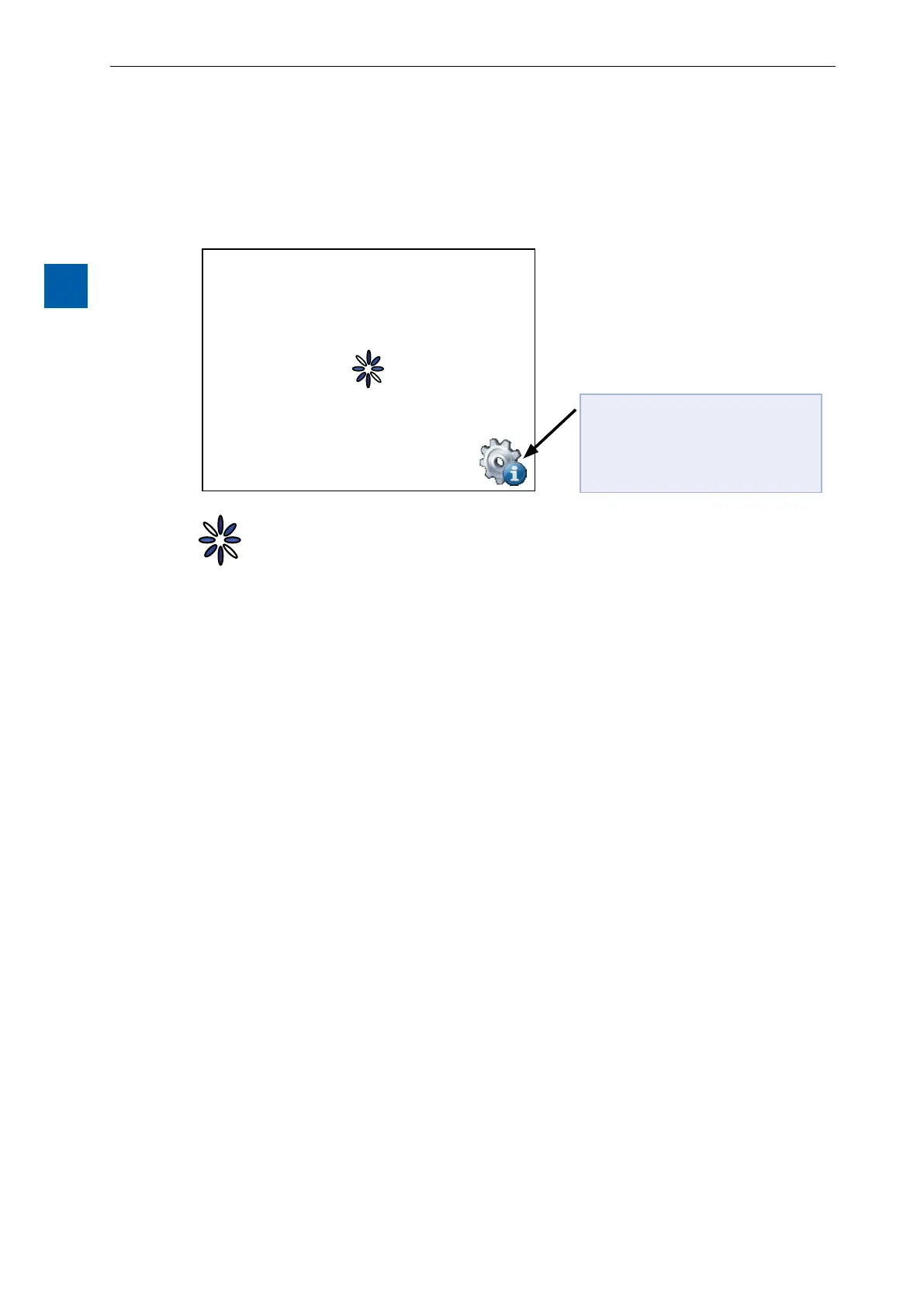
The title screen is displayed for a few seconds, immediately after the panel is
switched on with ON. The greeting and welcome screen can be dened under
System Start screen (see “4.3.3 Settings” on page 4-7).
Available for a few seconds only,
pressing on this icon will take you
directly to the Setup menu.
= Animated icon for “Please wait, data is being loaded”
User-dened System Start screen: “4.3.3 Settings” on page 4-7.
3.3 Changing the password
MB panels of the PCD7.D4xxxx series are supplied without a password on the
Setup menu.
However if ac-cessing the setup menu was restricted with a password, the correct
password must be en-tered and conrmed with OK.
Î For information on entering passwords, see “4.6 Password” on page 4-12.


 To Next Page