5-2
Saia-Burgess Controls AG
27-621 ENG07 – Manual – Web Panel MB - PCD7.D450WTPx and PCD7.W470WTPx
INTFLASH/WEBPAGES
Local les / local server
5
5.2 INTFLASH/WEBPAGES
Caution:thedirectoryname"M1_Flash”usedintheSBClesystemonthe
current QVGA and VGA MB panel no longer exists on this panel. The directory
nameoftherootlevelis"INTFLASH”
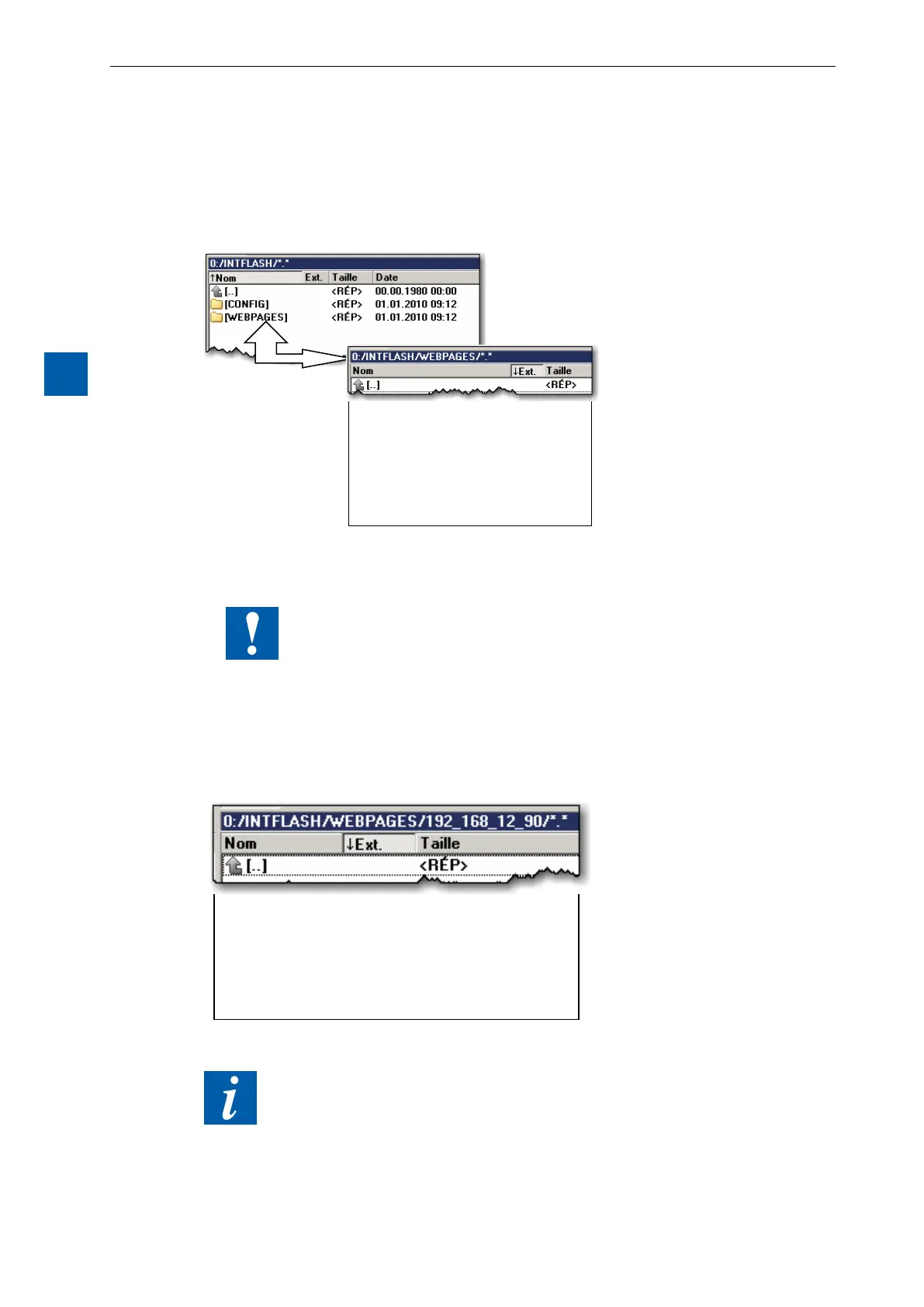
xxxxxxx.TEQ
xxxxxxxx.GIF
1) Recommended simplest method: Copy all shared les (.teq, .gif, etc.) to INTFLASH/WEBPAGES.
N.B.: If you have copy .teq or .gif les (or even .itq, .csv and .html les) when using a local server,
then you must always create at least one .tcr with all the PPO data (Web Builder).
Caution: Switch the Setup option from "No local le search" to "Local le search
before remote"!
2) Copy all associated les (.teq + .gif ) to the corresponding subdirectories of INTFLASH/WEBPAG-
ES/. Each associated station has its own subdirectory. The names of the subdirectories correspond
to the communication method:
HTTP direct communication IP address of the station with an underscore instead of a dot
e.g. IP address 192.168.12.90 becomes 192_168_12_90)
Copy les to INTFLASH/WEBPAGES/192_168_12_90
xxxxxxxxxxx.TEQ
xxxxxxxxxx.GIF
xxxxxxxx.HTML
!!! File names: max. 24 ASCII characters without spaces, including le extension.
N.B.: If you have copy .teq or .gif les (or even .itq, .csv and .html les) when using a
local server, then you must always create at least one .tcr (Web Builder), as it
contains all the PPO data. Do not forget to switch the Setup option from "No local
le search" to "Local le search before remote”.


 To Next Page