Schaeer Technologies
49
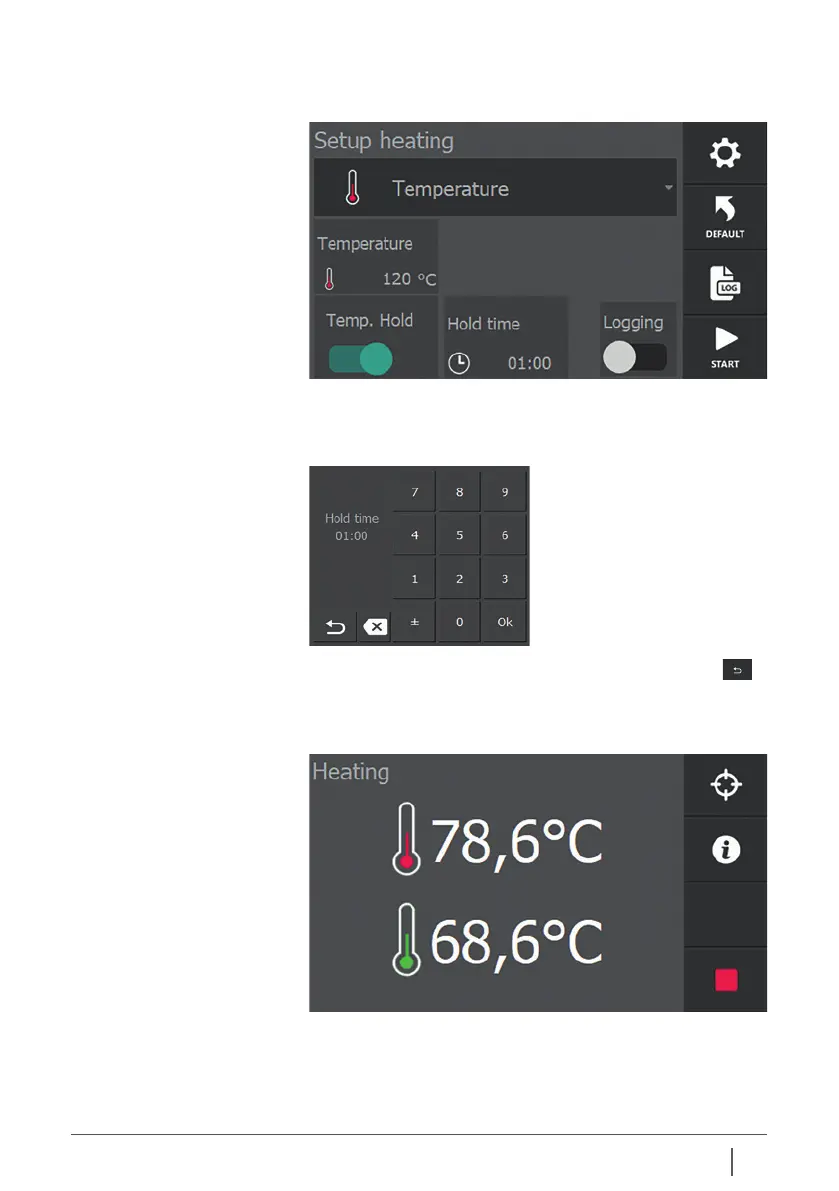
After adjusting the time, press “Back / Previous screen”
to return.
According to the above settings, the workpiece is heated to
80°C and then kept at 80°C for 2 minutes.
When the Hold Temp functionality is activated, the slider turns
green and the hold temp duration of the workpiece is displayed.
By pressing “Hold Time” you can adjust the hold temp
duration of the workpiece. The time is entered in mm:ss and
can be set between 00:01 and 99:00.


 To Next Page