50 Schaeer Technologies
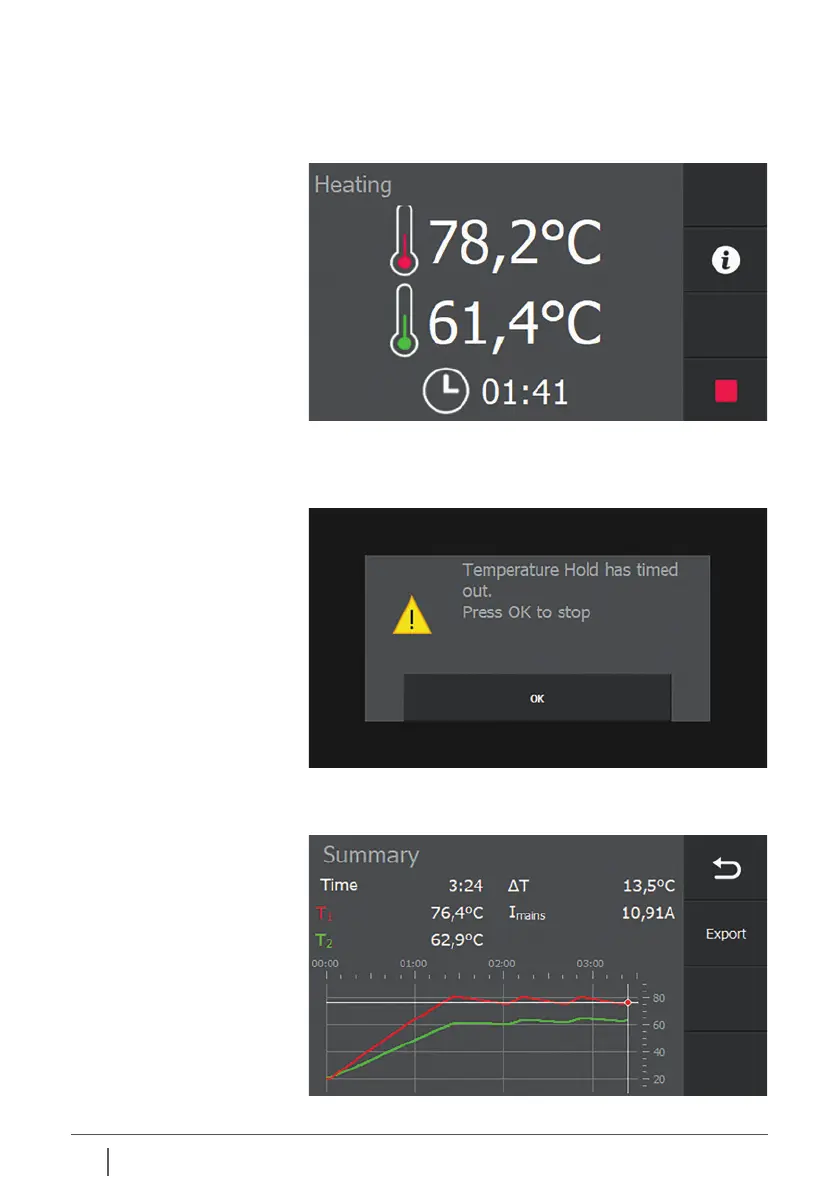
Once the set temperature, in this example 80°C, is reached for
the first time, a timer will appear at the bottom of the screen,
indicating the remaining time the workpiece is kept at the
set temperature.
As soon as this time has elapsed, the heater displays a
message indicating that the “temp hold” functionality
has elapsed.
Press “OK” to leave this screen. The final screen of the heating
process is now displayed.


 To Next Page